Kaspersky SafeKids Beta PC
Kaspersky Lab
Download Kaspersky SafeKids Beta on PC With GameLoop Emulator
Kaspersky SafeKids Beta sa PC
Ang Kaspersky SafeKids Beta, na nagmumula sa developer na Kaspersky Lab, ay tumatakbo sa Android systerm sa nakaraan.
Ngayon, maaari mong laruin ang Kaspersky SafeKids Beta sa PC gamit ang GameLoop nang maayos.
I-download ito sa GameLoop library o mga resulta ng paghahanap. Hindi na tumitingin sa baterya o nakakadismaya na mga tawag sa maling oras.
I-enjoy lang ang Kaspersky SafeKids Beta PC sa malaking screen nang libre!
Kaspersky SafeKids Beta Panimula
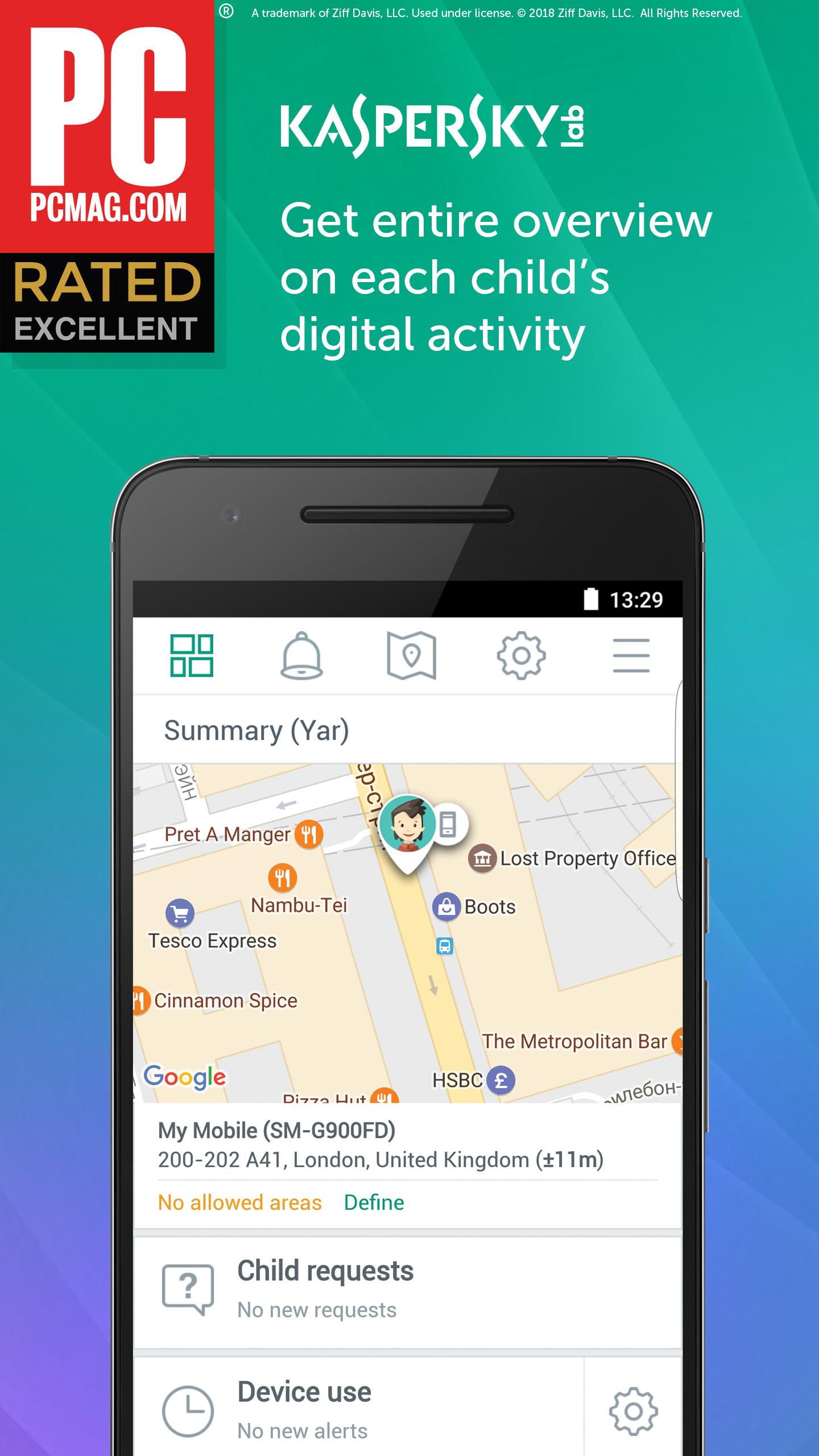
Kaspersky Safe Kids helps you protect your children in the digital world – on their mobiles, PCs & Mac computers.
Kaspersky Safe Kids helps you to:
Manage your kids’ Internet activities
- Flexibly blocks access to inappropriate websites
- Enables Internet Safe Search for search engines
- Let’s you customize a list of blocked / allowed sites
- Allows you to give an access to blocked websites or apps after child's request
Manage your kids’ use of applications
- Flexibly blocks access to inappropriate apps - with app control
- Includes age-appropriate access settings
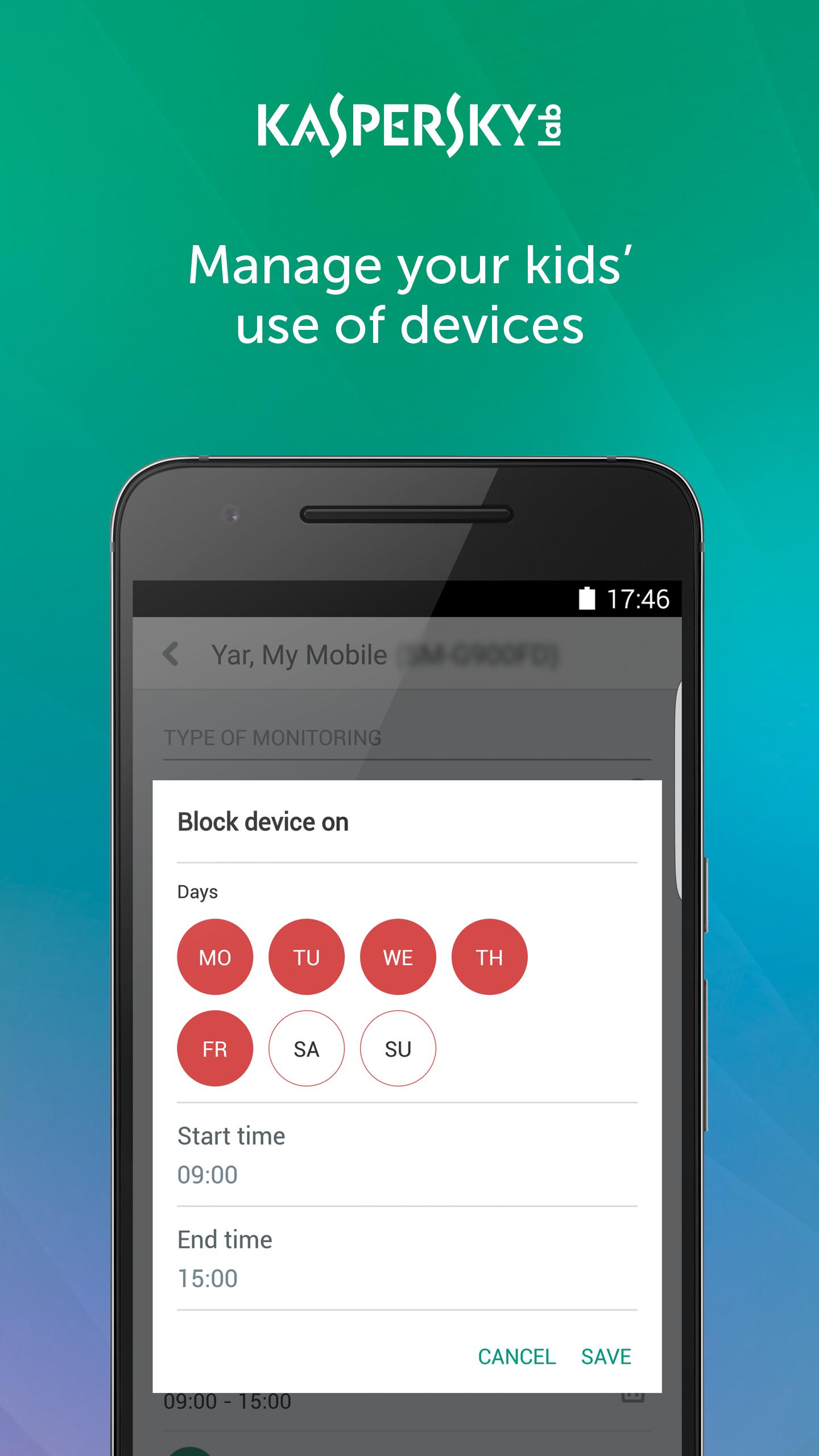
Manage your kids’ use of devices
- Flexibly limits the use of devices
Get advice on your child’s digital activities
- Provides recommendations from professional psychologist
It’s quick & easy for parents to install Kaspersky Safe Kids:
- Open Google Play Store on your child’s Android device and – using the Search function – find Kaspersky Safe Kids.
- Start the download and follow the easy instructions on the screen - to install the service in a kid’s mode.
- You can install Kaspersky Safe Kids on your parental mobiles, PCs & Mac computers – so that you can remotely manage the protection rules for all children in the family & get notifications about suspicious activities.
- To manage the whole set of protection rules, please log in to the My Kaspersky portal via my.kaspersky.com/mykids – using the My Kaspersky login & password that you used during installation.
This app uses the Device Administrator permission.
This app uses Accessibility services.
With this Beta release you’ll be able to:
• Preview the latest capabilities and try out the newest features. Sometimes these may be a little rough around the edges. Please note, this Beta version may be unstable.
• Give early feedback – let us know what you think and help us make Kaspersky Safe Kids better. If you spot any bugs or problems or would like to make suggestions, you can send your feedback to safekids.support@kaspersky.com
Please pay special attention to the following rules:
• If you are already using the premium version of Kaspersky Safe Kids, you can test the Beta version in premium mode under the same license. You need to download Kaspersky Safe Kids Beta. Please note, however, that your license term will not be extended for the duration of Beta testing.
• YOU MUST NOT connect Kaspersky Safe Kids Beta to a My Kaspersky account that contains licenses that are not yet in use. Otherwise, the app will automatically switch to the premium version and your license will be activated.
• To return to your current version of Kaspersky Safe Kids, uninstall the Beta version of the app, and then download and install the latest version of Kaspersky Safe Kids from Google Play.
Preview
Information
Developer
Kaspersky Lab
Latest Version
1.16.0.75
Last Updated
2018-10-11
Category
Parenting
Available on
Google Play
Show More
How to play Kaspersky SafeKids Beta with GameLoop on PC
1. Download GameLoop from the official website, then run the exe file to install GameLoop
2. Open GameLoop and search for “Kaspersky SafeKids Beta” , find Kaspersky SafeKids Beta in the search results and click “Install”
3. Enjoy playing Kaspersky SafeKids Beta on GameLoop
Minimum requirements
OS
Windows 8.1 64-bit or Windows 10 64-bit
GPU
GTX 1050
CPU
i3-8300
Memory
8GB RAM
Storage
1GB available space
Recommended requirements
OS
Windows 8.1 64-bit or Windows 10 64-bit
GPU
GTX 1050
CPU
i3-9320
Memory
16GB RAM
Storage
1GB available space