
Volume Ace para PC
BrainCrash Soft
Descarga Volume Ace en PC con GameLoop Emulator
Volume Ace en PC
Volume Ace, proveniente del desarrollador BrainCrash Soft, se ejecuta en el sistema Android en el pasado.
Ahora, puedes jugar Volume Ace en PC con GameLoop sin problemas.
Descárgalo en la biblioteca de GameLoop o en los resultados de búsqueda. No más mirar la batería o llamadas frustrantes en el momento equivocado nunca más.
Simplemente disfrute de Volume Ace PC en la pantalla grande de forma gratuita!
Volume Ace Introducción
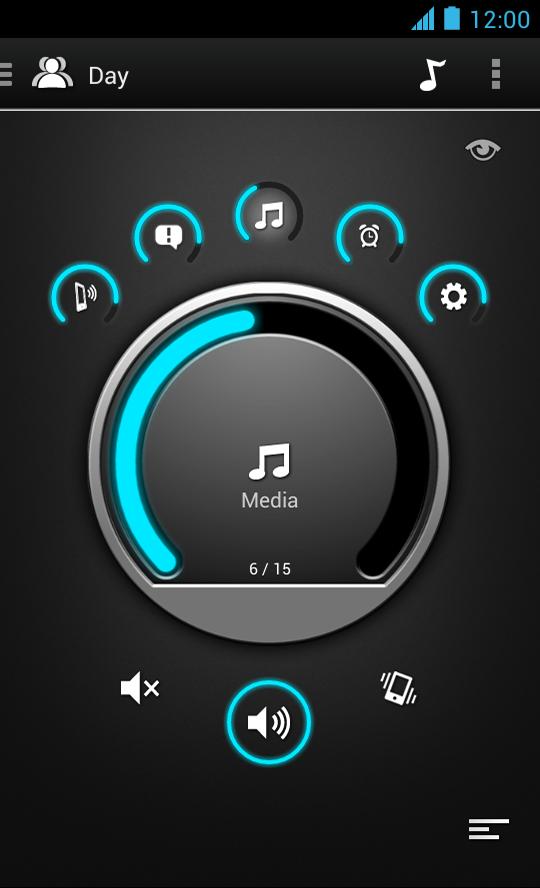
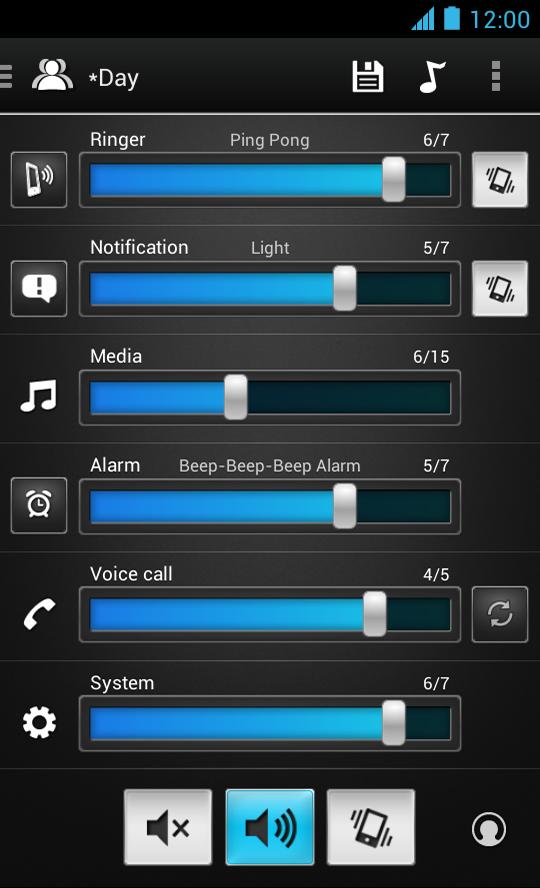
Volume Ace is a Volume Manager that allow you to fast and easily control your device volume levels. You can create profiles and switch or select them straight from the widgets or schedule profiles to apply automatically.
Features
• Volume control for: Ringer, Notifications, Media, Alarm, Voice Calls and System (Some devices may have certain volumes tied together).
• Profiles: Create your own profile. Each profile can save his own Ringtone, Notification and Alarm tone.
• Scheduler: Schedule profiles to apply automatically at the time and day you choose.
• Volume Locker: Prevent ringer and/or media volume to be changed outside the app.
• Timer: Set a profile temporarily for x hours and minutes. Useful for meetings, movies etc. so you don't forget to turn off the "silent" profile.
• Several Widgets of various sizes.
• Tone picker (Ringtone, Notification and Alarm).
• Cycle profiles by tapping widget (Supported only by widgets with "levels")
• Customizable colors.
• Bluetooth volume
* Tablets aren't fully supported.
** App functionality may vary based on Android version in use.
Avance
Etiquetas
Music-&Información
Desarrollador
BrainCrash Soft
La última versión
3.8.2
Última actualización
2023-11-06
Categoría
Music-audio
Disponible en
Google Play
Mostrar más
Cómo jugar Volume Ace con GameLoop en PC
1. Descargue GameLoop desde el sitio web oficial, luego ejecute el archivo exe para instalar GameLoop.
2. Abra GameLoop y busque "Volume Ace", busque Volume Ace en los resultados de búsqueda y haga clic en "Instalar".
3. Disfruta jugando Volume Ace en GameLoop.
Minimum requirements
OS
Windows 8.1 64-bit or Windows 10 64-bit
GPU
GTX 1050
CPU
i3-8300
Memory
8GB RAM
Storage
1GB available space
Recommended requirements
OS
Windows 8.1 64-bit or Windows 10 64-bit
GPU
GTX 1050
CPU
i3-9320
Memory
16GB RAM
Storage
1GB available space