
Battery Ace para PC
BrainCrash Soft
Descarga Battery Ace en PC con GameLoop Emulator
Battery Ace en PC
Battery Ace, proveniente del desarrollador BrainCrash Soft, se ejecuta en el sistema Android en el pasado.
Ahora, puedes jugar Battery Ace en PC con GameLoop sin problemas.
Descárgalo en la biblioteca de GameLoop o en los resultados de búsqueda. No más mirar la batería o llamadas frustrantes en el momento equivocado nunca más.
Simplemente disfrute de Battery Ace PC en la pantalla grande de forma gratuita!
Battery Ace Introducción
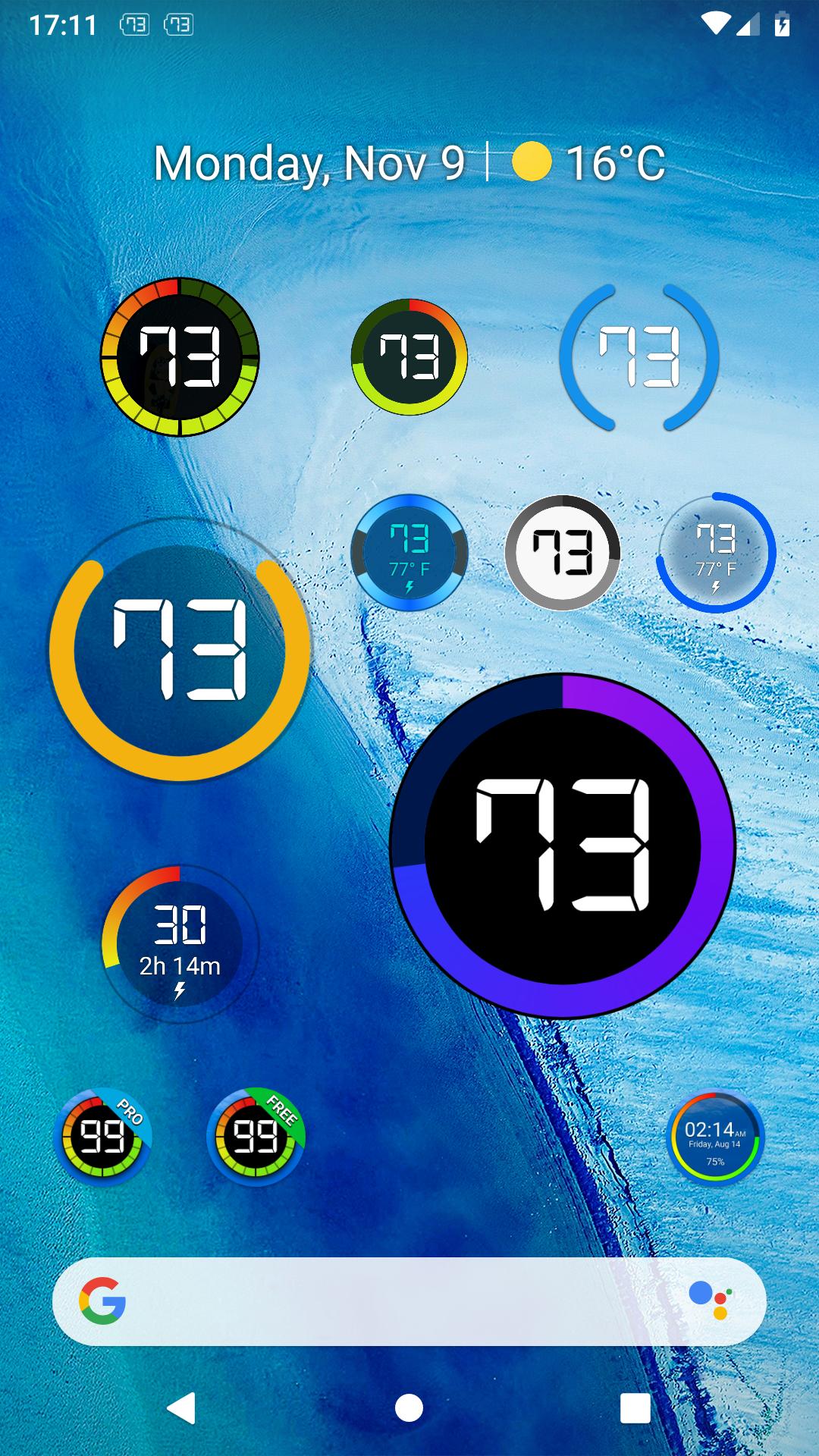
Battery Ace keep track in detail of your battery level.
Widget Features:
- 3 modes: level, time left and temperature.
- re-sizable widget with high quality graphics
- numerical battery percent in widget
- option to show charge / discharge time left (estimated)
- several styles to chose from.
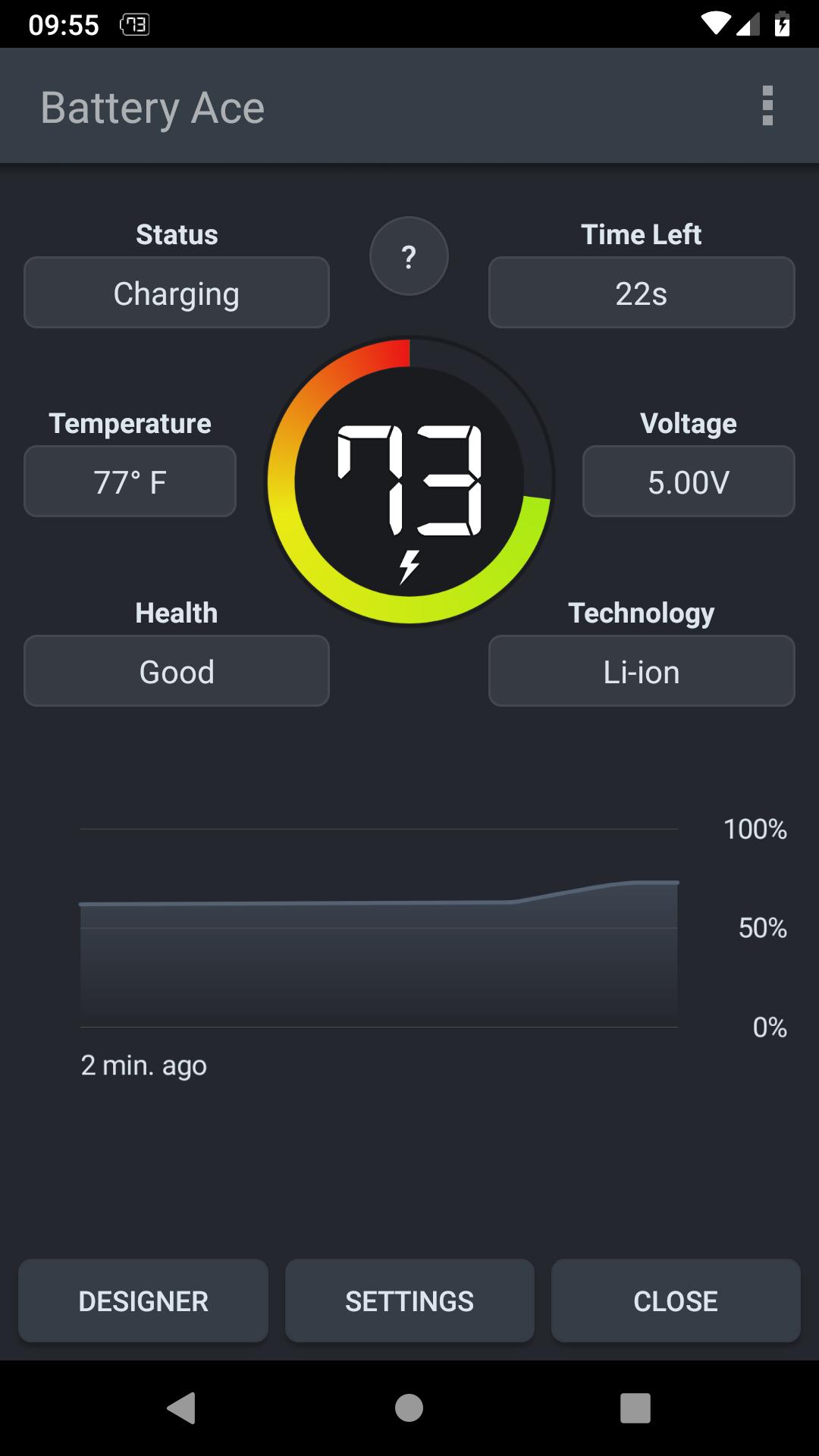
App Features:
- discharge prediction (estimates how long the battery lasts)
- charge prediction (estimates how long until full charge)
- graphical history of battery usage
- Battery level warnings
- battery details (Temperature, Voltage, Health, Status, etc.)
- widget designer to configure every detail of the widget
- Customize widget levels limit and colors.
- Support Dark Mode
Notes:
- Task Manager, Task Killer or other power saving features (often built in the system) may affect this app. Please don’t use them or try to create an exception for this app if it does not work as expected.
- The App is very light and optimized and should NOT drain you battery
- Due to the limitation of the Android platform, home screen widgets will NOT work if the app is moved to the SD card.
Avance
Etiquetas
HerramientasInformación
Desarrollador
BrainCrash Soft
La última versión
2.2.4 free
Última actualización
2024-01-05
Categoría
Herramientas
Disponible en
Google Play
Mostrar más
Cómo jugar Battery Ace con GameLoop en PC
1. Descargue GameLoop desde el sitio web oficial, luego ejecute el archivo exe para instalar GameLoop.
2. Abra GameLoop y busque "Battery Ace", busque Battery Ace en los resultados de búsqueda y haga clic en "Instalar".
3. Disfruta jugando Battery Ace en GameLoop.
Minimum requirements
OS
Windows 8.1 64-bit or Windows 10 64-bit
GPU
GTX 1050
CPU
i3-8300
Memory
8GB RAM
Storage
1GB available space
Recommended requirements
OS
Windows 8.1 64-bit or Windows 10 64-bit
GPU
GTX 1050
CPU
i3-9320
Memory
16GB RAM
Storage
1GB available space