
Sophos Secure Email para PC
Sophos Limited
Descarga Sophos Secure Email en PC con GameLoop Emulator
Sophos Secure Email en PC
Sophos Secure Email, proveniente del desarrollador Sophos Limited, se ejecuta en el sistema Android en el pasado.
Ahora, puedes jugar Sophos Secure Email en PC con GameLoop sin problemas.
Descárgalo en la biblioteca de GameLoop o en los resultados de búsqueda. No más mirar la batería o llamadas frustrantes en el momento equivocado nunca más.
Simplemente disfrute de Sophos Secure Email PC en la pantalla grande de forma gratuita!
Sophos Secure Email Introducción
Sophos Secure Email is a containerized and secure email app that lets you fully separate enterprise and private data on your device. It handles the corporate emails, contacts and calendar from the company’s Exchange server. Corporate data is protected with AES-256 encryption and the export of data is controlled by the company’s Data Loss Prevention (DLP) rules. Sophos Secure Email allows the implementation of BYOD programs and fulfills advanced data protection needs in selected industries like finance, government or healthcare.
IMPORTANT NOTE: The Sophos Secure Email app works only in combination with the Sophos Mobile Control Enterprise Mobility Management (EMM) software. Please check with your IT department whether your company uses Sophos Mobile Control. If it does not, please do not install this app as it will not operate without the corresponding EMM server.
*** Feature set ***
- Sync email with Microsoft Exchange or any other ActiveSync compatible email service.
- Use these email options: Create, Reply, Reply All, Forward, Delete.
- Search through your inbox.
- Organize your emails in folders.
CONTACTS
- Access, modify or create contacts.
- Search for contacts.
- View contact details, including picture.
CALENDAR
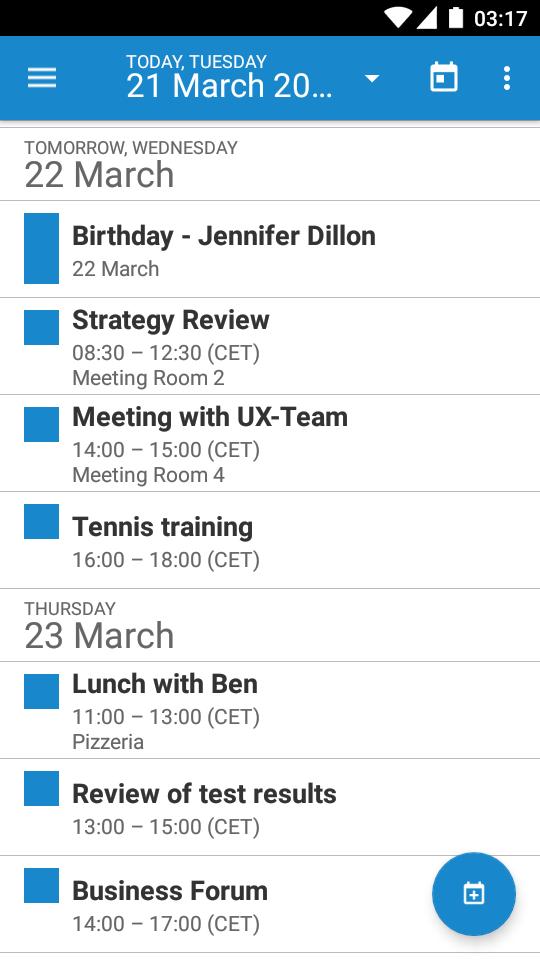
- View events in a calendar or in a list.
- Create new events.
- Accept invitations.
ENROLLMENT STEPS
Usually, the app is pushed to your device during the enrollment with Sophos Mobile Control:
1. After installation and configuration through the EMM server, open the app.
2. If requested, enter the container passcode.
3. The app starts to sync data with your email account.
NOTE: If you have any issues with Sophos Secure Email, please check our monitored support forum for help before leaving a 1-star review: https://community.sophos.com/products/mobile-device-protection/
Avance

Etiquetas
EmpresaInformación
Desarrollador
Sophos Limited
La última versión
v8.6.0-arm64-v8a
Última actualización
2023-10-19
Categoría
Empresa
Disponible en
Google Play
Mostrar más
Cómo jugar Sophos Secure Email con GameLoop en PC
1. Descargue GameLoop desde el sitio web oficial, luego ejecute el archivo exe para instalar GameLoop.
2. Abra GameLoop y busque "Sophos Secure Email", busque Sophos Secure Email en los resultados de búsqueda y haga clic en "Instalar".
3. Disfruta jugando Sophos Secure Email en GameLoop.
Minimum requirements
OS
Windows 8.1 64-bit or Windows 10 64-bit
GPU
GTX 1050
CPU
i3-8300
Memory
8GB RAM
Storage
1GB available space
Recommended requirements
OS
Windows 8.1 64-bit or Windows 10 64-bit
GPU
GTX 1050
CPU
i3-9320
Memory
16GB RAM
Storage
1GB available space