
Coin Alarm para PC
Elegant Develop
Descarga Coin Alarm en PC con GameLoop Emulator
Coin Alarm en PC
Coin Alarm, proveniente del desarrollador Elegant Develop, se ejecuta en el sistema Android en el pasado.
Ahora, puedes jugar Coin Alarm en PC con GameLoop sin problemas.
Descárgalo en la biblioteca de GameLoop o en los resultados de búsqueda. No más mirar la batería o llamadas frustrantes en el momento equivocado nunca más.
Simplemente disfrute de Coin Alarm PC en la pantalla grande de forma gratuita!
Coin Alarm Introducción
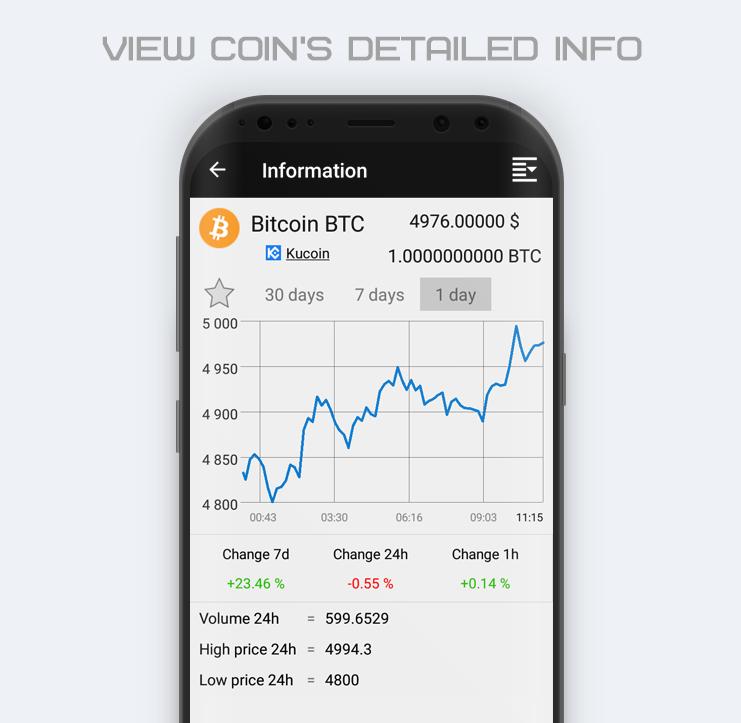
Follow the increase cost of cryptocurrency? This app will monitor the price of cryptocurrency instead of you. Only you got to do is set the alarm or notification to cryptocurrency price limit you need. Then you can close the app and go on business. Alarm clock will work when the cryptocurrency reaches the specified price.
App features:
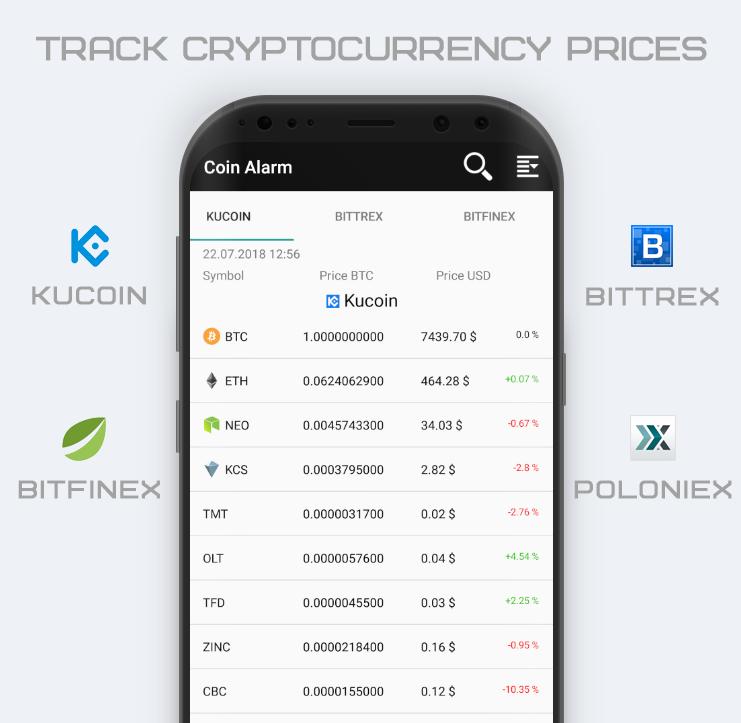
• Track the cost of cryptocurrency on exchanges: Kucoin, Bittrex, Bitfinex, Poloniex.
• Create background alarm/notification tasks, to track the cryptocurrency reaches the specified price.
• Search for the required cryptocurrency.
• Sort cryptocurrency list by different fields.
• A user-friendly interface makes it easy to compare the cost of cryptocurrency on various exchanges.
• The application collects information directly from the servers of the most famous cryptocurrency exchanges.
Be the first who knows the jump in prices for cryptocurrency.
Avance
Etiquetas
EmpresaInformación
Desarrollador
Elegant Develop
La última versión
1.4.4
Última actualización
2023-11-14
Categoría
Empresa
Disponible en
Google Play
Mostrar más
Cómo jugar Coin Alarm con GameLoop en PC
1. Descargue GameLoop desde el sitio web oficial, luego ejecute el archivo exe para instalar GameLoop.
2. Abra GameLoop y busque "Coin Alarm", busque Coin Alarm en los resultados de búsqueda y haga clic en "Instalar".
3. Disfruta jugando Coin Alarm en GameLoop.
Minimum requirements
OS
Windows 8.1 64-bit or Windows 10 64-bit
GPU
GTX 1050
CPU
i3-8300
Memory
8GB RAM
Storage
1GB available space
Recommended requirements
OS
Windows 8.1 64-bit or Windows 10 64-bit
GPU
GTX 1050
CPU
i3-9320
Memory
16GB RAM
Storage
1GB available space