MapGenie: Witcher 3 Map para PC
Map Genie
Descarga MapGenie: Witcher 3 Map en PC con GameLoop Emulator
MapGenie: Witcher 3 Map en PC
MapGenie: Witcher 3 Map, proveniente del desarrollador Map Genie, se ejecuta en el sistema Android en el pasado.
Ahora, puedes jugar MapGenie: Witcher 3 Map en PC con GameLoop sin problemas.
Descárgalo en la biblioteca de GameLoop o en los resultados de búsqueda. No más mirar la batería o llamadas frustrantes en el momento equivocado nunca más.
Simplemente disfrute de MapGenie: Witcher 3 Map PC en la pantalla grande de forma gratuita!
MapGenie: Witcher 3 Map Introducción
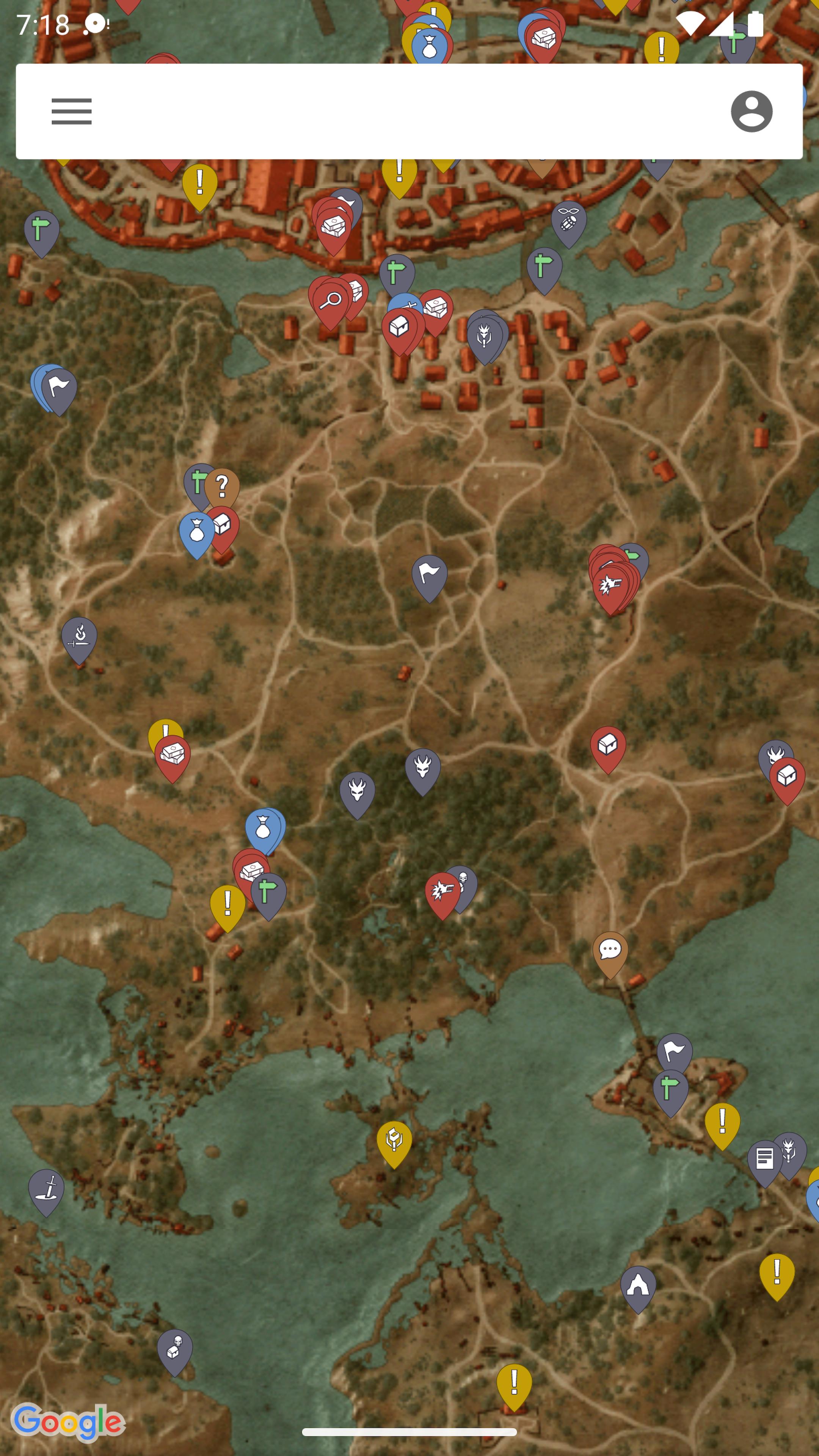
An unofficial fan-made interactive map for TW3. Use this companion to find all collectibles and get 100% completion!
FEATURES:
• Over 1500 locations - Find all Witcher Gear, Hidden Treasure, Side Quests, Gwent Cards & Contracts.
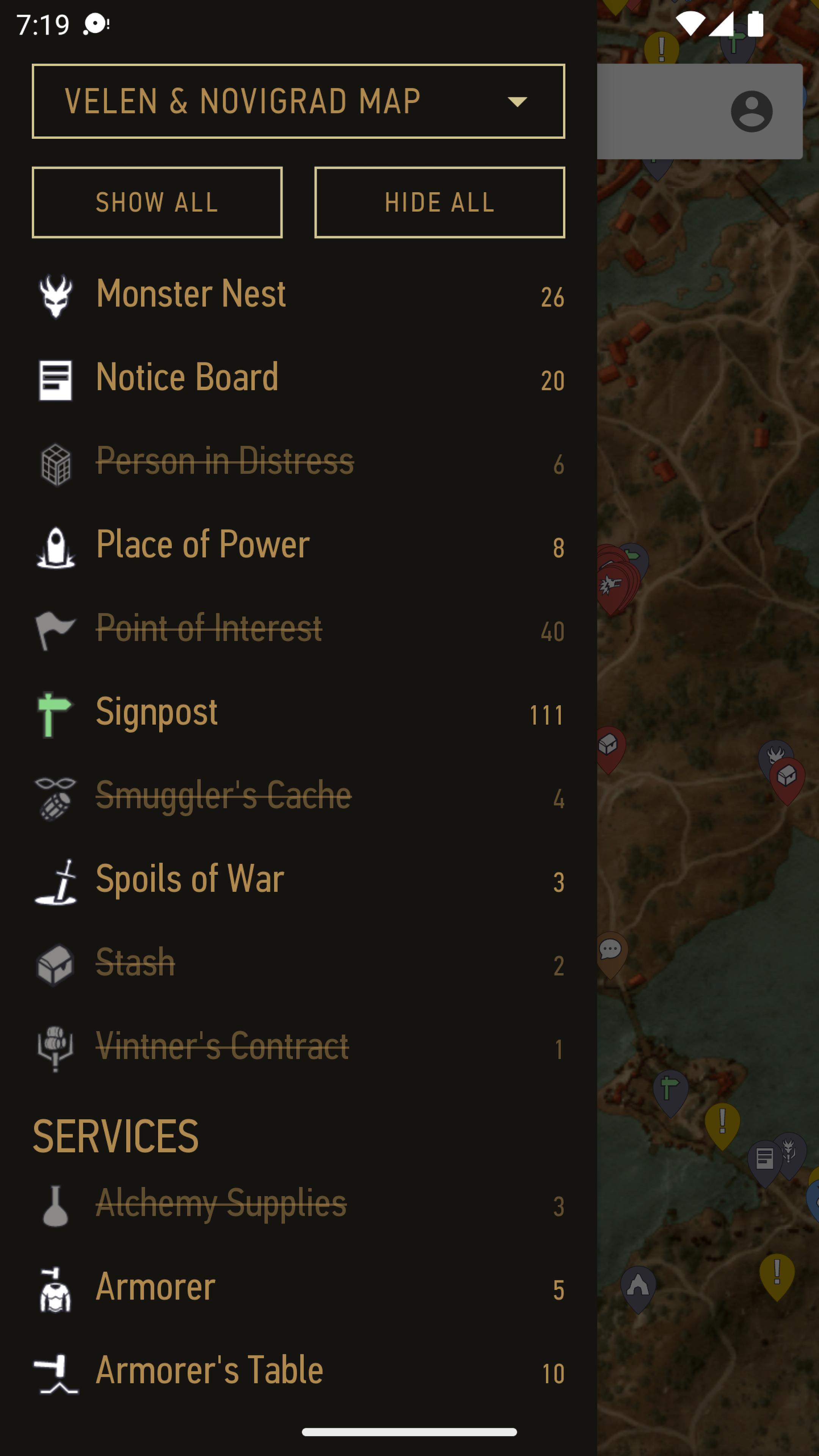
• 50+ categories - including Gwent Cards, Signposts, Books, Monster Dens, Quest Items & more!
• Quicksearch - just type the name of a location to instantly find what you're looking for.
• Sync progress with the website: https://mapgenie.io
• Progress Tracker - mark locations as found and track the progress of your collectables.
• Take Notes - marking places of interest by adding notes to the map.
• Maps for every region (including DLC) - White Orchard, Velen & Novigrad, Skellige Isles, Kaer Morhen, Toussaint, Fablesphere & The Isle of Mists
If you find a bug, or have any suggestions for the app, please use the 'Send Feedback' option below to let us know!
Disclaimer: MapGenie is in no way affiliated with the game developers!
Avance
Etiquetas
Books-&Información
Desarrollador
Map Genie
La última versión
2.1.12
Última actualización
2023-11-24
Categoría
Books-reference
Disponible en
Google Play
Mostrar más
Cómo jugar MapGenie: Witcher 3 Map con GameLoop en PC
1. Descargue GameLoop desde el sitio web oficial, luego ejecute el archivo exe para instalar GameLoop.
2. Abra GameLoop y busque "MapGenie: Witcher 3 Map", busque MapGenie: Witcher 3 Map en los resultados de búsqueda y haga clic en "Instalar".
3. Disfruta jugando MapGenie: Witcher 3 Map en GameLoop.
Minimum requirements
OS
Windows 8.1 64-bit or Windows 10 64-bit
GPU
GTX 1050
CPU
i3-8300
Memory
8GB RAM
Storage
1GB available space
Recommended requirements
OS
Windows 8.1 64-bit or Windows 10 64-bit
GPU
GTX 1050
CPU
i3-9320
Memory
16GB RAM
Storage
1GB available space