V7 pico DVB-T Tuner PC
icube Corp.
Download V7 pico DVB-T Tuner on PC With GameLoop Emulator
V7 pico DVB-T Tuner pada PC
V7 pico DVB-T Tuner, datang daripada pembangun icube Corp., sedang berjalan pada sistem Android pada masa lalu.
Kini, Anda boleh bermain V7 pico DVB-T Tuner pada PC dengan GameLoop dengan lancar.
Muat turunnya dalam pustaka GameLoop atau hasil carian. Tiada lagi melihat bateri atau panggilan yang mengecewakan pada masa yang salah lagi.
Hanya nikmati V7 pico DVB-T Tuner PC pada skrin besar secara percuma!
V7 pico DVB-T Tuner Pengenalan
* Notice to Nexus 7(2013) users
: It is reported that Nexus 7 has a problem that blocks the USB Host mode when its language setting isn't US-English. If pico isn't recognized, you need to change the language setting to US-English and then reboot.(Rebooting is necessary after changing the language.) After this, you can change the language to your preferred one unless it is rebooted.
This application is a tool to view DVB-T broadcast on your Android Phone and Tablet.
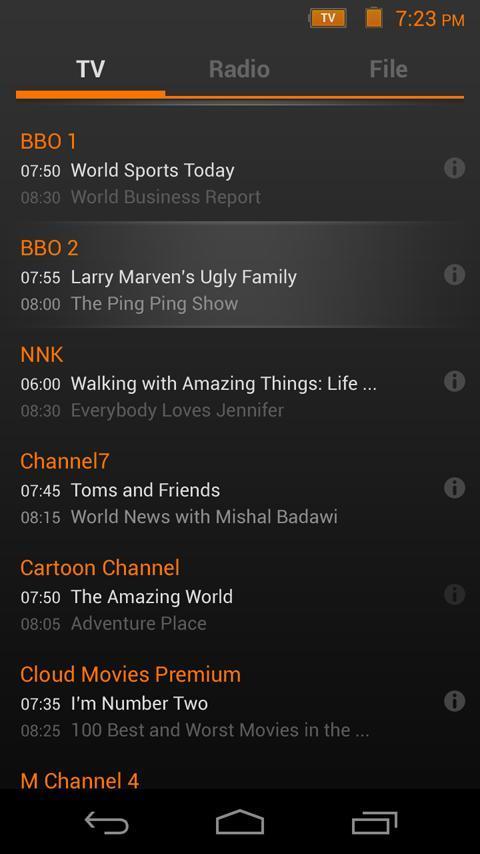
To use this program, you need a device called "V7 pico DVB-T Tuner", which receives DVB-T broadcast signal and transmits it to your Android device. With the device connected, you can view the channel list, view TV content, change channels and adjust screen size.
* Features :
- Scanning DVB-T channels
- Watching DVB-T TV channels
- View program guide information(EPG)
- Edit TV channels
- Full screen video display
- Recording channels
* Major supported phones & tablets :
- Samsung Galaxy S2, S3, S4 (S3 mini and S4 mini are not supported)
- Samsung Galaxy Nexus
- Samsung Galaxy Note, Note2
- Samsung Galaxy Tab 7", 8.9", 10.1"
- Samsung Galaxy Tab 2 7", 10.1", 10.1"N
- Samsung Galaxy Note 10.1"
- Sony Xperia Z
- Motorola Xoom MZ601
- Toshiba Thrive
- Acer Iconia A500 (USB Male / Micro USB Female adapter needed)
* Android OS v3.1 (Honeycomb) or later
* Please check "Device detected" under "Android API" by the Build ID of your phone at the following link.
http://usbhost.chainfire.eu/
Type the Build ID in the right side box of "Text search or unique code: "
* Caution :
- The USB Host support on phone or tablet is required.
- TV channels with High Definition(HD) video are not supported.
- Scrambled TV channels are not supported.
Preview

Information
Developer
icube Corp.
Latest Version
1.0.4915
Last Updated
2014-03-03
Category
Entertainment
Available on
Google Play
Show More
Cara bermain V7 pico DVB-T Tuner dengan GameLoop pada PC
1. Muat turun GameLoop dari laman web rasmi, kemudian jalankan fail exe untuk memasang GameLoop.
2. Buka GameLoop dan cari "V7 pico DVB-T Tuner", cari V7 pico DVB-T Tuner dalam hasil carian dan klik "Pasang".
3. Nikmati bermain V7 pico DVB-T Tuner di GameLoop.
Minimum requirements
OS
Windows 8.1 64-bit or Windows 10 64-bit
GPU
GTX 1050
CPU
i3-8300
Memory
8GB RAM
Storage
1GB available space
Recommended requirements
OS
Windows 8.1 64-bit or Windows 10 64-bit
GPU
GTX 1050
CPU
i3-9320
Memory
16GB RAM
Storage
1GB available space