
Blueprint Word: Classroom
Shard Real
- MexicoMex$25.89Mex$25.89Ir a la tienda
- ArgentinaMex$1.34Mex$1.34Ir a la tienda
- TurkeyMex$2.62Mex$2.62Ir a la tienda
Descarga Blueprint Word: Classroom en PC con GameLoop Emulator
Blueprint Word: Classroom, es un popular juego de Steam desarrollado por Shard Real. Puede descargar Blueprint Word: Classroom y los mejores juegos de Steam con GameLoop para jugar en la PC. Haga clic en el botón 'Obtener' para obtener las últimas mejores ofertas en GameDeal.
Obtén Blueprint Word: Classroom juego de vapor
Blueprint Word: Classroom, es un popular juego de Steam desarrollado por Shard Real. Puede descargar Blueprint Word: Classroom y los mejores juegos de Steam con GameLoop para jugar en la PC. Haga clic en el botón 'Obtener' para obtener las últimas mejores ofertas en GameDeal.
Blueprint Word: Classroom Funciones
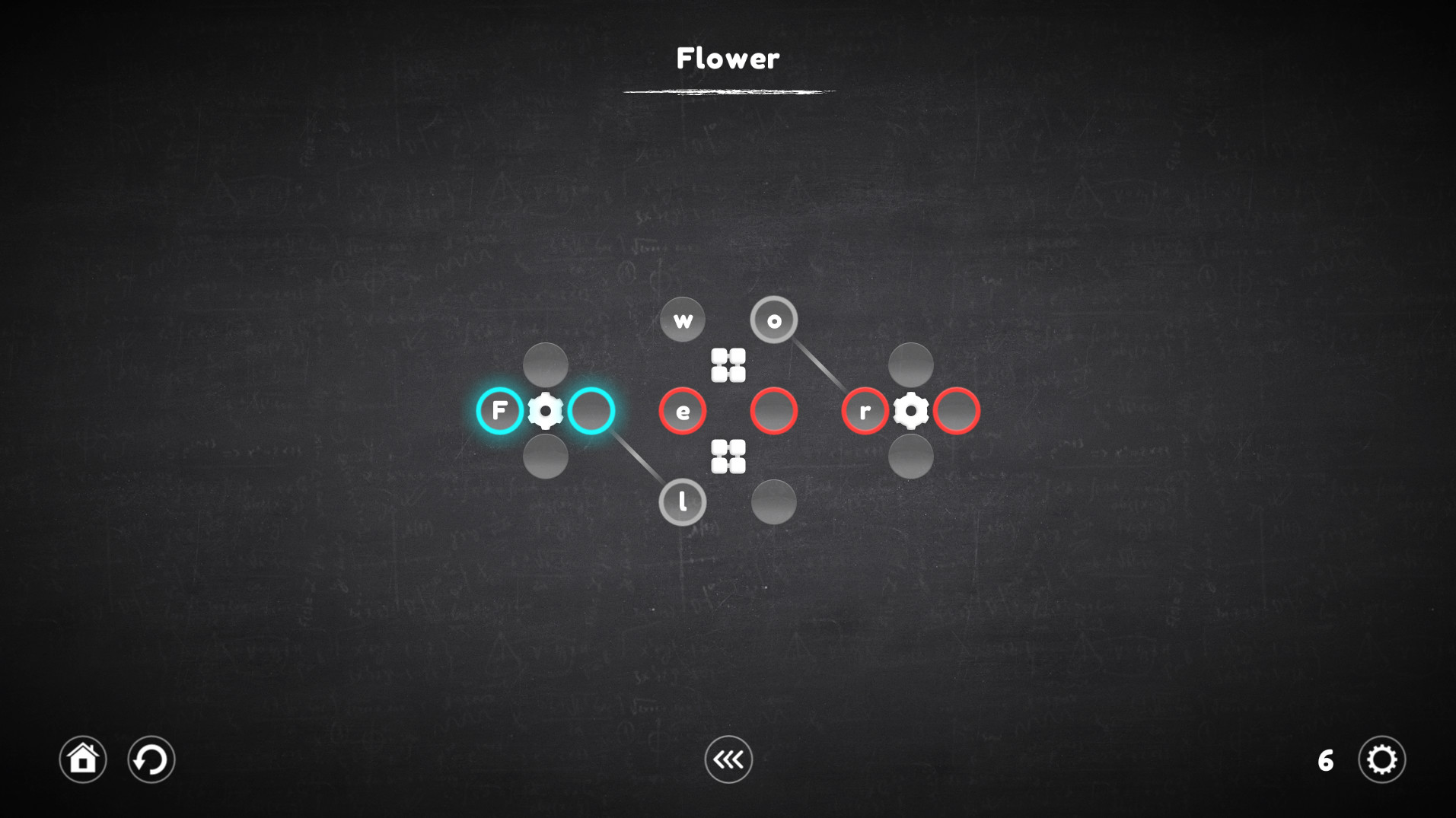
The goal of each level is to assemble a word or even a whole sentence from letters that are part of certain mechanisms and are controlled by them. Pick up the right letters or symbols, insert into the cells, adapt to difficult conditions and do not fall into deception. Try - It's Easy!
Regarding the innovations: The game is a big work on the mistakes of the last part of the series. Therefore, it has become much more convenient and easier to play.
Key Features
- Play as convenient: The game has 2 levels of difficulty, one is suitable for beginners and does not require much effort from the player, the second is suitable for those who are familiar with Blueprint Word.
- Too difficult for me: Do not know how to solve the puzzle? You can skip the level and try to pass it later.
- Everyone is mistaken: I lost several moves because of an error - just wind the mechanisms a few steps back.
- Over 120 levels.
- 4 new types of mechanisms.
- Improved gameplay.
The game has four categories of levels, each of which involves the use of certain mechanisms. The very first of them is the usual gear, which remained unchanged, the other three are completely new.
Each category contains 30 unique levels, and the levels can combine the mechanisms from the previous categories.
"Valve"
Using the gear allows you to rotate all the nearest cells around it, both clockwise and counterclockwise. It is important to understand that all cells are not part of the gears before they are activated, this means that the cells located next to one gear (for example, left or right) can take part in the rotation of the other, which in fact allows you to move the cells to the right places.
"Rotator"
A rotator is a kind of gear, but it works a little differently. His work is reminiscent of the Rubik's Cube, all the cells nearest to him rotate not in a circle, but linearly, which complicates the process, but allows the cells to be moved in a slightly different way.
"Connector"
The connector is not a mechanism on which you can act, but it forms a connection between the cells in which the characters are located, with the target cell, which allows you to select the desired character in places inaccessible to the mechanisms.
"Replacer"
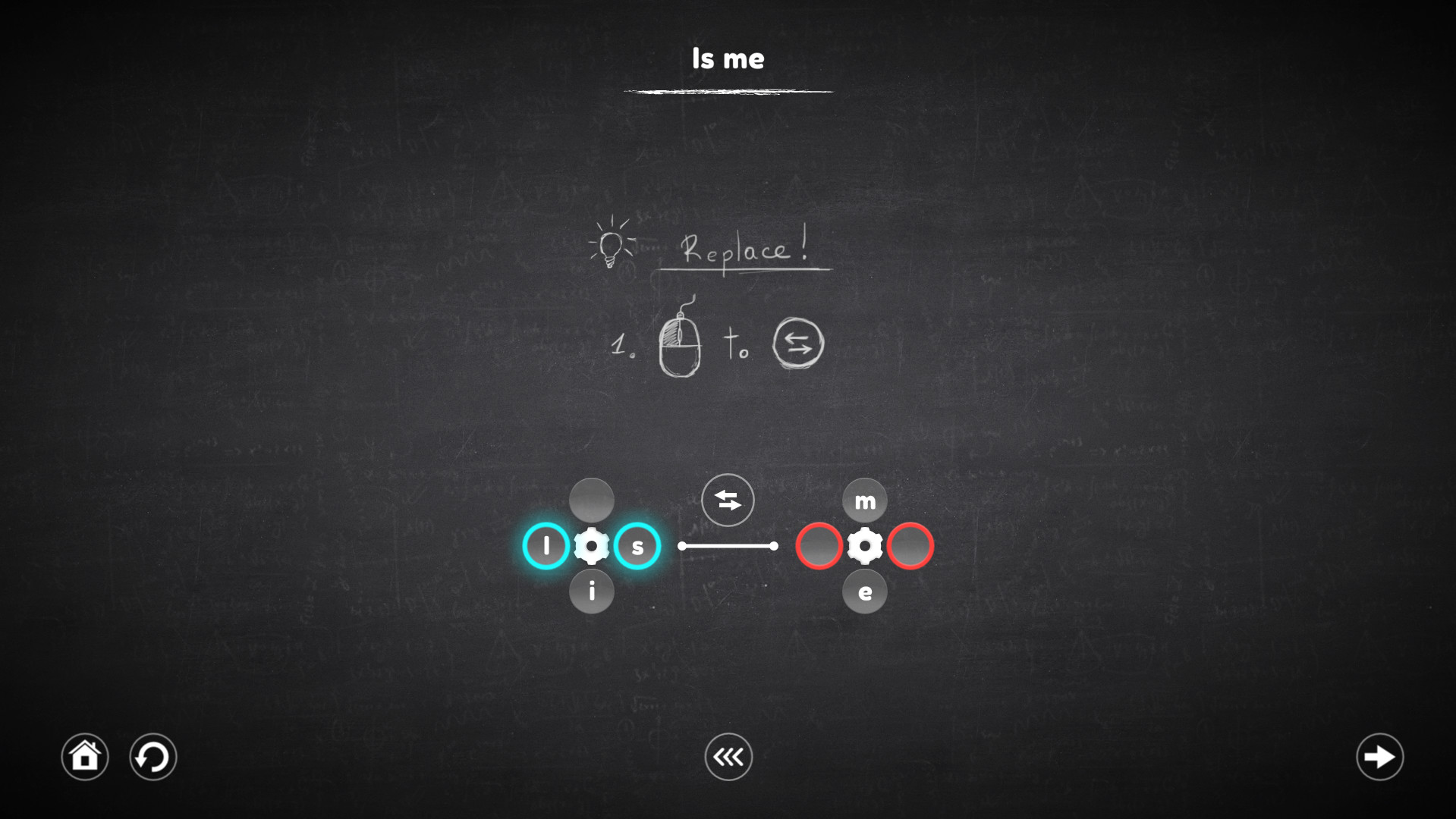
This mechanism no longer works with cells, but with mechanisms. When it is activated, it replace the mechanisms that it intersects, and the cells attached to them also move along with these mechanisms.
Descarga Blueprint Word: Classroom en PC con GameLoop Emulator
Obtén Blueprint Word: Classroom juego de vapor
Blueprint Word: Classroom, es un popular juego de Steam desarrollado por Shard Real. Puede descargar Blueprint Word: Classroom y los mejores juegos de Steam con GameLoop para jugar en la PC. Haga clic en el botón 'Obtener' para obtener las últimas mejores ofertas en GameDeal.
Blueprint Word: Classroom Funciones
The goal of each level is to assemble a word or even a whole sentence from letters that are part of certain mechanisms and are controlled by them. Pick up the right letters or symbols, insert into the cells, adapt to difficult conditions and do not fall into deception. Try - It's Easy!
Regarding the innovations: The game is a big work on the mistakes of the last part of the series. Therefore, it has become much more convenient and easier to play.
Key Features
- Play as convenient: The game has 2 levels of difficulty, one is suitable for beginners and does not require much effort from the player, the second is suitable for those who are familiar with Blueprint Word.
- Too difficult for me: Do not know how to solve the puzzle? You can skip the level and try to pass it later.
- Everyone is mistaken: I lost several moves because of an error - just wind the mechanisms a few steps back.
- Over 120 levels.
- 4 new types of mechanisms.
- Improved gameplay.
The game has four categories of levels, each of which involves the use of certain mechanisms. The very first of them is the usual gear, which remained unchanged, the other three are completely new.
Each category contains 30 unique levels, and the levels can combine the mechanisms from the previous categories.
"Valve"
Using the gear allows you to rotate all the nearest cells around it, both clockwise and counterclockwise. It is important to understand that all cells are not part of the gears before they are activated, this means that the cells located next to one gear (for example, left or right) can take part in the rotation of the other, which in fact allows you to move the cells to the right places.
"Rotator"
A rotator is a kind of gear, but it works a little differently. His work is reminiscent of the Rubik's Cube, all the cells nearest to him rotate not in a circle, but linearly, which complicates the process, but allows the cells to be moved in a slightly different way.
"Connector"
The connector is not a mechanism on which you can act, but it forms a connection between the cells in which the characters are located, with the target cell, which allows you to select the desired character in places inaccessible to the mechanisms.
"Replacer"
This mechanism no longer works with cells, but with mechanisms. When it is activated, it replace the mechanisms that it intersects, and the cells attached to them also move along with these mechanisms.
Avance
Información
Desarrollador
Shard Real
La última versión
1.0.0
Última actualización
2018-12-05
Categoría
Steam-game
Mostrar más
Reseñas
- gamedeal user
Jan 3, 2019
- gamedeal user
Jan 8, 2019
- gamedeal user
Feb 10, 2019
preguntas frecuentes
PC Games Cheaper On Gamedeal | Find The Best Deals of Games Here!
Finding the right place to get the best game deals can prove to be quite a hassle when comparing game prices on multiple sites. However, you can skip through all the trouble by letting Gamedeal handle the price comparisons and grab only the best deal prices for you!
We compare game prices on all the trusted storefronts and list game deals starting with the lowest price possible at the moment. Looking for something more specific? Search it on Gamedeal and find all the best deals and cd keys discount codes to make the most out of your bucks.
Not sure what you looking for? Browse through our massive library of games from different genres to find epic deals for your favorite games from the biggest retailers in the market. Can’t afford the game you are looking for? Make sure to wishlist it and stay up-to-date with all the price changes in the future.
Say Bye to Hefty Game Deals!
Gamedeal is your one-stop shop to find all the best deals from your favorite retailers including Steam, Epic Games, Gamestop, and many more under one roof. Looking for games that cost you nothing? We have got you covered with our free games list that includes free PC and Playstation games.
We help you stay on top of the news with upcoming Steam sales and Gamestop promo codes to ensure you get the game of your choice at the lowest price possible. From old-school classics to modern AAA titles, there is something for everyone to play here.