
Sticky Notes for Android para PC
Sambhaji Karad
Descarga Sticky Notes for Android en PC con GameLoop Emulator
Sticky Notes for Android en PC
Sticky Notes for Android, proveniente del desarrollador Sambhaji Karad, se ejecuta en el sistema Android en el pasado.
Ahora, puedes jugar Sticky Notes for Android en PC con GameLoop sin problemas.
Descárgalo en la biblioteca de GameLoop o en los resultados de búsqueda. No más mirar la batería o llamadas frustrantes en el momento equivocado nunca más.
Simplemente disfrute de Sticky Notes for Android PC en la pantalla grande de forma gratuita!
Sticky Notes for Android Introducción
Sticky Notes support pen and touch input, too you can even switch between different input methods within the space of a single note. Sticky Notes is available only in the android phone or smartphone
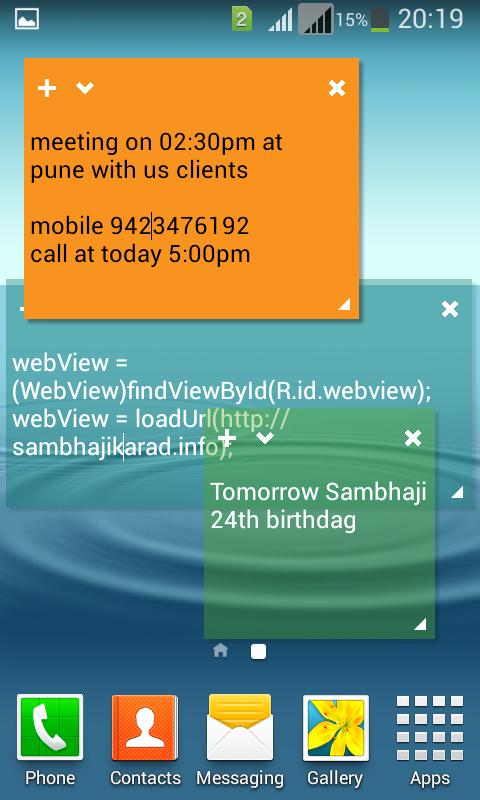
You can use Sticky Notes to write a to-do list, jot down a phone number, or do anything else that you'd use a pad of paper for. You can use Sticky Notes with a tablet pen or a standard touchpad. To write a note using a tablet pen, simply start writing on the note where you want the ink to appear. To type a note, click where you want the text to appear, and then start typing.
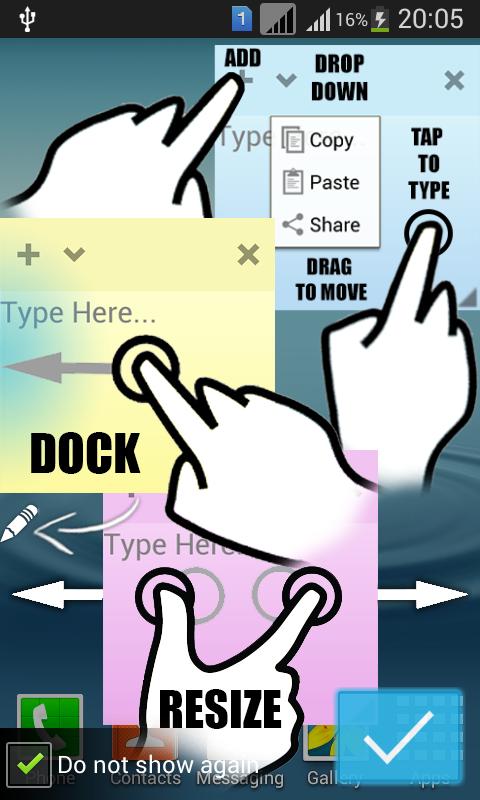
Sticky notes that stay on top of all other apps! Easily dock them to the left side to keep your screen real-estate at full potential. Useful for quick note taking. Closing a note will delete its text. All stickies are auto-saved!.
Note
*To re-size a note, drag an edge or corner of the note to make it larger or smaller.
*Sticky Notes closes if you delete all of your notes. To create a new note, reopen Sticky Notes.
*Click the plus sign in the top left corner to create a new note, or click the x in the right corner to delete an existing note.
*If you paste text into the Sticky Note, it will maintain most of its original formatting. You'll notice a scroll bar on the right if there’s more text than can be displayed on the screen
Features:
- On top of all other apps (access from anywhere)
- Dock to the side & re-size
- Copy/Paste/Share
- Smooth fun animations & colors
- Save the state of the stickies
- Simple & Clean look
- Use very less memory
- Rotated anywhere on your device screen
- One Touch Zoom in and zoom out options
Avance
Etiquetas
ProductividadInformación
Desarrollador
Sambhaji Karad
La última versión
1.2
Última actualización
2016-07-08
Categoría
Productividad
Disponible en
Google Play
Mostrar más
Cómo jugar Sticky Notes for Android con GameLoop en PC
1. Descargue GameLoop desde el sitio web oficial, luego ejecute el archivo exe para instalar GameLoop.
2. Abra GameLoop y busque "Sticky Notes for Android", busque Sticky Notes for Android en los resultados de búsqueda y haga clic en "Instalar".
3. Disfruta jugando Sticky Notes for Android en GameLoop.
Minimum requirements
OS
Windows 8.1 64-bit or Windows 10 64-bit
GPU
GTX 1050
CPU
i3-8300
Memory
8GB RAM
Storage
1GB available space
Recommended requirements
OS
Windows 8.1 64-bit or Windows 10 64-bit
GPU
GTX 1050
CPU
i3-9320
Memory
16GB RAM
Storage
1GB available space