
Smart Quick Settings para PC
SmartWho
Descarga Smart Quick Settings en PC con GameLoop Emulator
Smart Quick Settings en PC
Smart Quick Settings, proveniente del desarrollador SmartWho, se ejecuta en el sistema Android en el pasado.
Ahora, puedes jugar Smart Quick Settings en PC con GameLoop sin problemas.
Descárgalo en la biblioteca de GameLoop o en los resultados de búsqueda. No más mirar la batería o llamadas frustrantes en el momento equivocado nunca más.
Simplemente disfrute de Smart Quick Settings PC en la pantalla grande de forma gratuita!
Smart Quick Settings Introducción
Smart Quick Settings - Premium Android Settings Management Solution
The #1 Settings Management App Chosen by Users for 10 Consecutive Years
Intuitively integrate and manage complex Android settings, and instantly control key functions with a single touch.
With a premium UI/UX proven by millions of users and a real-time control system built on a proprietary engine,
we deliver a smart and efficient mobile experience without the hassle of navigating through settings.
[Key Features - Instant Control]
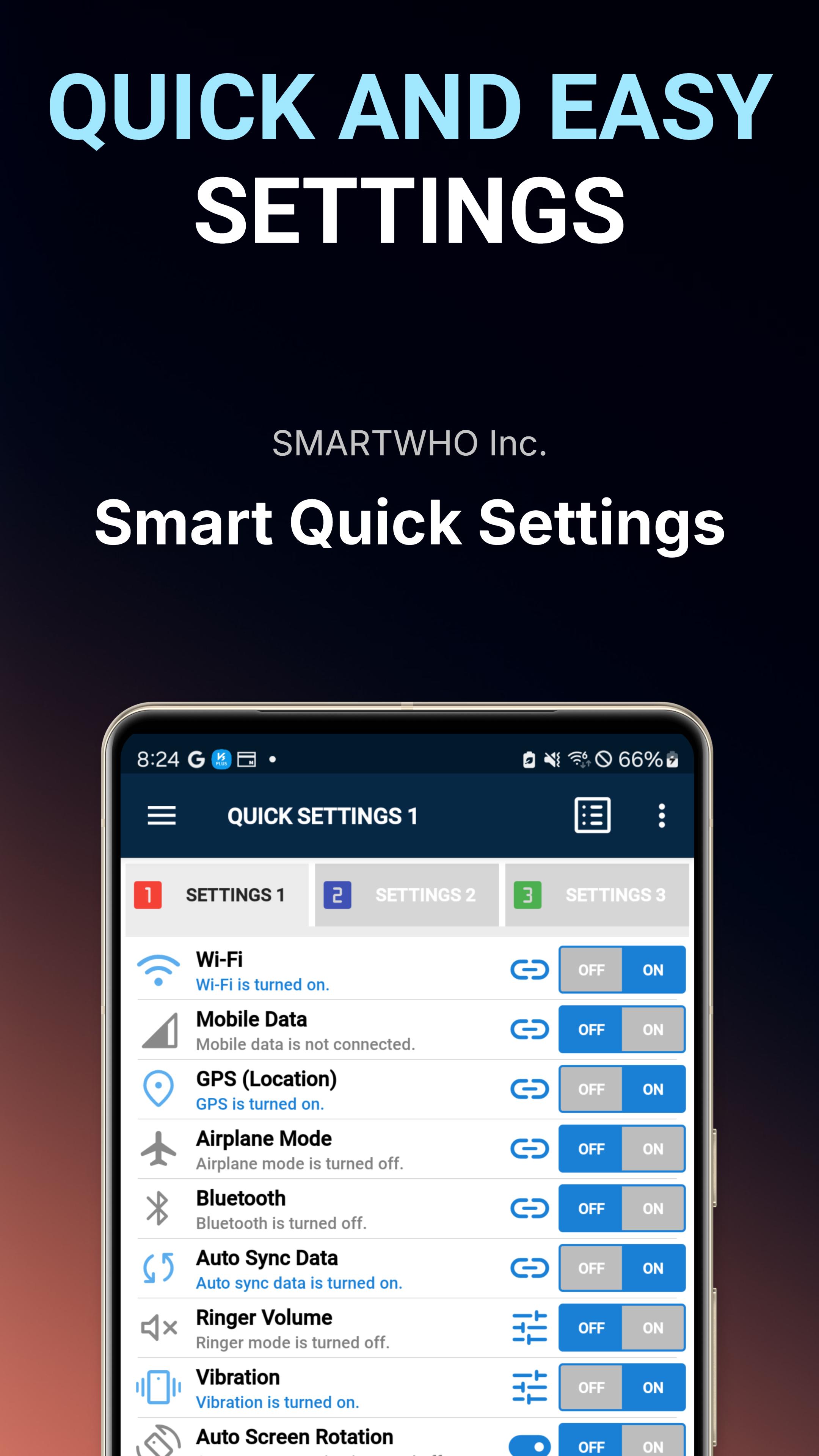
- Network and Connection
Wi-Fi / Mobile Data / GPS / Bluetooth / Airplane Mode
Real-time status monitoring + one-click ON/OFF control
- Sound and Display Optimization
Ringtone / Vibration / Auto-rotate screen / Auto-brightness adjustment / Data synchronization
Maximize battery life and usability with situation-specific customization
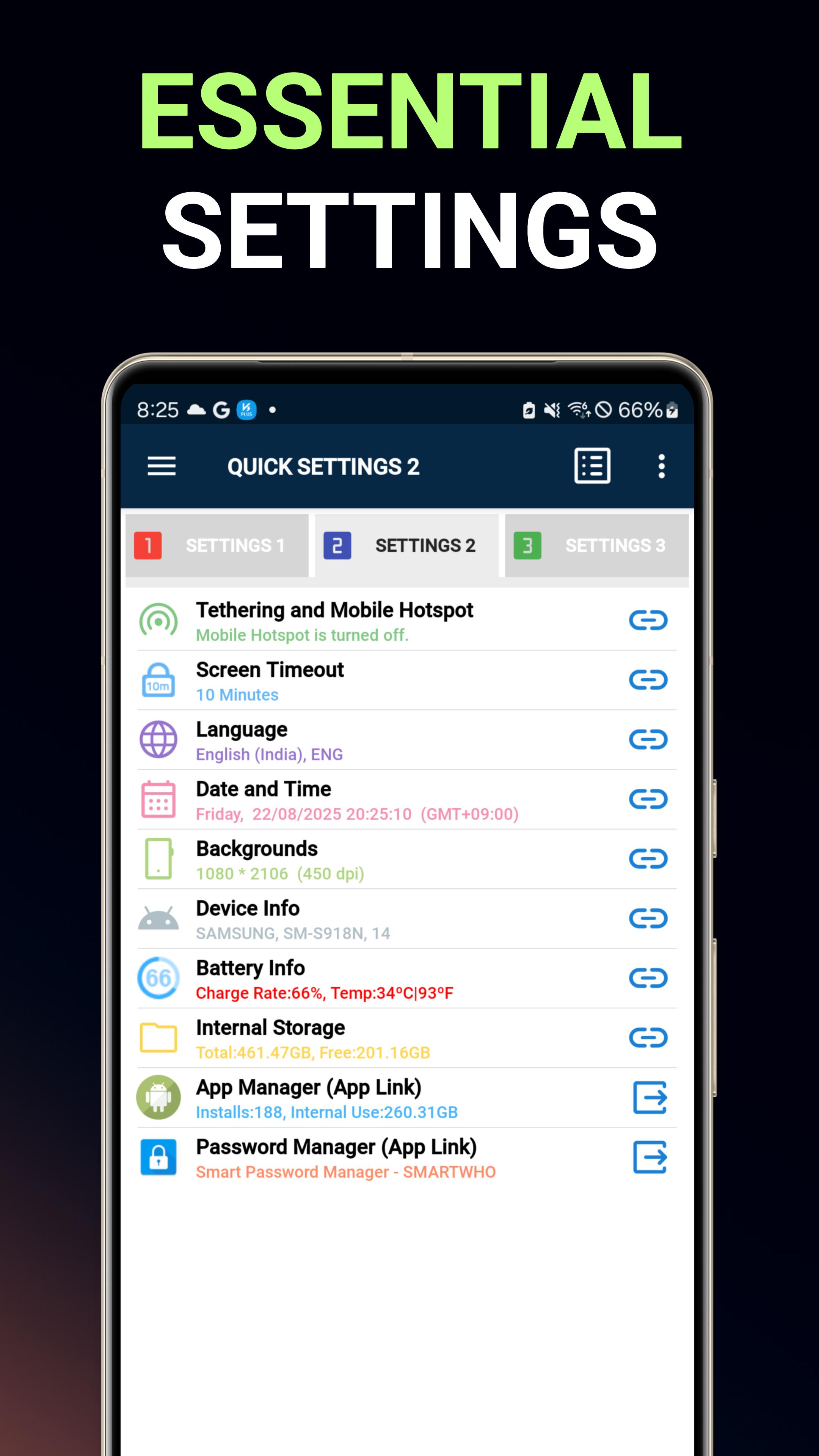
- Advanced System Management
Tethering and Hotspot / Screen Standby Time / System Language / Date and Time / Wallpaper
Simple, expert-level system tuning
- Integrated Information Dashboard
Battery status analysis / Device performance diagnosis / File system management
App optimization / Secure password management - all in one solution
[Premium Features]
- Personalized Favorites System
Customize frequently used settings with smart categorization
- Home Screen Widget Collection
4x1, 4x2, 4x3 responsive widgets | Freely resizable | Theme Customization Support
- Advanced Permission Manager
Visually analyze detailed permissions for each app and optimize with one click
- Full Settings Archive
Systematically manage all device settings by intelligently categorizing them
- Settings Reset
Expert-level control, from resetting settings to customizing the status bar
[ Optimized for ]
- Power users seeking efficiency
Shorten complex settings menu navigation time by 90%
- Productivity-focused business users
Save and utilize custom settings for your work environment as presets
- Users seeking a smart lifestyle
Maximize convenience with one-touch environment control from the home screen
[ Get Started Now ]
Experience a next-level mobile experience with this premium settings management solution, combining 10 years of expertise with the latest Android optimization technology!
A smarter, faster, and more intuitive Android life begins here.
Avance
Etiquetas
ProductividadInformación
Desarrollador
SmartWho
La última versión
3.5.0
Última actualización
2025-08-25
Categoría
Productividad
Disponible en
Google Play
Mostrar más
Cómo jugar Smart Quick Settings con GameLoop en PC
1. Descargue GameLoop desde el sitio web oficial, luego ejecute el archivo exe para instalar GameLoop.
2. Abra GameLoop y busque "Smart Quick Settings", busque Smart Quick Settings en los resultados de búsqueda y haga clic en "Instalar".
3. Disfruta jugando Smart Quick Settings en GameLoop.
Minimum requirements
OS
Windows 8.1 64-bit or Windows 10 64-bit
GPU
GTX 1050
CPU
i3-8300
Memory
8GB RAM
Storage
1GB available space
Recommended requirements
OS
Windows 8.1 64-bit or Windows 10 64-bit
GPU
GTX 1050
CPU
i3-9320
Memory
16GB RAM
Storage
1GB available space