Scanner Plus para PC
LittleAnts Apps
Descarga Scanner Plus en PC con GameLoop Emulator
Scanner Plus en PC
Scanner Plus, proveniente del desarrollador LittleAnts Apps, se ejecuta en el sistema Android en el pasado.
Ahora, puedes jugar Scanner Plus en PC con GameLoop sin problemas.
Descárgalo en la biblioteca de GameLoop o en los resultados de búsqueda. No más mirar la batería o llamadas frustrantes en el momento equivocado nunca más.
Simplemente disfrute de Scanner Plus PC en la pantalla grande de forma gratuita!
Scanner Plus Introducción
Searching for a fast and convenient scanner app?
Camera Scaner can turn your device into a powerful portable scanner to help you improve the efficiency of work and daily life. It can scan files (OCR) or IDs, edit,save, and copy the recognized content, and share them in PDF or TXT formats.
Are you tired of handling files and converting formats?
Use Scanner APP features to simplify the process of document processing and handle files with ease.
This tiny multi-function scanner app is suitble for students, teachers, accountants, realtors, managers, lawyers, or anyone working in a small corporation.
---Features---
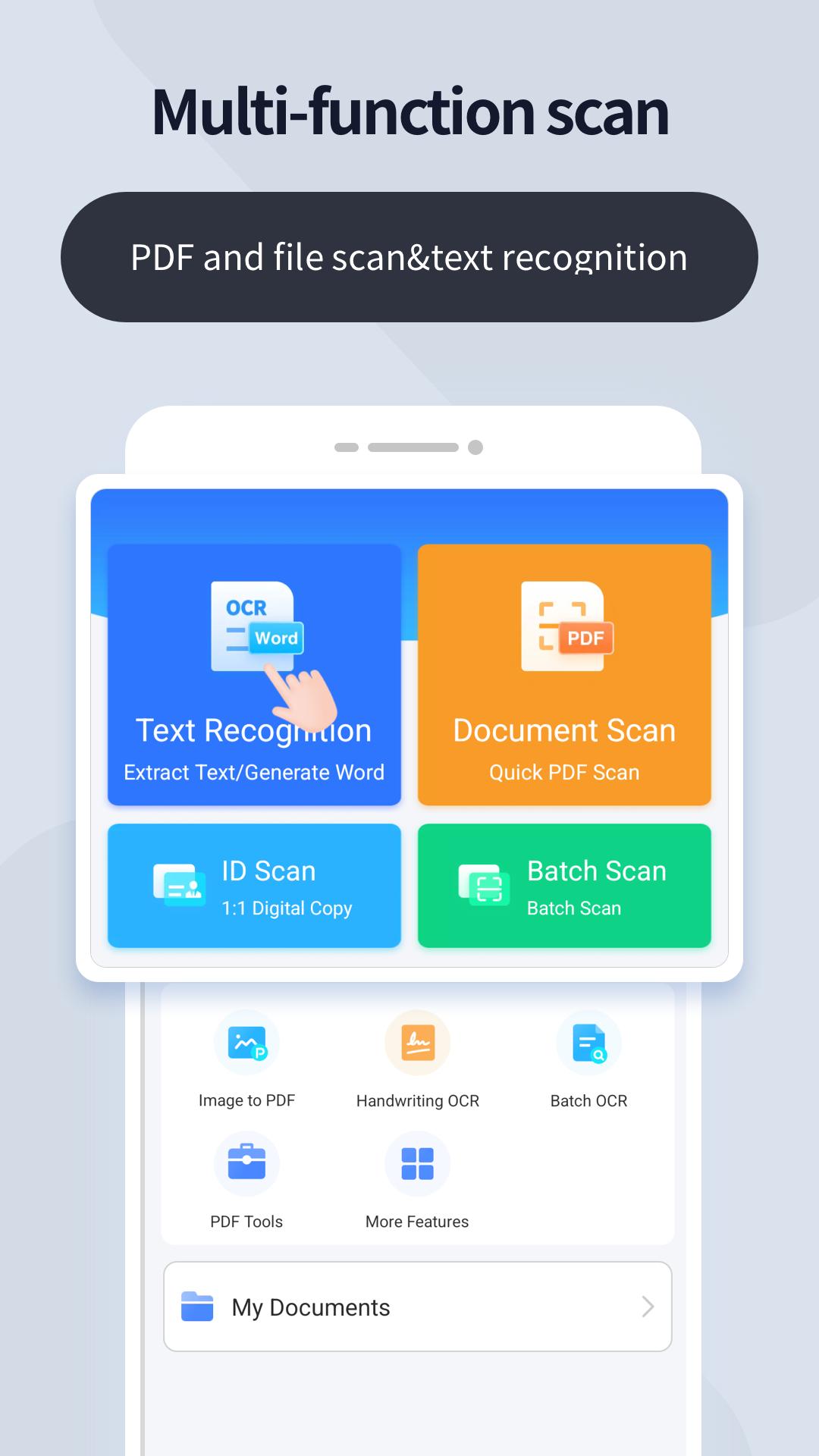
【 Text OCR 】
- Scan and recognize various documents, pictures, books, business cards, etc. and extract the desired text, edit, copy and share the recognized content
- Support batch scanning and handwriting recognition, and export files in multiple formats after extracting the text accurately
- Support multi-language recognition and translate into some language you need, such as English, Japanese, Portuguese,Indonesian,etc
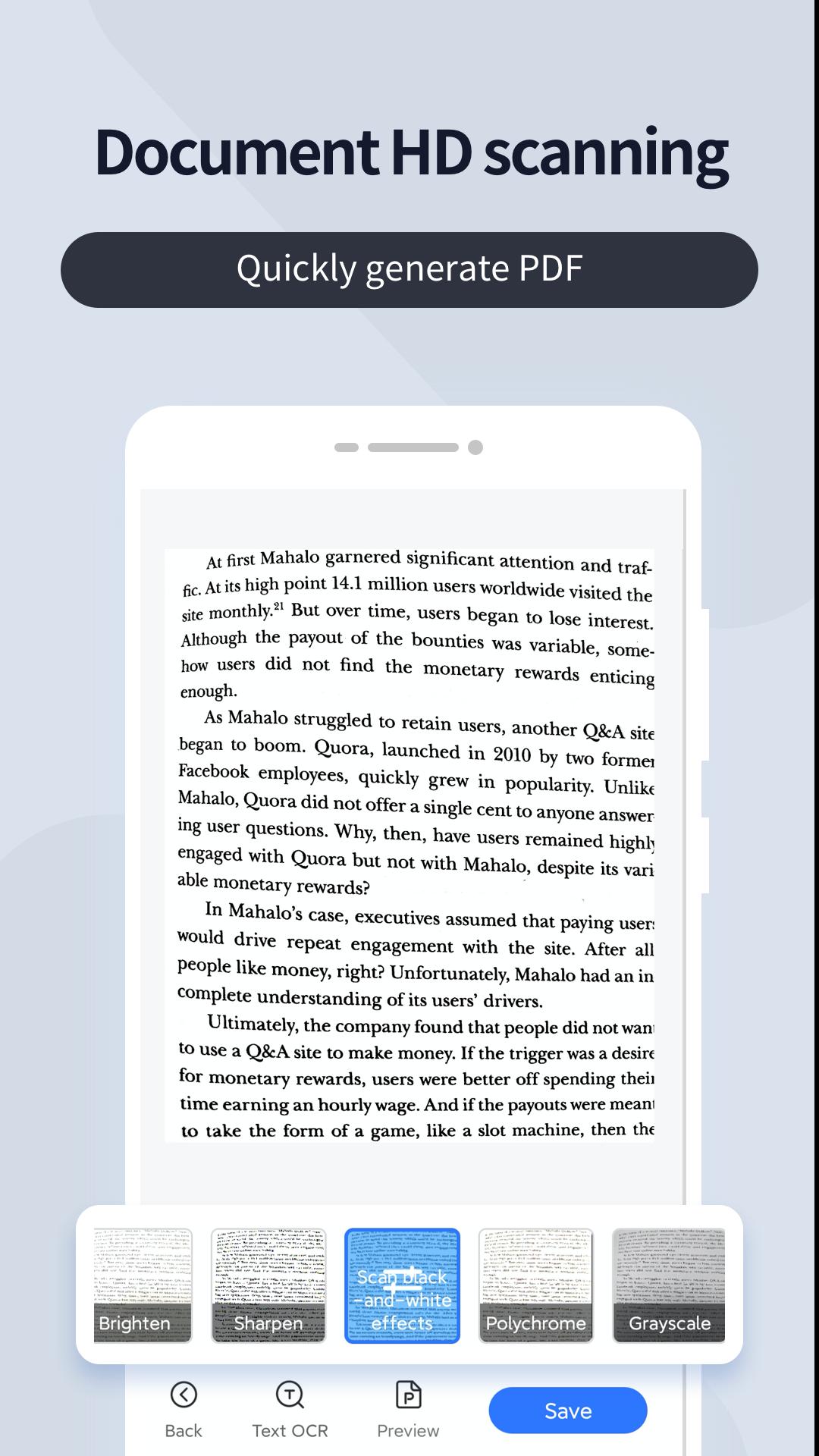
【 File Scanning 】
- Scan high-definition documents and save the scanned results as multi-page PDF files.
- Easily scan multiple pages and into one document
- Adjust the brightness and chromaticity of scanned documents
- Put your electronic signature or watermark on documents
【 IDs scanning 】
- Support the identification and scanning of various documents such as ID cards, bank cards, passports, etc., and generate electronic copies of 1:1
【PDF function】
- One-click conversion of pictures and PDFs.
- Support PDF signature, PDF watermark, PDF encryption, PDF slimming, PDF output long image, etc.
【Share Files】
-Easily share documents in PDF format with friends via various ways: post on social media, send attachment through email.
---Recommendations---
* Please take a photo to ensure you can get a clear scan
* Ensure sufficient light and try to avoid jitter
* Try to be within the entire scanning area
Need help? Contact: bowang.liu.lbw@gmail.com
Privacy Policy: https://sites.google.com/view/scanmasterproprivacypolicy/
Avance
Etiquetas
ProductividadInformación
Desarrollador
LittleAnts Apps
La última versión
4.4.7
Última actualización
2025-09-11
Categoría
Productividad
Disponible en
Google Play
Mostrar más
Cómo jugar Scanner Plus con GameLoop en PC
1. Descargue GameLoop desde el sitio web oficial, luego ejecute el archivo exe para instalar GameLoop.
2. Abra GameLoop y busque "Scanner Plus", busque Scanner Plus en los resultados de búsqueda y haga clic en "Instalar".
3. Disfruta jugando Scanner Plus en GameLoop.
Minimum requirements
OS
Windows 8.1 64-bit or Windows 10 64-bit
GPU
GTX 1050
CPU
i3-8300
Memory
8GB RAM
Storage
1GB available space
Recommended requirements
OS
Windows 8.1 64-bit or Windows 10 64-bit
GPU
GTX 1050
CPU
i3-9320
Memory
16GB RAM
Storage
1GB available space