Thermer: Thermal Printer App para PC
Mate Technologies
Descarga Thermer: Thermal Printer App en PC con GameLoop Emulator
Thermer: Thermal Printer App en PC
Thermer: Thermal Printer App, proveniente del desarrollador Mate Technologies, se ejecuta en el sistema Android en el pasado.
Ahora, puedes jugar Thermer: Thermal Printer App en PC con GameLoop sin problemas.
Descárgalo en la biblioteca de GameLoop o en los resultados de búsqueda. No más mirar la batería o llamadas frustrantes en el momento equivocado nunca más.
Simplemente disfrute de Thermer: Thermal Printer App PC en la pantalla grande de forma gratuita!
Thermer: Thermal Printer App Introducción
THERMER – THE #1 BLUETOOTH THERMAL PRINTER APP
Looking for a reliable thermal printer app that works with your Bluetooth or USB thermal printer? Thermer is the best-rated, most-downloaded Bluetooth thermal printer app to print receipts, labels, barcodes and more — directly from your phone.
Whether you own an Xprinter, iWare, EPPOS, Putian POS, or any ESC/POS-compatible Bluetooth mini thermal printer, Thermer connects instantly and prints perfectly.
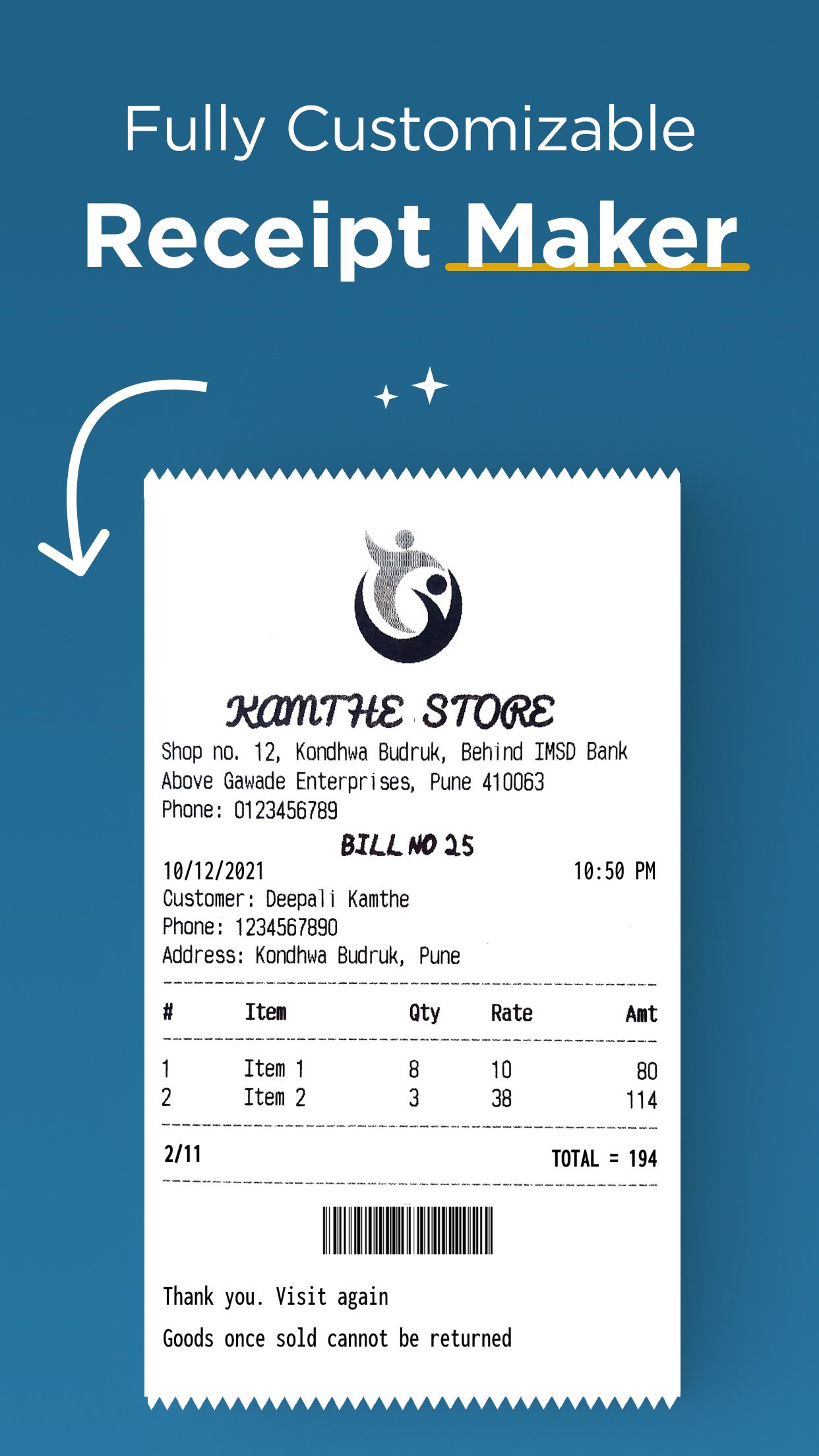
🧾 PRINT CUSTOM RECEIPTS & STRUK Create fully customised receipts (struk belanja, struk kasir, cetak struk) using text, images, barcodes, QR codes, horizontal lines, tabular data and more. Perfect for( warung, toko, and UMKM) any businesses needing a simple (cetak struk) bluetooth solution.
🏷️ PRINT LABELS & BARCODES Print labels, price tags, shipping labels and barcodes on any Bluetooth thermal printer or USB thermal printer. Supports print label, printer label, and barcode label formats out of the box.
📄 PRINT PDF, IMAGES & DOCUMENTS Share any PDF, image or document directly to Thermer and print instantly. Cetak resi, invoices, delivery notes — if you can share it, Thermer can print it.
🔤 OCR — SCAN & PRINT RECEIPTS Take a photo of any bank payment receipt or transaction receipt, extract the text using OCR, and print it on your thermal printer with maximum accuracy. No other Bluetooth printer app offers this.
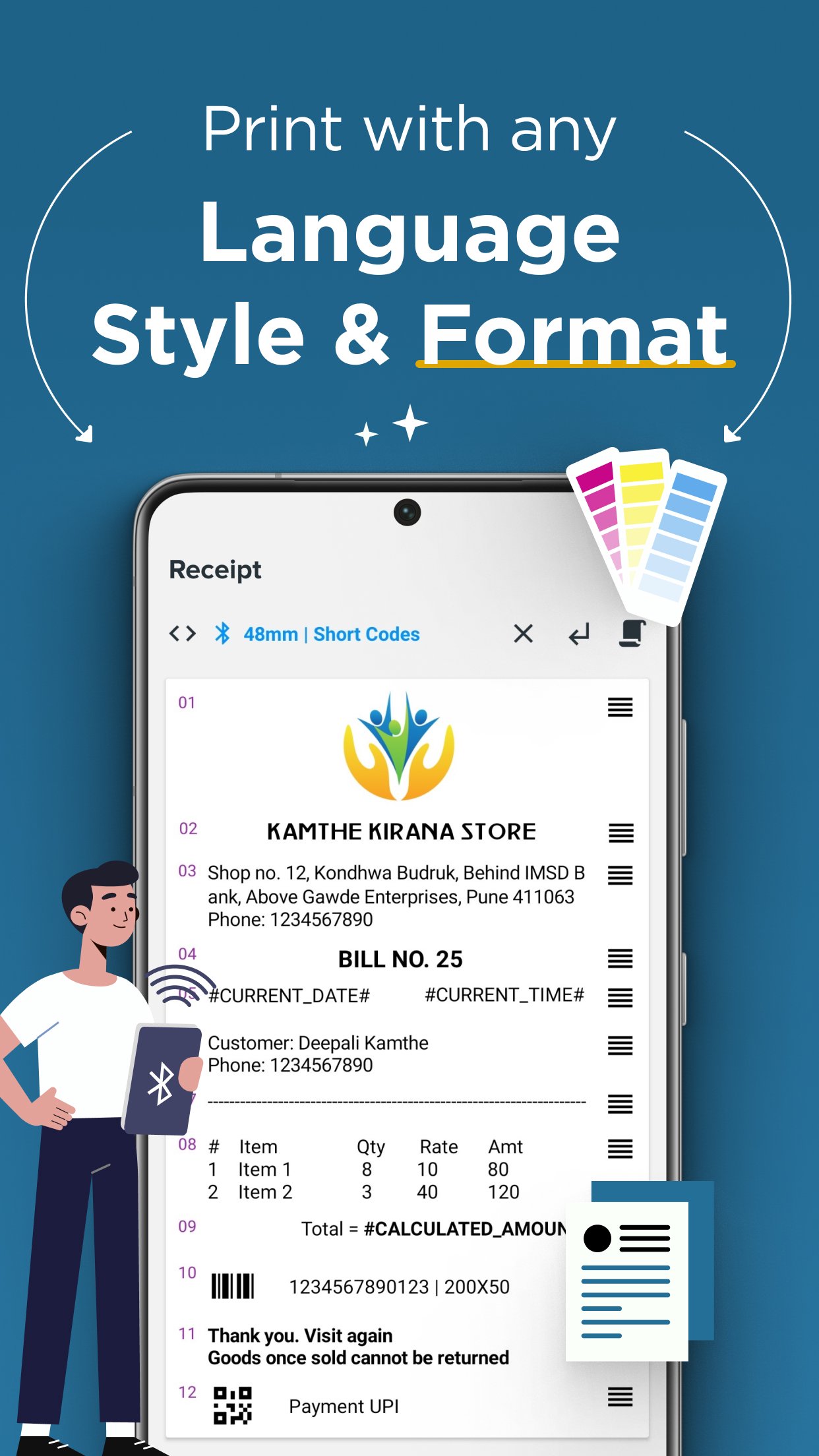
🌍 MULTILINGUAL — PRINT IN ANY LANGUAGE Unlike other (aplikasi) printer bluetooth that only support English, Thermer prints in Bahasa Indonesia, Arabic, Thai, Spanish, Portuguese and more. Set custom font, size and format for any language.
⚡ AI RECEIPT GENERATOR Generate professional receipts instantly using AI. Just describe what you need — Thermer builds and prints it in seconds.
🔄 UNIVERSAL COMPATIBILITY Works with any Bluetooth / USB thermal printer supporting ESC/POS commands — including mini 58mm and 80mm printers. Compatible with Xprinter, iWare mini thermal printer, EPPOS mini thermal printer, Putian POS, RPP02N, RAWBT and most Android thermal printer apps on the market.
THERMER BLUETOOTH THERMAL PRINTER APP — FEATURES:
- Connect any Bluetooth or USB thermal printer in seconds
- Print receipts, struk, labels, barcodes and QR codes
- Cetak struk bluetooth for warung, kasir, and retail businesses
- Print PDFs, receipts, images, and documents from your phone
- OCR scan-to-print for bank and transaction receipts
- AI receipt generation — create receipts instantly
- Multilingual printing — Bahasa Indonesia, English, Arabic and more
- Rich text formatting — custom fonts, sizes, bold, alignment
- Print history — view and reprint past jobs
- Works as a print service for your own Android app or website (ESC/POS API)
HOW TO PRINT FROM YOUR PHONE:
1) Pair your Bluetooth thermal printer or connect via USB
2) Create a receipt, label or document — or share one from another app
3) Preview and print instantly
Running a warung, toko, or small business? Thermer is built for you. No complicated setup. No expensive POS hardware. Just your phone, your Bluetooth thermal printer, and Thermer.
📲 Try Thermer — the thermal printer app trusted by 5M+ users across globe.
Avance
Etiquetas
ProductividadInformación
Desarrollador
Mate Technologies
La última versión
6.4.8.28
Última actualización
2026-03-30
Categoría
Productividad
Disponible en
Google Play
Mostrar más
Cómo jugar Thermer: Thermal Printer App con GameLoop en PC
1. Descargue GameLoop desde el sitio web oficial, luego ejecute el archivo exe para instalar GameLoop.
2. Abra GameLoop y busque "Thermer: Thermal Printer App", busque Thermer: Thermal Printer App en los resultados de búsqueda y haga clic en "Instalar".
3. Disfruta jugando Thermer: Thermal Printer App en GameLoop.
Minimum requirements
OS
Windows 8.1 64-bit or Windows 10 64-bit
GPU
GTX 1050
CPU
i3-8300
Memory
8GB RAM
Storage
1GB available space
Recommended requirements
OS
Windows 8.1 64-bit or Windows 10 64-bit
GPU
GTX 1050
CPU
i3-9320
Memory
16GB RAM
Storage
1GB available space