
PhotoStitcher - Take Scrolling para PC
Vertexshare Software Ltd
Descarga PhotoStitcher - Take Scrolling en PC con GameLoop Emulator
PhotoStitcher - Take Scrolling en PC
PhotoStitcher - Take Scrolling, proveniente del desarrollador Vertexshare Software Ltd, se ejecuta en el sistema Android en el pasado.
Ahora, puedes jugar PhotoStitcher - Take Scrolling en PC con GameLoop sin problemas.
Descárgalo en la biblioteca de GameLoop o en los resultados de búsqueda. No más mirar la batería o llamadas frustrantes en el momento equivocado nunca más.
Simplemente disfrute de PhotoStitcher - Take Scrolling PC en la pantalla grande de forma gratuita!
PhotoStitcher - Take Scrolling Introducción
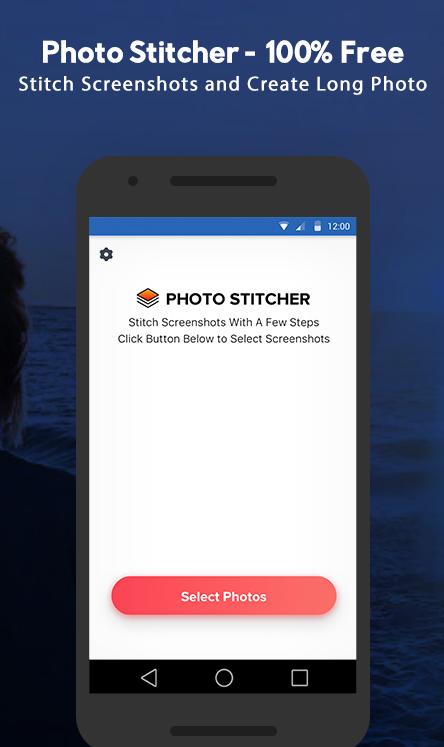
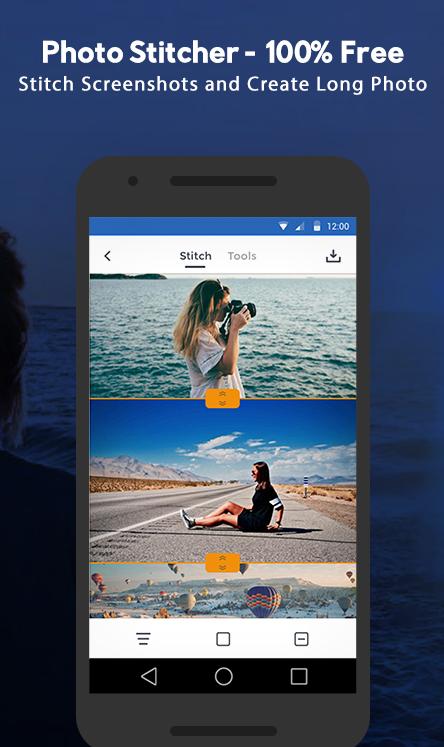
PhotoStitcher is a powerful panorama stitcher APP that enables users to merge multiple images/photos/screenshot together. It could also help you to create one single and long screenshot that extends beyond the screen's limit with a few clicks.
*********Main Features*********
- Support creating horizontal and vertical scrolling screenshots
- Support editing the height and width of each photo
- Support editing the scrolling screenshots with useful tools
- Support adding annotations
- Support adding arrows, rectangles, curves
- Support adding mosaic, watermark, mockups
- Support exporting HD photos
- Support sharing photos to your friends or social media
- Minimal interface design, no advertising.
- Universal application, compatible with all Andriod phones.
*********We can stitch*********
- Conversation(WhatsApp/Facebook)
- To-Do list
- Tweet list
- Comment list
- Long article
- Long web page
- Other contents that can be scrolled
*********How to use Photo Stitcher*********
The process is quite simple.
#1 Select the photo or image you want to stitch.
#2 Stitch each image.
#3 Add necessary annotation, watermark, redaction or mockup.
#4 Save to your local album
*********Privacy Protect*********
100% offline app. No data will be uploaded
PrivacyPolicy: https://vertexshare.com/privacypolicy/photo-stitcher/
*********Contact*********
Have questions? Please contact support@imglarger.com or go to https://vertexshare.com/photo-stitcher
Avance
Etiquetas
FotografíaInformación
Desarrollador
Vertexshare Software Ltd
La última versión
1.1.3
Última actualización
2020-03-27
Categoría
Fotografía
Disponible en
Google Play
Mostrar más
Cómo jugar PhotoStitcher - Take Scrolling con GameLoop en PC
1. Descargue GameLoop desde el sitio web oficial, luego ejecute el archivo exe para instalar GameLoop.
2. Abra GameLoop y busque "PhotoStitcher - Take Scrolling", busque PhotoStitcher - Take Scrolling en los resultados de búsqueda y haga clic en "Instalar".
3. Disfruta jugando PhotoStitcher - Take Scrolling en GameLoop.
Minimum requirements
OS
Windows 8.1 64-bit or Windows 10 64-bit
GPU
GTX 1050
CPU
i3-8300
Memory
8GB RAM
Storage
1GB available space
Recommended requirements
OS
Windows 8.1 64-bit or Windows 10 64-bit
GPU
GTX 1050
CPU
i3-9320
Memory
16GB RAM
Storage
1GB available space