Kids Photo Frames para PC
RamkumarApps
Descarga Kids Photo Frames en PC con GameLoop Emulator
Kids Photo Frames en PC
Kids Photo Frames, proveniente del desarrollador RamkumarApps, se ejecuta en el sistema Android en el pasado.
Ahora, puedes jugar Kids Photo Frames en PC con GameLoop sin problemas.
Descárgalo en la biblioteca de GameLoop o en los resultados de búsqueda. No más mirar la batería o llamadas frustrantes en el momento equivocado nunca más.
Simplemente disfrute de Kids Photo Frames PC en la pantalla grande de forma gratuita!
Kids Photo Frames Introducción
Transform your child's memories into adorable works of art with Kids Photo Frames! 📸✨ Choose from cute animal frames, fun cartoon styles, birthday themes, and DIY photo templates — perfect for every special moment.
Kids Photo Editing App: Make Every Moment Magical!
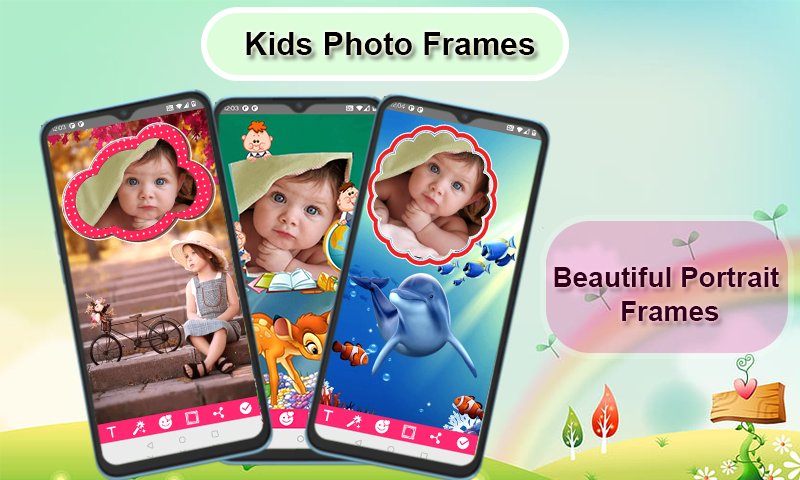
🎨✨Capture the joy and innocence of childhood with our comprehensive Kids Photo Editing App! Whether it's a birthday, a special moment, or just everyday fun, our app offers everything you need to make your child's photos stand out. With a wide variety of Kids Photo Frames, Baby Photo Frames, and Child Picture Frames, you can transform any photo into a cherished memory.
Our Kids Frames App combines the best of photo editing tools tailored specifically for kids. From Cute Photo Frames to Cartoon Photo Frames, we have it all! Our Photo Editor for Kids is designed to be user-friendly, ensuring that even the youngest users can have fun editing their photos. Whether you're looking for Kids Birthday Frames, Funny Photo Frames for Kids, or a versatile Kids Collage Maker, our app is the perfect choice.
Key Features:
✔ Select and Capture: Choose a photo from your gallery or capture a new one with your camera phone in real-time. 📸
✔ Add Text: Personalize your frames with text! You can change the size, color, and font of the text at any time. 🖋️
✔ Edit and Adjust: Rotate, scale, zoom in, zoom out, or drag the photo to fit the frame exactly how you like. 🔄
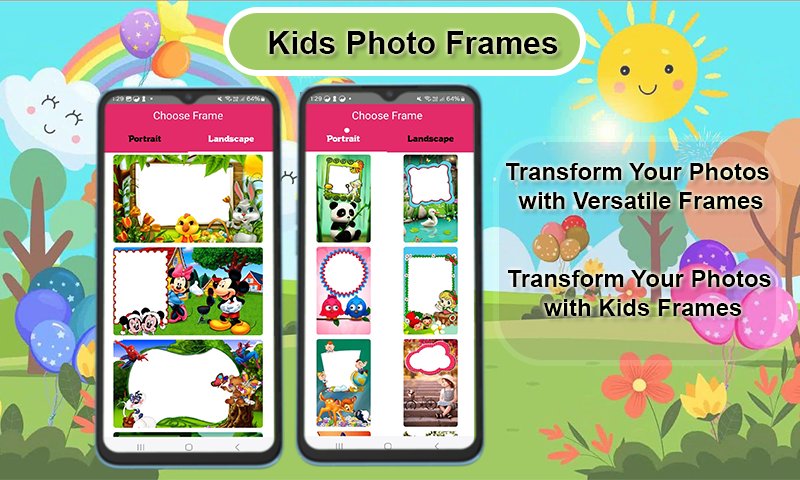
✔ Wide Variety of Frames: Choose from more than 100 HD quality beautiful and colorful photo frames in both portrait and landscape formats. 🎨
✔ Device Compatibility: Our Kids photo editing app supports all screen resolutions of mobile and tablet devices, ensuring a smooth experience on any device. 📱
✔ Save and Share: Save your edited images and share them instantly via social networks. 📤
✔ Easy to Use: Kids Photo Frames is designed for simplicity and ease of use, making it perfect for kids and parents alike. 👶
✔ Free Download: Enjoy all these amazing features for free! Our Kids Photo Editor is completely free to download. 🎉
Download our Kids Photo Editing App today and start creating magical memories with Cute Photo Frames, Baby Picture Editor, Kids Photo Effects, and much more. Make every photo special and share the joy with friends and family! 🌟
Make every photo a playful memory! Download now and start creating magic with Kids Photo Frames! 🎈🎁
Avance
Etiquetas
FotografíaInformación
Desarrollador
RamkumarApps
La última versión
7.7
Última actualización
2025-12-29
Categoría
Fotografía
Disponible en
Google Play
Mostrar más
Cómo jugar Kids Photo Frames con GameLoop en PC
1. Descargue GameLoop desde el sitio web oficial, luego ejecute el archivo exe para instalar GameLoop.
2. Abra GameLoop y busque "Kids Photo Frames", busque Kids Photo Frames en los resultados de búsqueda y haga clic en "Instalar".
3. Disfruta jugando Kids Photo Frames en GameLoop.
Minimum requirements
OS
Windows 8.1 64-bit or Windows 10 64-bit
GPU
GTX 1050
CPU
i3-8300
Memory
8GB RAM
Storage
1GB available space
Recommended requirements
OS
Windows 8.1 64-bit or Windows 10 64-bit
GPU
GTX 1050
CPU
i3-9320
Memory
16GB RAM
Storage
1GB available space