
HUMAX Media Player for Tablet para PC
HUMAX Co., Ltd.
Descarga HUMAX Media Player for Tablet en PC con GameLoop Emulator
HUMAX Media Player for Tablet en PC
HUMAX Media Player for Tablet, proveniente del desarrollador HUMAX Co., Ltd., se ejecuta en el sistema Android en el pasado.
Ahora, puedes jugar HUMAX Media Player for Tablet en PC con GameLoop sin problemas.
Descárgalo en la biblioteca de GameLoop o en los resultados de búsqueda. No más mirar la batería o llamadas frustrantes en el momento equivocado nunca más.
Simplemente disfrute de HUMAX Media Player for Tablet PC en la pantalla grande de forma gratuita!
HUMAX Media Player for Tablet Introducción
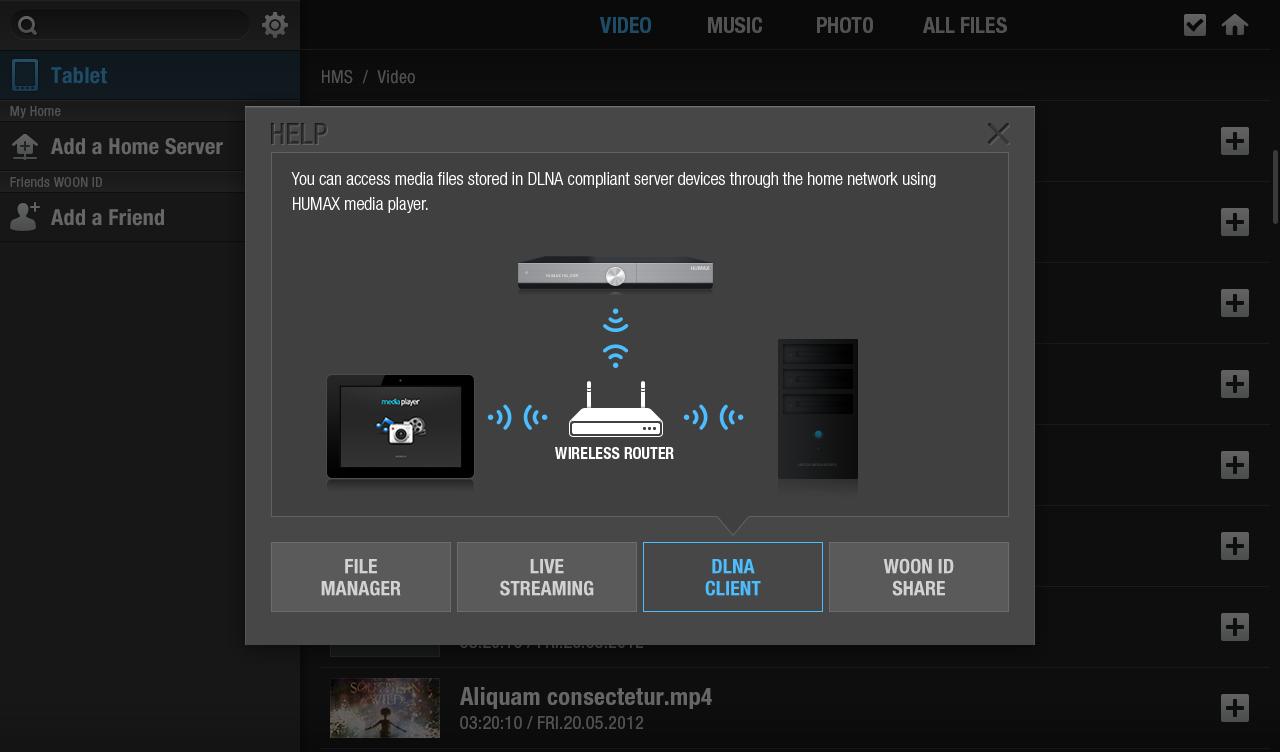
HUMAX Media Player allows you to enjoy content from HUMAX device(iCord Evolution & HMS-1000T) and other DLNA devices through your tablet. You can also watch contents that are saved in your tablet/smartphone, second room STBs, PC and the other DLNA devices on your TV via HUMAX iCord Evolution.
----- Features -----
- Play content from your HUMAX product or other DLNA devices
Watch or control media content(video, music, photo, recordings) from HUMAX iCord Evolution or other DLNA devices and play them on HUMAX Media Player.
- Send to TV
HUMAX Media Player sends the content that are saved in DLNA devices to HUMAX device, so that you can watch them on your TV.
----- How to Use -----
1. Pairing
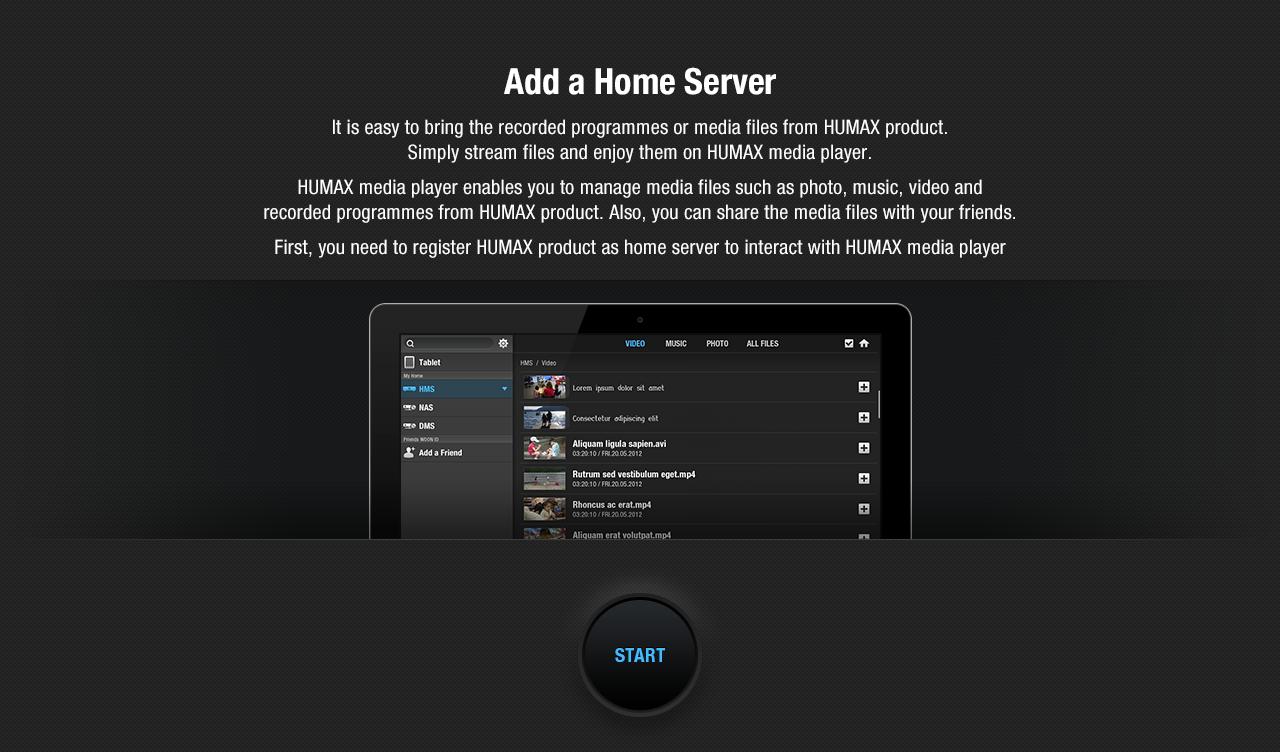
A. Select ‘START’ to pair your tablet device with your HUMAX product.
B. Search HUMAX iCord Evolution on your network.
2. Device Listing
C. On the left side, you can see all the home network connected devices that you can control.
----- Notice -----
- HUMAX Media Player works on Galaxy Tab 10.0, Galaxy Tab 8.9, Galaxy Note 10.1, and devices that support only 1280x800.
- HUMAX Media Player may not guarantee best performance for all mobile devices.
- The performance of content streaming depends on network environment.
- HUMAX products, DLNA devices and tablet have to be on the same network.
- Works on Wi-Fi network only
----- Compatibility -----
Requires Android 4.0 and later
Compatible with HUMAX iCord Evolution(HMS-1000S), HMS-1000T
Compatible with DLNA devices on the same network (not all devices are guaranteed)
Supported Format : MP4, HMS recording file, MP3, AAC, WAV, JPG, GIF, PNG
----- Language -----
English, German, Turkish, Russian, French, Greek, Italian, Spanish
Avance
Etiquetas
EntretenimientoInformación
Desarrollador
HUMAX Co., Ltd.
La última versión
HMAMG-1.1.1
Última actualización
2014-06-24
Categoría
Entretenimiento
Disponible en
Google Play
Mostrar más
Cómo jugar HUMAX Media Player for Tablet con GameLoop en PC
1. Descargue GameLoop desde el sitio web oficial, luego ejecute el archivo exe para instalar GameLoop.
2. Abra GameLoop y busque "HUMAX Media Player for Tablet", busque HUMAX Media Player for Tablet en los resultados de búsqueda y haga clic en "Instalar".
3. Disfruta jugando HUMAX Media Player for Tablet en GameLoop.
Minimum requirements
OS
Windows 8.1 64-bit or Windows 10 64-bit
GPU
GTX 1050
CPU
i3-8300
Memory
8GB RAM
Storage
1GB available space
Recommended requirements
OS
Windows 8.1 64-bit or Windows 10 64-bit
GPU
GTX 1050
CPU
i3-9320
Memory
16GB RAM
Storage
1GB available space