
Carista OBD2 Car Scanner para PC
Prizmos Ltd.
Descarga Carista OBD2 Car Scanner en PC con GameLoop Emulator
Carista OBD2 Car Scanner en PC
Carista OBD2 Car Scanner, proveniente del desarrollador Prizmos Ltd., se ejecuta en el sistema Android en el pasado.
Ahora, puedes jugar Carista OBD2 Car Scanner en PC con GameLoop sin problemas.
Descárgalo en la biblioteca de GameLoop o en los resultados de búsqueda. No más mirar la batería o llamadas frustrantes en el momento equivocado nunca más.
Simplemente disfrute de Carista OBD2 Car Scanner PC en la pantalla grande de forma gratuita!
Carista OBD2 Car Scanner Introducción
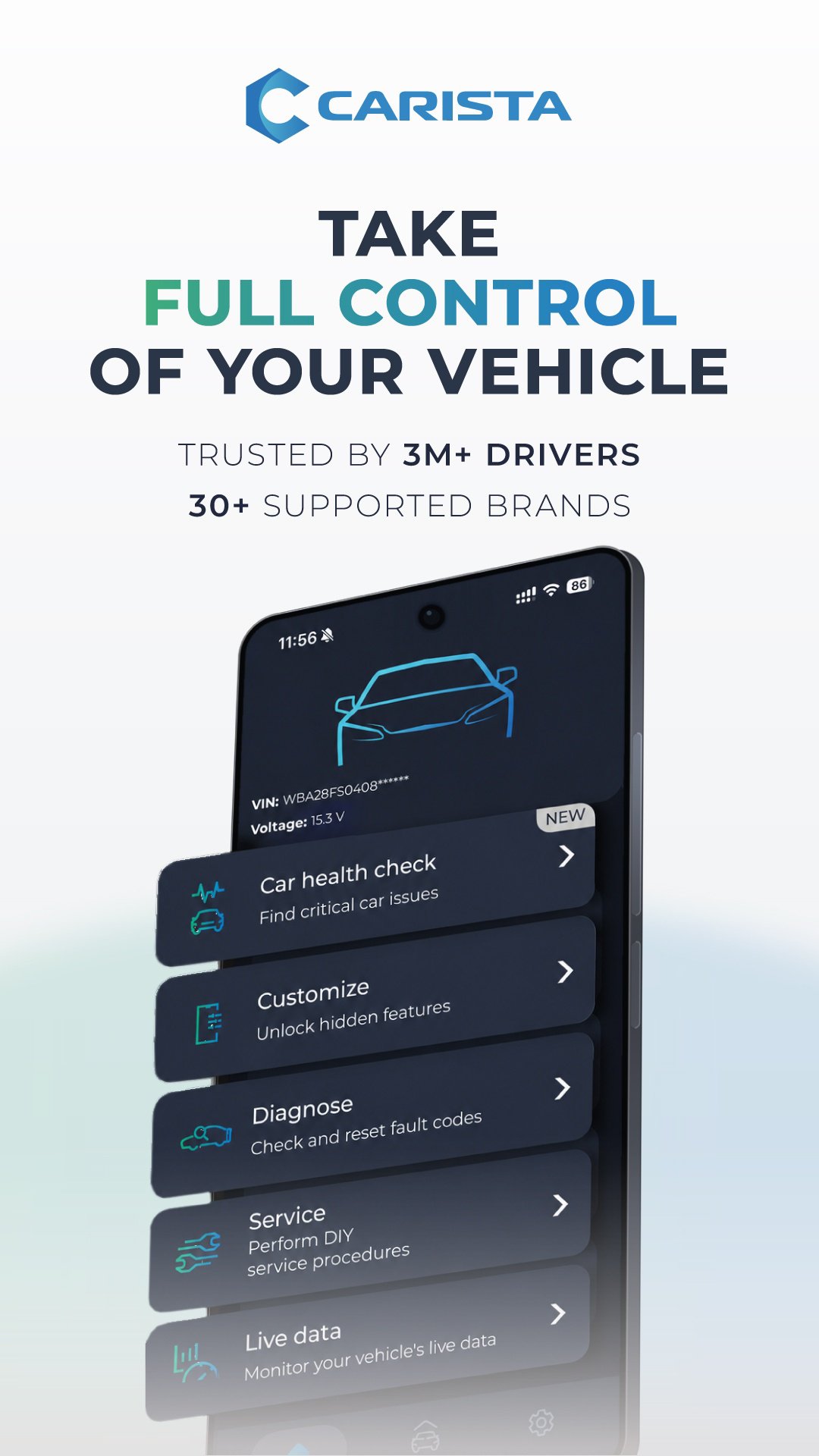
Carista lets you diagnose warning lights, read and reset fault codes, monitor live vehicle data, customize your car, and perform DIY service procedures—all from your phone.
Save hours and thousands of dollars in workshop visits, and take control of your car's maintenance, diagnostics, and personalization.
NEW IN CARISTA
• Car Diary: log maintenance and repairs, track costs and set service reminders for each car
• EV/Hybrid Battery Health Check (Toyota only, PRO): get a 0–10 battery score with cell-level data
CUSTOMIZE YOUR CAR (PRO)
Unlock hidden features and personalize how your car behaves.
• Gauge needle sweep at startup
• Start screen logo
• Virtual instrument cluster themes
• Daytime running lights
• Coming-home and leaving-home lights
• Throttle response behavior
And many more
ADVANCED DIAGNOSTICS (PRO)
Go beyond the Check Engine Light. Diagnose multiple electronic control modules, including ABS, airbag, SRS, Engine, Transmission, and manufacturer-specific systems. Read and clear diagnostic trouble codes before visiting a workshop.
SEE YOUR CAR'S LIVE DATA (PRO)
Monitor real-time vehicle parameters and see what's happening inside your car. Depending on your vehicle, live data can include:
• Engine and turbo information
• Launch control count
• Mileage information
• Airbag crash count
• Service interval information
• Engine RPM and other performance parameters
With supported vehicles, Apple CarPlay lets you view basic OBD2 live data on your car's screen while driving.
PERFORM DIY SERVICE PROCEDURES (PRO)
Handle simple maintenance yourself and avoid workshop visits. Depending on your vehicle, Carista offers:
• Electronic parking brake (EPB) service
• Service due indicator reset
• Tire pressure sensor (TPMS) registration
• Diesel particulate filter (DPF) regeneration
• Battery registration
And other vehicle-specific service functions
SUPPORTED CAR BRANDS
Carista supports Acura, Audi, BMW, Buick, Cadillac, Chevrolet, Dacia, Ford, GMC, Holden, Honda, Infiniti, Jaguar, Land Rover, Lexus, Lincoln, Mazda, MINI, Nissan, Opel/Vauxhall, Renault, Scion, SEAT, Škoda, Toyota, Volkswagen, and Volvo.
Feature availability varies by vehicle, model year and hardware.
BASIC OBD2 FEATURES FOR MOST 2005/2008+ CARS (FREE)
Compatible vehicles with an OBD port also get basic OBD2 diagnostics, live data, and emissions readiness tools.
EASY TO USE:
Locate the OBD2 port
• Plug in the scanner
• Turn on ignition
• Open the app
• Pair it with the scanner
HARDWARE
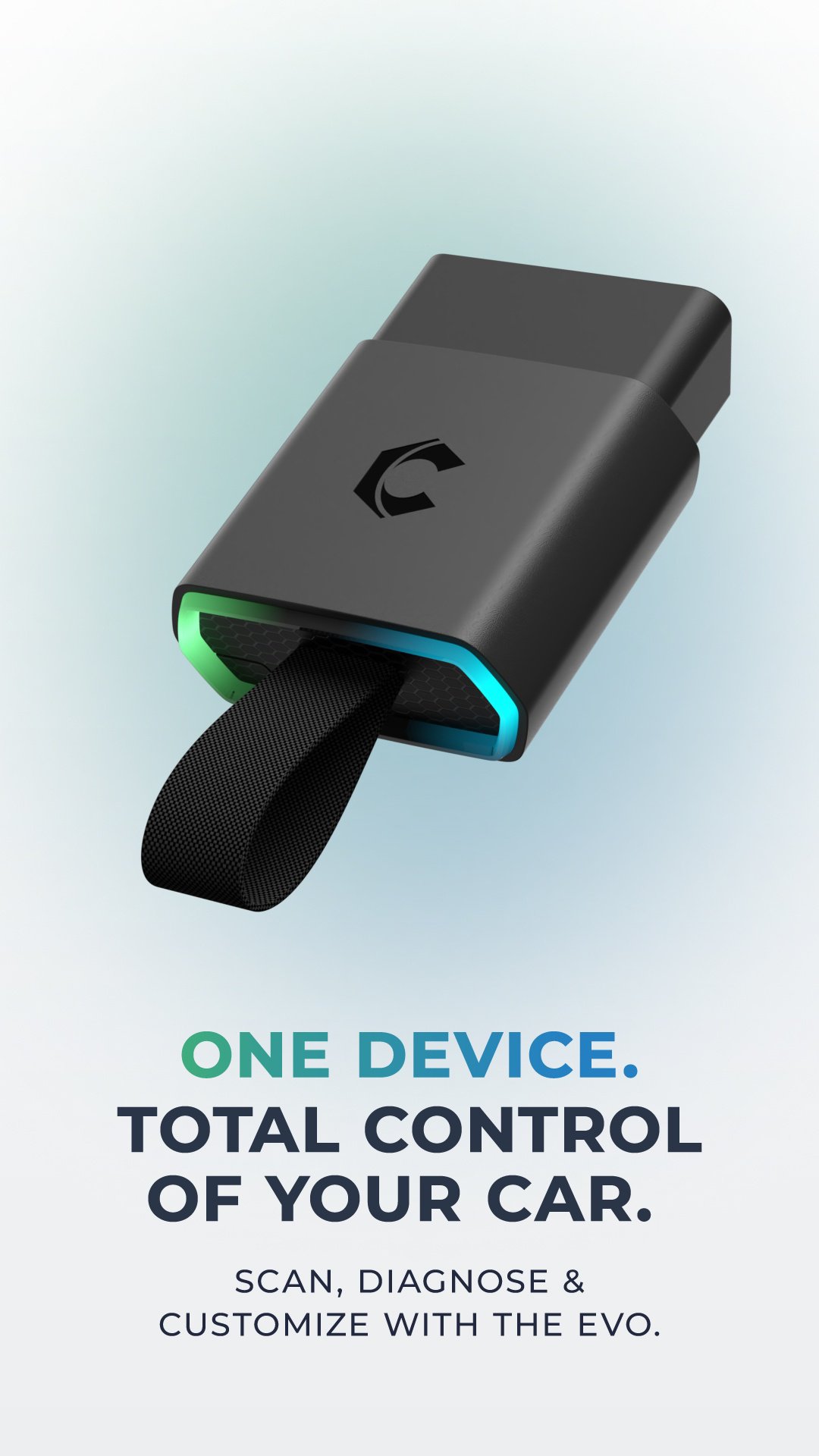
For the best experience, pair the app with the Carista EVO Scanner. Carista also works with selected compatible OBD2 scanners, including OBDLink CX, OBDLink MX Bluetooth, OBDLink LX, Kiwi3, and genuine Bluetooth ELM327 v1.4 scanners.
The Carista OBD Scanner (white) is not compatible with Ford vehicles or SFD/SFD2-protected 2020+ Volkswagen Group vehicles. Check compatibility before purchasing a scanner.
WHY CARISTA?
• 3M+ users worldwide — trusted by millions of drivers.
• 10+ years of automotive expertise in diagnostics and customization.
• Official Volkswagen Group partner — advanced capabilities for supported VW Group vehicles.
• SFD & SFD2 support — unlock protected features on compatible Volkswagen Group vehicles.
• One subscription. All Pro features. — No individual credits needed.
• Regularly updated — new vehicles and features added often.
Learn more: https://carista.com/
Supported vehicles: https://carista.com/apps/supported-cars
Privacy Policy: https://carista.com/policies/privacy-policy
Avance
Etiquetas
Auto-&Información
Desarrollador
Prizmos Ltd.
La última versión
10.1.3
Última actualización
2026-11-04
Categoría
Auto-vehicles
Disponible en
Google Play
Mostrar más
Cómo jugar Carista OBD2 Car Scanner con GameLoop en PC
1. Descargue GameLoop desde el sitio web oficial, luego ejecute el archivo exe para instalar GameLoop.
2. Abra GameLoop y busque "Carista OBD2 Car Scanner", busque Carista OBD2 Car Scanner en los resultados de búsqueda y haga clic en "Instalar".
3. Disfruta jugando Carista OBD2 Car Scanner en GameLoop.
Minimum requirements
OS
Windows 8.1 64-bit or Windows 10 64-bit
GPU
GTX 1050
CPU
i3-8300
Memory
8GB RAM
Storage
1GB available space
Recommended requirements
OS
Windows 8.1 64-bit or Windows 10 64-bit
GPU
GTX 1050
CPU
i3-9320
Memory
16GB RAM
Storage
1GB available space