
Lovely Handwritten Cards PC
WriteOn
GameLoopエミュレーターを使用してPCにLovely Handwritten Cardsをダウンロードします
Lovely Handwritten Cards PC版
開発者WriteOnからのLovely Handwritten Cardsは、過去にAndroidsystermで実行されています。
これで、GameLoopを搭載したPCでLovely Handwritten Cardsをスムーズにプレイできます。
GameLoopライブラリまたは検索結果にダウンロードしてください。 バッテリーに目を向けたり、間違った時間にイライラしたりすることはもうありません。
大画面でLovely Handwritten CardsPCを無料でお楽しみください!
Lovely Handwritten Cards 序章
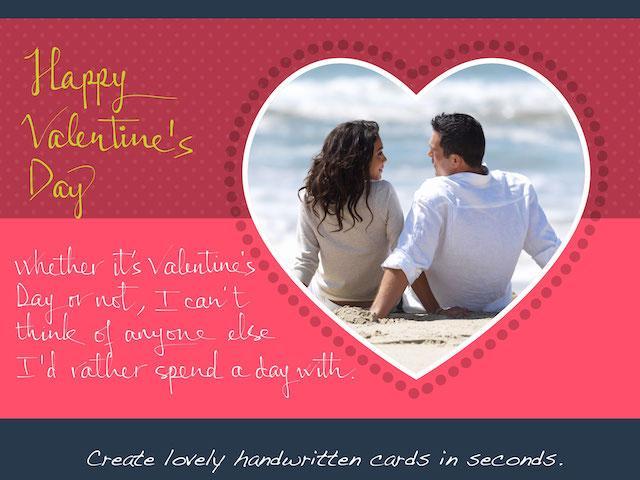
Make lovely greeting cards in seconds, with your own photos and HANDWRITING, for FREE.
***** Introductory prices offered for in-app purchases. *****
A personalized handwritten card will mean much more to your loved ones than a pre-printed one. You can do it in a matter of seconds with Lovely! app. Here is how:
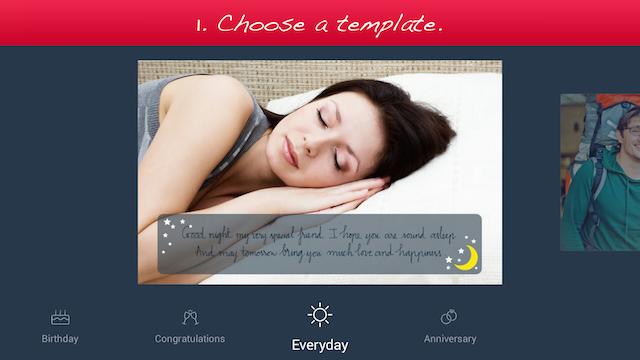
1. Choose a template (free or paid) from one of the 6 available categories: Holiday, Birthday, Congratulations, Love, Everyday, and Anniversary.
2. Add your own photo, scale and rotate it as you wish.
3. Add your own handwriting. Simply write with your finger, right on the touch screen. Lovely!'s special ink effects will make your handwriting look great.
4. Send the complete card to your loved ones via email or social networks.
Extras:
- You can choose from different colors and thicknesses for your handwriting. You can even choose one of the four different pen nibs for FREE: Fountain Pen, Ballpoint Pen, Wet Brush, and Calligraphy Pen.
- You can save your card as a photo to print it out or send it to your loved ones later.
Please try out Lovely! today and let us know your feedback at lovelysupport@writeon.cool.
プレビュー
情報
デベロッパー
WriteOn
最新バージョン
1.1
最終更新
2015-03-03
カテゴリー
ライフスタイル
上で利用可能
Google Play
もっと見せる
PCでGameLoopを使用してLovely Handwritten Cardsをプレイする方法
1. 公式WebサイトからGameLoopをダウンロードし、exeファイルを実行してGameLoopをインストールします
2. GameLoopを開いて「Lovely Handwritten Cards」を検索し、検索結果でLovely Handwritten Cardsを見つけて、「インストール」をクリックします。
3. GameLoopでLovely Handwritten Cardsを楽しんでください
Minimum requirements
OS
Windows 8.1 64-bit or Windows 10 64-bit
GPU
GTX 1050
CPU
i3-8300
Memory
8GB RAM
Storage
1GB available space
Recommended requirements
OS
Windows 8.1 64-bit or Windows 10 64-bit
GPU
GTX 1050
CPU
i3-9320
Memory
16GB RAM
Storage
1GB available space