
Volume Control - Bottom Screen for PC
Nu-Kob
GameLoop एमुलेटर के साथ पीसी पर Volume Control - Bottom Screen डाउनलोड करें
पीसी पर Volume Control - Bottom Screen
Volume Control - Bottom Screen, डेवलपर Nu-Kob से आ रहा है, अतीत में Android सिस्टर्म पर चल रहा है।
अब, आप Volume Control - Bottom Screen को पीसी पर GameLoop के साथ आसानी से खेल सकते हैं।
इसे GameLoop लाइब्रेरी या खोज परिणामों में डाउनलोड करें। अब और गलत समय पर बैटरी या निराशाजनक कॉलों पर ध्यान नहीं देना चाहिए।
बस मुफ्त में बड़ी स्क्रीन पर Volume Control - Bottom Screen पीसी का आनंद लें!
Volume Control - Bottom Screen परिचय
If your physical volume button is broken or you are uncomfortable to adjust volume by using physical volume button, “Volume Control - Bottom Screen" is an application you would love!
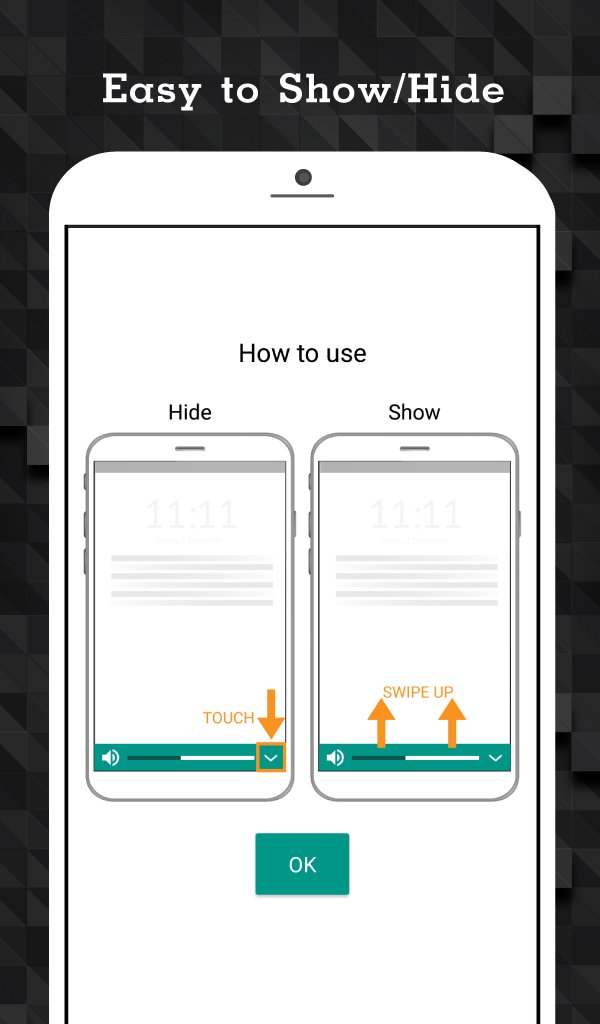
This app will show adjustable volume mini bar at the bottom of the screen. You can swipe to show or hide this bar anywhere.
How to use.
Open the application and select type of volume you want to adjust by bottom-screen mini bar.
Key Features
- Adjust Music, Ring, Notification and Alarm volume with one step
- Click a volume icon to mute or unmute
- Swipe up at the bottom of the screen to show adjustable volume bar
- Auto hide the bar when inactive after 3 seconds
- Adjust separate volume control for Music, Ring, Notification and Alarm volume in application
पूर्वावलोकन

टैग
टूलबोर्डजानकारी
डेवलपर
Nu-Kob
नवीनतम संस्करण
1.3.5
आखरी अपडेट
2024-02-18
श्रेणी
टूल
पर उपलब्ध
Google Play
और दिखाओ
पीसी पर गेमलूप के साथ Volume Control - Bottom Screen कैसे खेलें
1. आधिकारिक वेबसाइट से GameLoop डाउनलोड करें, फिर GameLoop को स्थापित करने के लिए exe फ़ाइल चलाएँ।
2. गेमलूप खोलें और "Volume Control - Bottom Screen" खोजें, खोज परिणामों में Volume Control - Bottom Screen खोजें और "इंस्टॉल करें" पर क्लिक करें।
3. GameLoop पर Volume Control - Bottom Screen खेलने का आनंद लें।
Minimum requirements
OS
Windows 8.1 64-bit or Windows 10 64-bit
GPU
GTX 1050
CPU
i3-8300
Memory
8GB RAM
Storage
1GB available space
Recommended requirements
OS
Windows 8.1 64-bit or Windows 10 64-bit
GPU
GTX 1050
CPU
i3-9320
Memory
16GB RAM
Storage
1GB available space