Back Button - Anywhere for PC
Nu-Kob
GameLoop एमुलेटर के साथ पीसी पर Back Button - Anywhere डाउनलोड करें
पीसी पर Back Button - Anywhere
Back Button - Anywhere, डेवलपर Nu-Kob से आ रहा है, अतीत में Android सिस्टर्म पर चल रहा है।
अब, आप Back Button - Anywhere को पीसी पर GameLoop के साथ आसानी से खेल सकते हैं।
इसे GameLoop लाइब्रेरी या खोज परिणामों में डाउनलोड करें। अब और गलत समय पर बैटरी या निराशाजनक कॉलों पर ध्यान नहीं देना चाहिए।
बस मुफ्त में बड़ी स्क्रीन पर Back Button - Anywhere पीसी का आनंद लें!
Back Button - Anywhere परिचय
“Back Button - Anywhere” is an easy touch tool that can replace a failed and broken back button.
It's fast, smooth, and totally FREE.
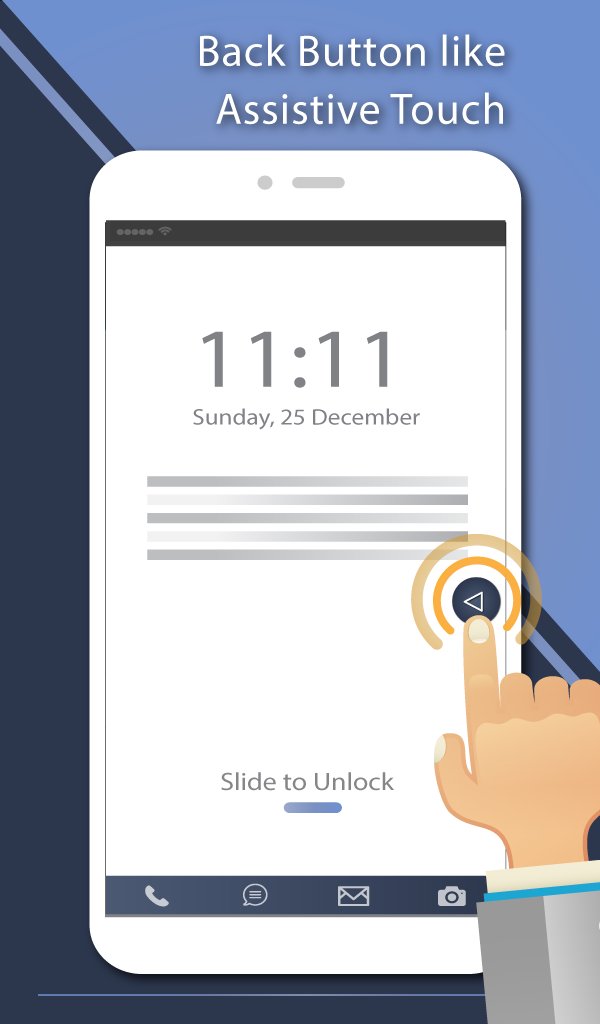
This app provides several features, themes and colors to make awesome back button. It is easy to press or long press on a button like assistive touch. You can also drag the button to anywhere on screen.
◄◄ Key Features ◄◄
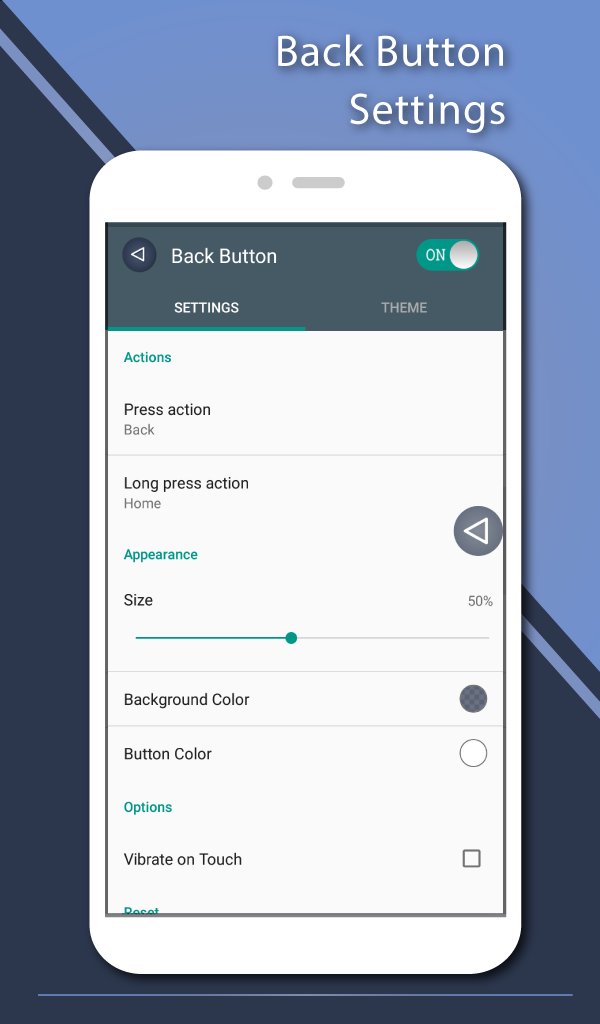
- Ability to change color of background and icon
- Ability to change icon of Back Button easily with many pretty theme
- You can move the button to anywhere on screen
- Gesture Setting for Floating Button (One click, Double click and Long click)
- Ability to set vibrate on touch
- Vertical and horizontal support
- Several theme support
◄◄ Support command for press and long press actions ◄◄
- Back
- Home
- Recents
- Lock screen (require Device Administrator activation)
- Toggle Wi-Fi on/off
- Power menu
- Split screen
- Launch camera
- Open volume control
- Voice command
- Web search
- Toggle notification panel
- Toggle quick setting panel
- Launch dialer
- Launch web browser
- Launch settings
- Launch this application
- Launch any application on your device
Accessibility Service Usage.
Back Button - Anywhere requires accessibility service permission in order to enable core functionality. The application will not read the sensitive data and any content on your screen. In addition, the application will not collect and share the data from accessibility service with any third-party.
By enabling the service, the application will support commands for press and long press actions with the following features:
- Back action (Core feature)
- Home and Recent actions
- Lock Screen
- Popup notification, Quick settings, Power dialogs
- Toggle split screen
- Take a screenshot
If you disable the accessibility service, the main features cannot work properly.
Frequently asked questions:
How to uninstall this app?
- If you use lock screen function, it requires turning on Device Administration. If you want to uninstall this app, please open app and go to setting. There will be an uninstall menu to help you easily uninstall this application.
पूर्वावलोकन
टैग
टूलजानकारी
डेवलपर
Nu-Kob
नवीनतम संस्करण
2.0.7
आखरी अपडेट
2024-02-14
श्रेणी
टूल
पर उपलब्ध
Google Play
और दिखाओ
पीसी पर गेमलूप के साथ Back Button - Anywhere कैसे खेलें
1. आधिकारिक वेबसाइट से GameLoop डाउनलोड करें, फिर GameLoop को स्थापित करने के लिए exe फ़ाइल चलाएँ।
2. गेमलूप खोलें और "Back Button - Anywhere" खोजें, खोज परिणामों में Back Button - Anywhere खोजें और "इंस्टॉल करें" पर क्लिक करें।
3. GameLoop पर Back Button - Anywhere खेलने का आनंद लें।
Minimum requirements
OS
Windows 8.1 64-bit or Windows 10 64-bit
GPU
GTX 1050
CPU
i3-8300
Memory
8GB RAM
Storage
1GB available space
Recommended requirements
OS
Windows 8.1 64-bit or Windows 10 64-bit
GPU
GTX 1050
CPU
i3-9320
Memory
16GB RAM
Storage
1GB available space