
Sling Puck 3D for PC
PepUp Studios
GameLoop एमुलेटर के साथ पीसी पर Sling Puck 3D डाउनलोड करें
पीसी पर Sling Puck 3D
Sling Puck 3D, डेवलपर PepUp Studios से आ रहा है, अतीत में Android सिस्टर्म पर चल रहा है।
अब, आप Sling Puck 3D को पीसी पर GameLoop के साथ आसानी से खेल सकते हैं।
इसे GameLoop लाइब्रेरी या खोज परिणामों में डाउनलोड करें। अब और गलत समय पर बैटरी या निराशाजनक कॉलों पर ध्यान नहीं देना चाहिए।
बस मुफ्त में बड़ी स्क्रीन पर Sling Puck 3D पीसी का आनंद लें!
Sling Puck 3D परिचय
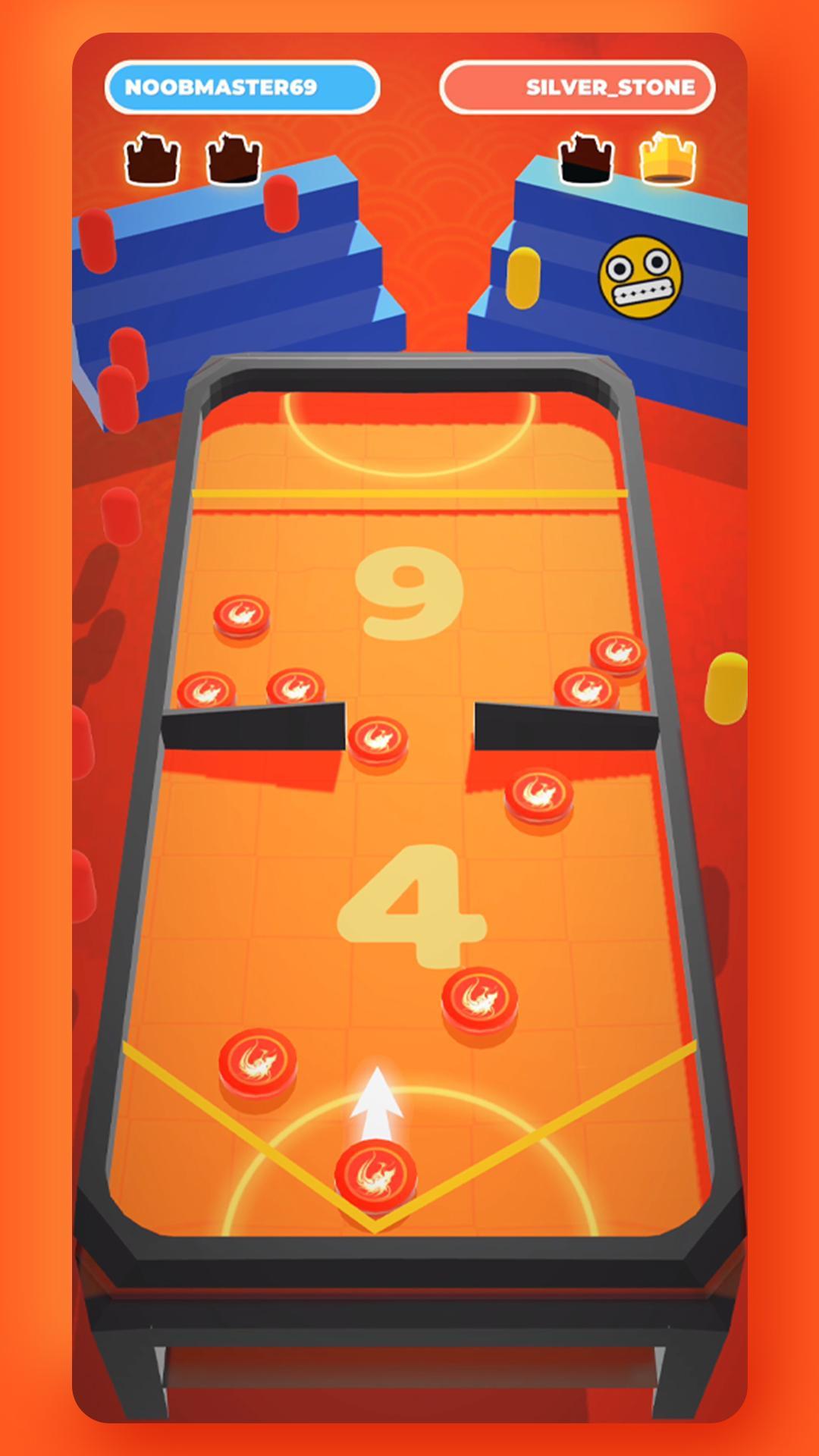
So you think you have good reflexes? Or you're good at just aiming in general? Its time to test your skills with this amazing sling puck game!
With simple gameplay and realistic puck physics, Sling Puck 3D is easy to learn but impossible to master!
Use the Sling to shoot all your pucks to the opponent's side.
But be fast as your opponent will try to do the same thing!
What are you waiting for? Download now and give this game a shot!
KEY FEATURES:
🎮 EASY CONTROLS
Swipe your fingers and pull the puck towards the sling to launch it in the desired direction. It is as simple as that!
💡 INNOVATIVE GAMEPLAY AND REALISTIC PHYSICS
A quick crazy sling game with amazing puck physics and innovative gameplay!
👻 EARLY ACCESS
Get to be a part of this journey by helping us with your Feedback's and Suggestions. With more new levels and gameplay elements coming regularly, you get to shape the future of this game.
पूर्वावलोकन
टैग
बोर्डजानकारी
डेवलपर
PepUp Studios
नवीनतम संस्करण
0.4.9
आखरी अपडेट
2020-07-04
श्रेणी
बोर्ड
पर उपलब्ध
Google Play
और दिखाओ
पीसी पर गेमलूप के साथ Sling Puck 3D कैसे खेलें
1. आधिकारिक वेबसाइट से GameLoop डाउनलोड करें, फिर GameLoop को स्थापित करने के लिए exe फ़ाइल चलाएँ।
2. गेमलूप खोलें और "Sling Puck 3D" खोजें, खोज परिणामों में Sling Puck 3D खोजें और "इंस्टॉल करें" पर क्लिक करें।
3. GameLoop पर Sling Puck 3D खेलने का आनंद लें।
Minimum requirements
OS
Windows 8.1 64-bit or Windows 10 64-bit
GPU
GTX 1050
CPU
i3-8300
Memory
8GB RAM
Storage
1GB available space
Recommended requirements
OS
Windows 8.1 64-bit or Windows 10 64-bit
GPU
GTX 1050
CPU
i3-9320
Memory
16GB RAM
Storage
1GB available space