
G-MoN 電腦版
C. Knuetter
用GameLoop模拟器在電腦上玩G-MoN
G-MoN 電腦版
來自發行商 C. Knuetter 的 G-MoN 能夠在安卓系統上運行。
現在,您可以在電腦上使用 GameLoop 模擬器流暢地玩 G-MoN。
在 GameLoop 遊戲庫或搜索結果中下載。 不需要再暢玩遊戲時盯著電池電量或被令人懊惱的來電打斷。
只需在電腦大屏幕上免費下載暢玩G-MoN 電腦版!
G-MoN 簡介
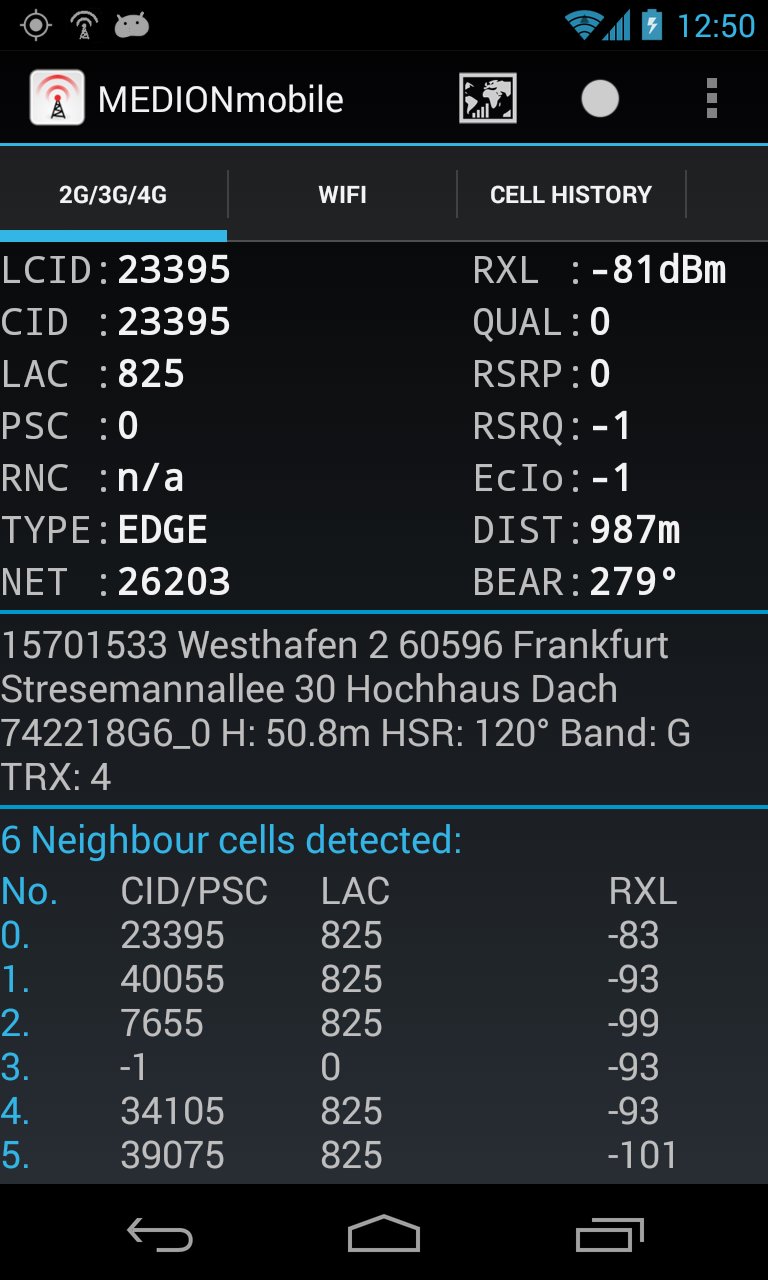
Now LTE ready! Fieldtest shows LTE RSRP and RSRQ.
A permanent RXL level of -115dBm on some Samsung phones is a Samsung bug! Only Samsung is able to fix that.
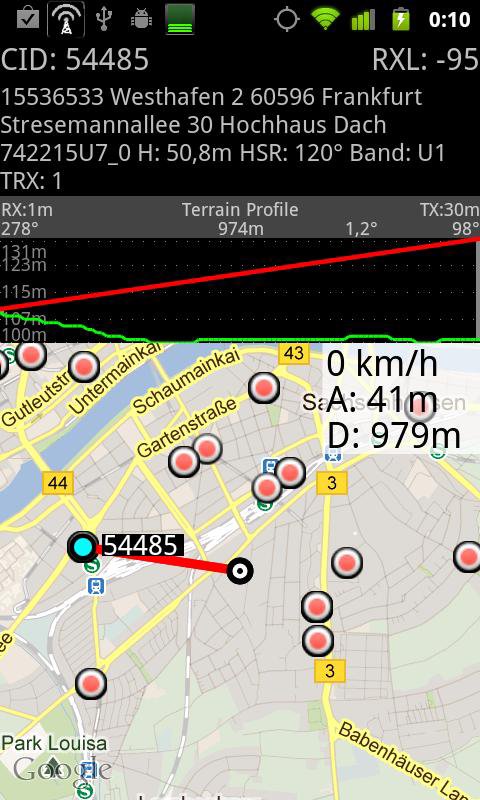
Powerful WarDriving scanner and GSM / CDMA / EVDO / UMTS and LTE Netmonitor and drive test tool with voice notifications. It scans for all WiFi networks in range & saves the data with GPS coordinates into a file on your sd card. You can create a kml file for Google Earth. It shows you the encrytion, channel an signal strength. It shows all APs in range in a live map.
G-MoN is a Wardriving scanner to collect and map all received wifi access points. It is also a 2G/3G netmonitor and field test drive tool for radio planning engineers. Needs enabled GPS for correct position in map!
To import a V3.0 (decimal cell data and coordinates without characters) CLF file, remove all comment lines, rename it to import.clf and copy it to /sdcard/gmon/ then start import CLF from menu.
You can log GSM or UMTS RX levels into a kml file for Google Earth or a csv file. There are 5 color groups for different levels. These levels can be defined by the user in the settings menue. This file is saved into the gmon folder on the sdcard or external memory. When the log is running, the G-MoN Notification Icon changes color to red. 2G/3G logging does not work when the screen is off!
預覽
標籤
工具訊息
開發商
C. Knuetter
最新版本
4.2.3
更新時間
2020-03-28
類別
工具
同時可用
Google Play
更多
如何在電腦上用 GameLoop 玩 G-MoN
1. 從官網下載GameLoop,然後運行exe文件安裝GameLoop
2. 打開GameLoop,搜索“G-MoN”,在搜索結果中找到G-MoN,點擊“安裝”
3. 享受在 GameLoop 上玩 G-MoN 的樂趣
Minimum requirements
OS
Windows 8.1 64-bit or Windows 10 64-bit
GPU
GTX 1050
CPU
i3-8300
Memory
8GB RAM
Storage
1GB available space
Recommended requirements
OS
Windows 8.1 64-bit or Windows 10 64-bit
GPU
GTX 1050
CPU
i3-9320
Memory
16GB RAM
Storage
1GB available space