
G-MoN Pro 電腦版
C. Knuetter
用GameLoop模拟器在電腦上玩G-MoN Pro
G-MoN Pro 電腦版
來自發行商 C. Knuetter 的 G-MoN Pro 能夠在安卓系統上運行。
現在,您可以在電腦上使用 GameLoop 模擬器流暢地玩 G-MoN Pro。
在 GameLoop 遊戲庫或搜索結果中下載。 不需要再暢玩遊戲時盯著電池電量或被令人懊惱的來電打斷。
只需在電腦大屏幕上免費下載暢玩G-MoN Pro 電腦版!
G-MoN Pro 簡介
This app will be constantly developed and improved. There are still many features missing, which are replenished over time. In case of crashes please press the feedback button. The developer likes to receive requests for new functions by e-mail.
If the displayed values doesn't seem to be correct, please try different api settings for each value. You will find them in the calibration settings.
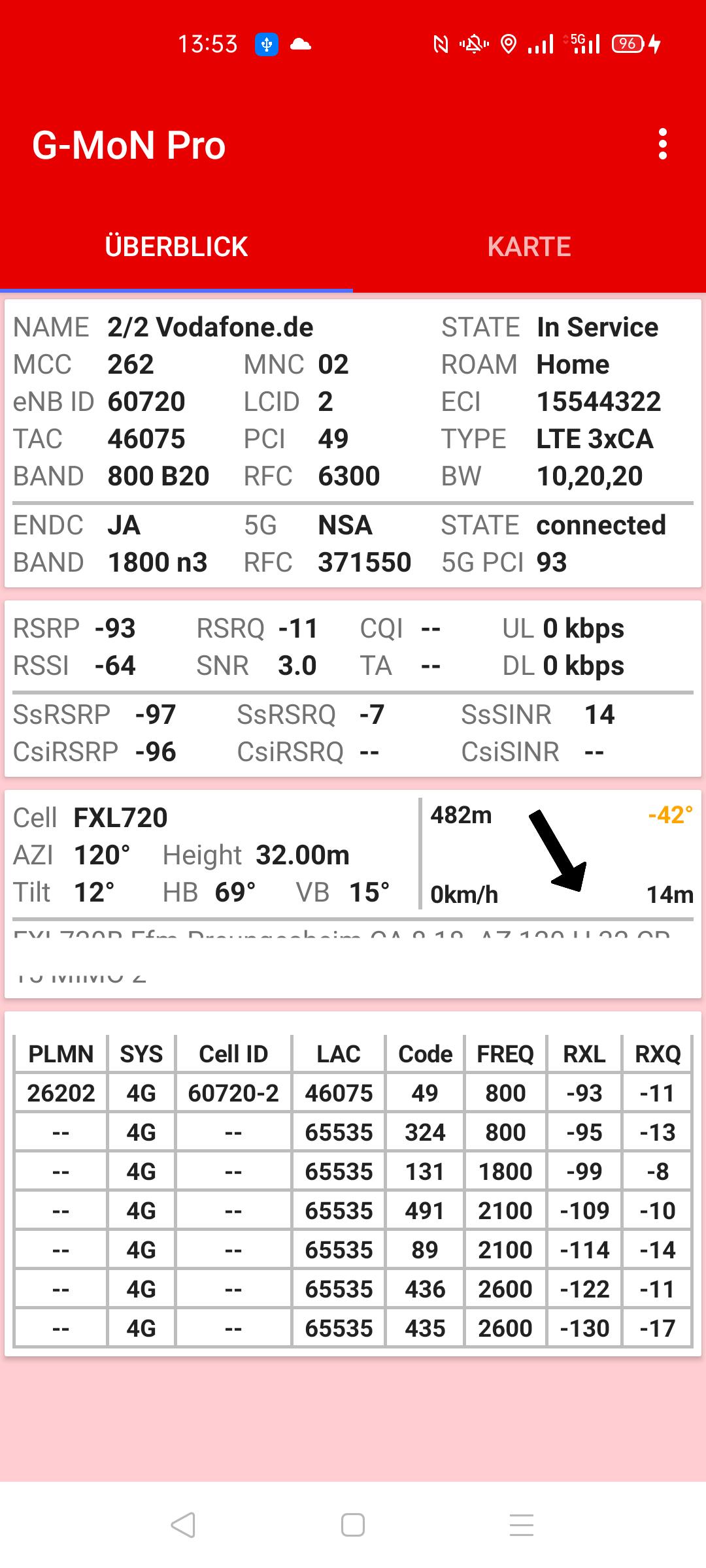
With G-MoN Pro, all available cell data and measured values in 5G NSA and SA, 4G, 3G and 2G mobile networks can be clearly displayed and graphically displayed. The details of this data depend on the smartphone manufacturer and the Android version.
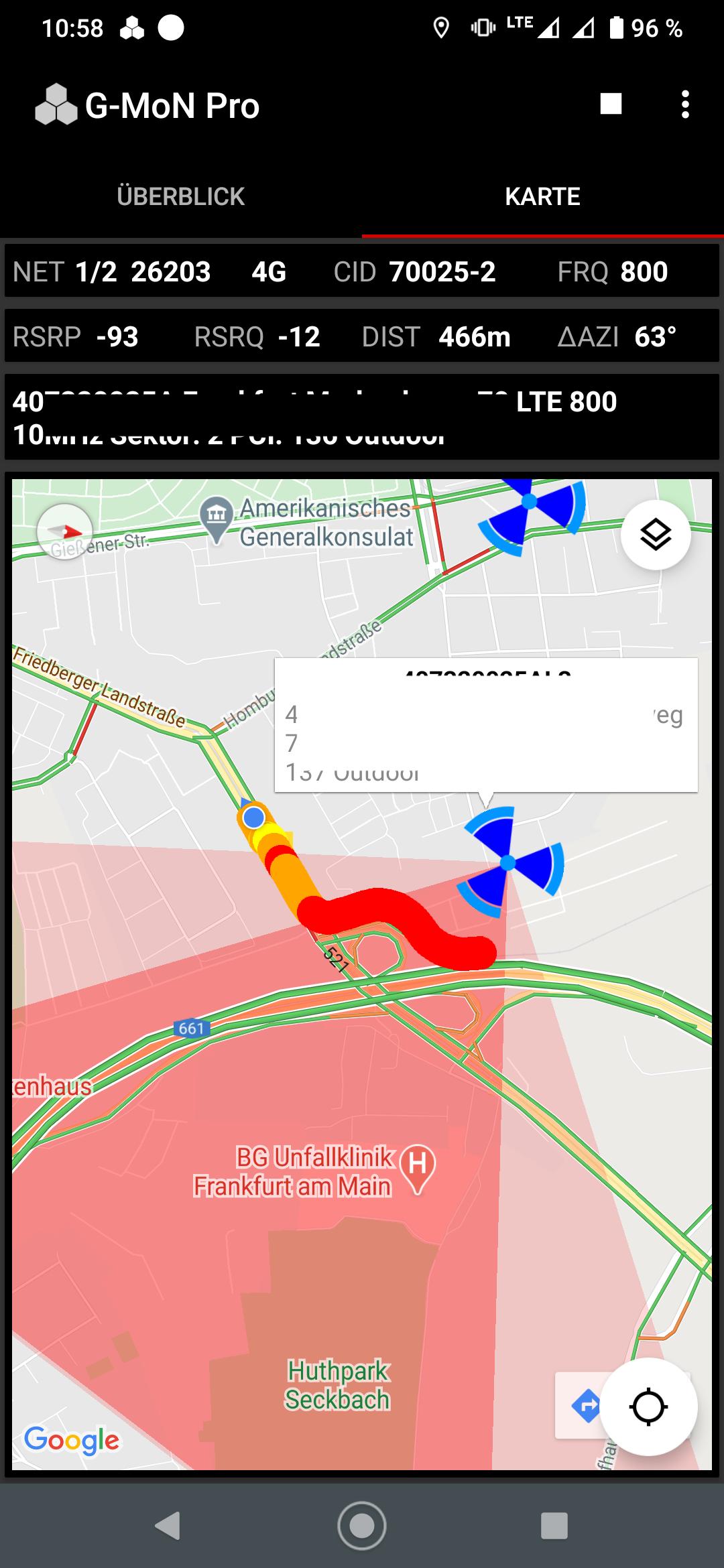
You can log all cell data and measurements in a csv and kml file, even with screen off. Dual SIM is fully supported. The kml file can directly be loaded into Google Earth if it is installed on the phone. The logged rx levels are displayed im realtime in the map.
The new cell list file format clf v4 is supported. Please follow the link below for details:
https://sites.google.com/site/clfgmon/clf4
The Cell Compass always points to the Best Server cell when moving (GPS) if it is included in the CLF. With a tap on the arrow, the seat direction can be changed to the direction of travel, e.g. when you sit in a train. In addition to the direction, the distance to the cell as well as the current speed and the GSM accuracy are displayed.
Dual sim phones are supported. In the overview tab you can quickly switch between the two active SIM cards with a tap of the network and cell data.
預覽
標籤
工具訊息
開發商
C. Knuetter
最新版本
1.8.6
更新時間
2025-02-07
類別
工具
同時可用
Google Play
更多
如何在電腦上用 GameLoop 玩 G-MoN Pro
1. 從官網下載GameLoop,然後運行exe文件安裝GameLoop
2. 打開GameLoop,搜索“G-MoN Pro”,在搜索結果中找到G-MoN Pro,點擊“安裝”
3. 享受在 GameLoop 上玩 G-MoN Pro 的樂趣
Minimum requirements
OS
Windows 8.1 64-bit or Windows 10 64-bit
GPU
GTX 1050
CPU
i3-8300
Memory
8GB RAM
Storage
1GB available space
Recommended requirements
OS
Windows 8.1 64-bit or Windows 10 64-bit
GPU
GTX 1050
CPU
i3-9320
Memory
16GB RAM
Storage
1GB available space