
XPlane748EFB PC
Wayne Piekarski
قم بتنزيل XPlane748EFB على جهاز الكمبيوتر باستخدام GameLoop Emulator
XPlane748EFB على الكمبيوتر الشخصي
XPlane748EFB ، القادم من المطور Wayne Piekarski ، يعمل على نظام Android في الماضي.
الآن ، يمكنك لعب XPlane748EFB على جهاز الكمبيوتر باستخدام GameLoop بسلاسة.
قم بتنزيله في مكتبة GameLoop أو في نتائج البحث. لا مزيد من الانتباه إلى البطارية أو المكالمات المحبطة في الوقت الخطأ بعد الآن.
ما عليك سوى الاستمتاع بجهاز XPlane748EFB على الشاشة الكبيرة مجانًا!
XPlane748EFB مقدمة
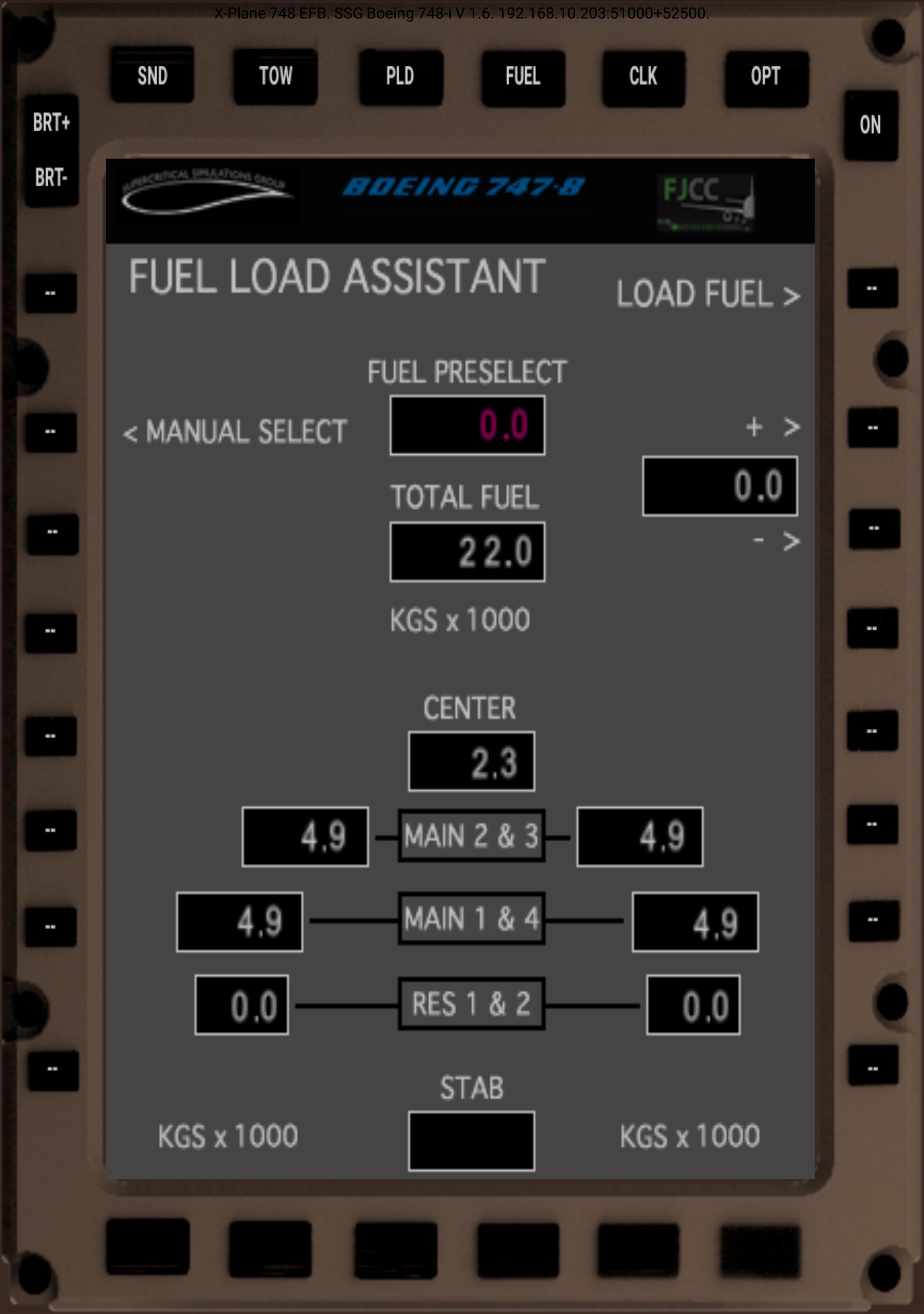
XPlane748EFB is a remote control interface for the Electronic Flight Bag (EFB) present in SSG's 747-8 aircraft. The app provides a way to control the existing EFB in the aircraft, using ExtPlane for button presses, and XTextureExtractor to display the image from the display.
Requirements:
- X-Plane 11
- Download ExtPlane v2 plugin from http://waynepiekarski.net/ExtPlane and unzip into the Resources/Plugins directory
- Download XTextureExtractor plugin from http://waynepiekarski.net/XTextureExtractor and unzip into the Resources/Plugins directory
- SSG's Boeing 748
- Open TCP port 51000 in Windows firewall for ExtPlane
- Open TCP port 52500 in Windows firewall for XTextureExtractor
- Multicast support on your network for auto-detection
XPlane748EFB will auto-detect your X-Plane instance assuming that multicast is working. Many routers do not support multicast properly, and so you can tap on the connection text or the screen to configure a manual X-Plane hostname or IP address.
You must have the ExtPlane v2 plugin installed in your X-Plane 11 Resources/plugins directory. This plugin uses port 51000 to provide external control capabilities, so you must make sure that Windows firewall is not blocking it. You must download the binaries for the plugin from http://waynepiekarski.net/extplane - you cannot use the original ExtPlane v1 plugin because it has bugs related to string datarefs.
XTextureExtractor analyzes all the OpenGL textures and works out where these displays are rendered to. This same texture is then rendered into separate windows that you can move around and place wherever you want. They can be rendered as windows within X-Plane, or popped out and moved around within Windows itself. You can drag popped-out windows to external monitors and arrange them however you like.
X-Plane 11 doesn't natively support this functionality via the SDK, so the plugin uses OpenGL calls to try and guess the correct texture id. The coordinates of all the displays are hard coded for each supported aircraft. It has only been tested with an NVidia GTX 1080 and Windows 10, and the texture finding algorithm may not work on other video cards.
Note that you cannot use the original ExtPlane v1 binaries because they have bugs related to string datarefs.
If multi-cast is not working, you can tap on the connection text at the top to configure a manual X-Plane hostname or IP address.
XPlane748EFB is licensed under the GNU Public License v3
Source code available from https://github.com/waynepiekarski/XPlane748EFB
ExtPlane v2 plugin is also GPLv3, source at https://github.com/waynepiekarski/ExtPlane and forked from https://github.com/vranki/ExtPlane
معاينة

العلامات
أدواتمعلومة
مطور
Wayne Piekarski
احدث اصدار
1.0.1
آخر تحديث
2022-10-05
فئة
أدوات
متاح على
Google Play
أظهر المزيد
كيف تلعب XPlane748EFB مع GameLoop على جهاز الكمبيوتر
1. قم بتنزيل GameLoop من الموقع الرسمي ، ثم قم بتشغيل ملف exe لتثبيت GameLoop.
2. افتح GameLoop وابحث عن "XPlane748EFB" ، وابحث عن XPlane748EFB في نتائج البحث وانقر على "تثبيت".
3. استمتع بلعب XPlane748EFB على GameLoop.
Minimum requirements
OS
Windows 8.1 64-bit or Windows 10 64-bit
GPU
GTX 1050
CPU
i3-8300
Memory
8GB RAM
Storage
1GB available space
Recommended requirements
OS
Windows 8.1 64-bit or Windows 10 64-bit
GPU
GTX 1050
CPU
i3-9320
Memory
16GB RAM
Storage
1GB available space