PWS Manager PC
Sony Storage Media Solutions Corporation
قم بتنزيل PWS Manager على جهاز الكمبيوتر باستخدام GameLoop Emulator
PWS Manager على الكمبيوتر الشخصي
PWS Manager ، القادم من المطور Sony Storage Media Solutions Corporation ، يعمل على نظام Android في الماضي.
الآن ، يمكنك لعب PWS Manager على جهاز الكمبيوتر باستخدام GameLoop بسلاسة.
قم بتنزيله في مكتبة GameLoop أو في نتائج البحث. لا مزيد من الانتباه إلى البطارية أو المكالمات المحبطة في الوقت الخطأ بعد الآن.
ما عليك سوى الاستمتاع بجهاز PWS Manager على الشاشة الكبيرة مجانًا!
PWS Manager مقدمة
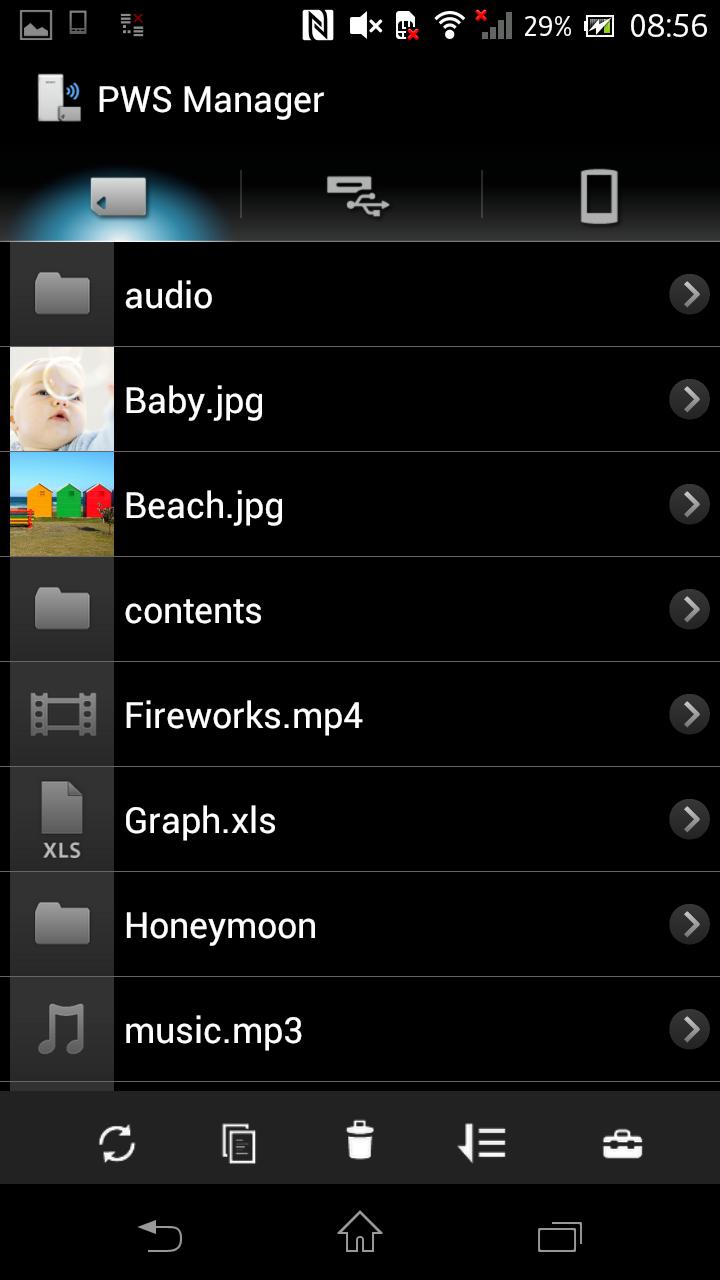
“PWS Manager” is a dedicated application for “Portable Wireless Server” from Sony.
Connect “Portable Wireless Server” to your Android device via Wi-Fi and you can
browse the content in “Portable Wireless Server” and operate (copy, delete and so on)
using this App.
Main features of PWS (Portable Wireless Server)
1. Playback/View content
- Playback/View the content stored on Memory card inserted into PWS.
- Playback/View the content stored on USB device connected t o PWS.
- Playback/View the content within Android device that you are operating.
2. Copy files
- Copy files between memory card inserted into PWS, USB device connected to PWS and Android device that you are operating.
3.Use as memory card R/W
- Connect PWS to PC via USB cable and you can use as external card R/W.
4.Use as Power charger
- Connect via USB cable and PWS can supply power to Smartphone or camera.
Promotion Video for “Portable Wireless Server”
http://www.youtube.com/watch?v=-C1HAQj0YpQ
Help Guide
http://rd1.sony.net/help/pws/c10/gb/
Supported OS
Android 2.3 - 6.0
On Android 6.0 devices, the PWS Manager cannot support with Portable Wireless Server "WG-C10" in some functions. Please refer to the web site below for details.
*The customer who uses WG-C10.
http://www.sony.net/note_pwsmgr
معاينة

معلومة
مطور
Sony Storage Media Solutions Corporation
احدث اصدار
1.7.1
آخر تحديث
2016-08-09
فئة
أدوات
متاح على
Google Play
أظهر المزيد
كيف تلعب PWS Manager مع GameLoop على جهاز الكمبيوتر
1. قم بتنزيل GameLoop من الموقع الرسمي ، ثم قم بتشغيل ملف exe لتثبيت GameLoop.
2. افتح GameLoop وابحث عن "PWS Manager" ، وابحث عن PWS Manager في نتائج البحث وانقر على "تثبيت".
3. استمتع بلعب PWS Manager على GameLoop.
Minimum requirements
OS
Windows 8.1 64-bit or Windows 10 64-bit
GPU
GTX 1050
CPU
i3-8300
Memory
8GB RAM
Storage
1GB available space
Recommended requirements
OS
Windows 8.1 64-bit or Windows 10 64-bit
GPU
GTX 1050
CPU
i3-9320
Memory
16GB RAM
Storage
1GB available space