GFX TOOL FOR BGMI &PUBG -GORLA PC
KAZI GFX
قم بتنزيل GFX TOOL FOR BGMI &PUBG -GORLA على جهاز الكمبيوتر باستخدام GameLoop Emulator
GFX TOOL FOR BGMI &PUBG -GORLA على الكمبيوتر الشخصي
GFX TOOL FOR BGMI &PUBG -GORLA ، القادم من المطور KAZI GFX ، يعمل على نظام Android في الماضي.
الآن ، يمكنك لعب GFX TOOL FOR BGMI &PUBG -GORLA على جهاز الكمبيوتر باستخدام GameLoop بسلاسة.
قم بتنزيله في مكتبة GameLoop أو في نتائج البحث. لا مزيد من الانتباه إلى البطارية أو المكالمات المحبطة في الوقت الخطأ بعد الآن.
ما عليك سوى الاستمتاع بجهاز GFX TOOL FOR BGMI &PUBG -GORLA على الشاشة الكبيرة مجانًا!
GFX TOOL FOR BGMI &PUBG -GORLA مقدمة
GORILLA SUPPORTED 90FPS, IPAD VIEW, BEST GRAPHICS, LAG FIX & VIP FEATURES.
A simple way to improve your game performance GORILLA GFX Tool is a free utility launcher for specific games where you can fully customize the game graphics to get beautiful pictures and smooth gameplay.
App features
Change resolution
Unlock HDR graphics and all FPS levels
Fully control Anti-aliasing and shadows
iPad view
Potato graphics
Glacier effect.
Reduce Lag (Lag Fix)
Custom Crosshair
And much more other useful options
All game versions are supported.
How to use GORILLA GFX Tool
First of all, Close Your Game If Your Is Running in background .
Now, Install GORILLA GFX tool
Once it is Installed Then Open GORILLA Gfx Tool
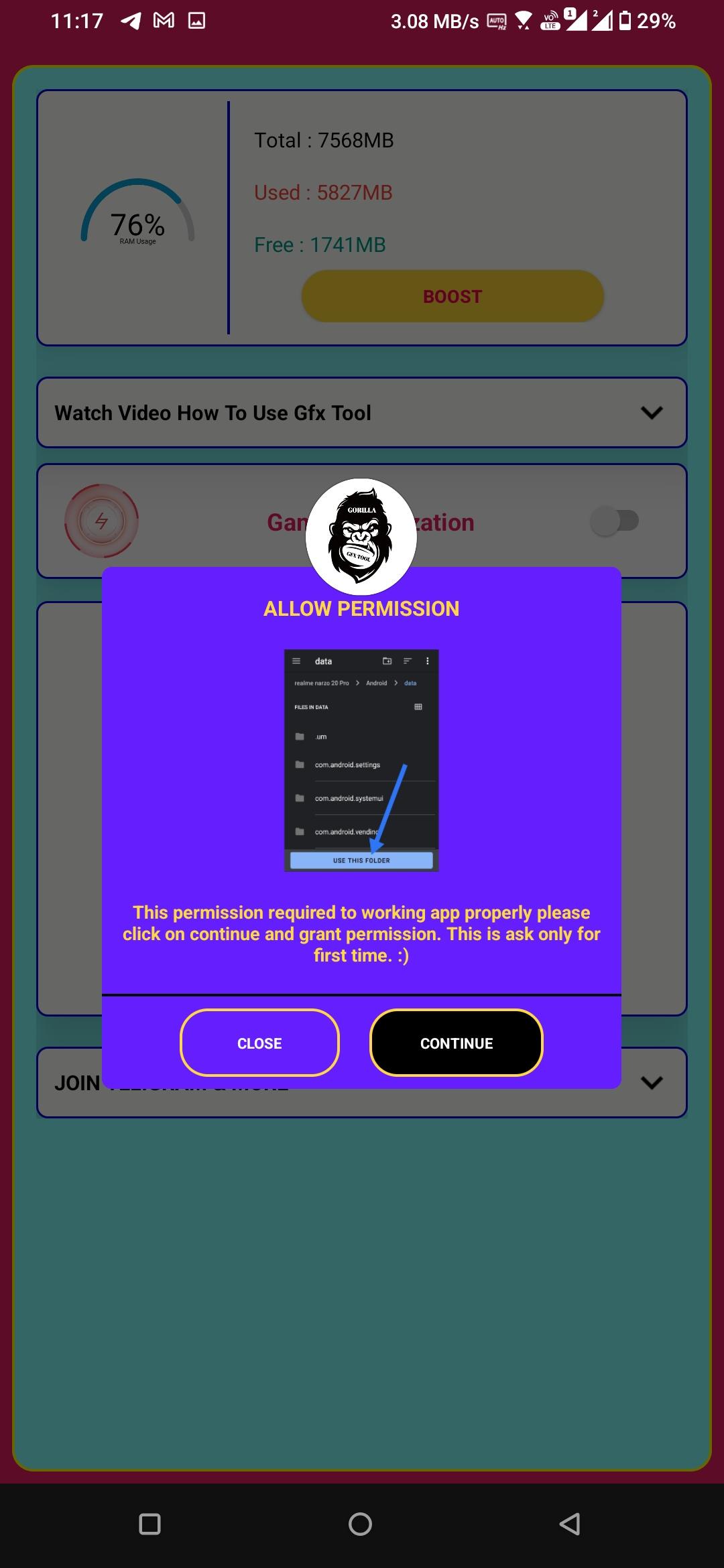
Give Permission click on allow Button
Now click on continue and click in use this folder and give storage permission make sure your Folder is data folder if you're not giving data folder permission this GORILLA gfx tool will not working to make sure your Permission is Data Folder
Then you can Choose Your Pubg version
All Version Are available simply click on select option for your version
After Selecting Your Version you can see too many features are available in This Gfx tool
Select Feature You Want to Use
Click On Activate Button and Run game By Clicking on Start Button
Enjoy Your Best Gaming Experience
معاينة
العلامات
أدواتمعلومة
مطور
KAZI GFX
احدث اصدار
1.4
آخر تحديث
2023-01-31
فئة
أدوات
متاح على
Google Play
أظهر المزيد
كيف تلعب GFX TOOL FOR BGMI &PUBG -GORLA مع GameLoop على جهاز الكمبيوتر
1. قم بتنزيل GameLoop من الموقع الرسمي ، ثم قم بتشغيل ملف exe لتثبيت GameLoop.
2. افتح GameLoop وابحث عن "GFX TOOL FOR BGMI &PUBG -GORLA" ، وابحث عن GFX TOOL FOR BGMI &PUBG -GORLA في نتائج البحث وانقر على "تثبيت".
3. استمتع بلعب GFX TOOL FOR BGMI &PUBG -GORLA على GameLoop.
Minimum requirements
OS
Windows 8.1 64-bit or Windows 10 64-bit
GPU
GTX 1050
CPU
i3-8300
Memory
8GB RAM
Storage
1GB available space
Recommended requirements
OS
Windows 8.1 64-bit or Windows 10 64-bit
GPU
GTX 1050
CPU
i3-9320
Memory
16GB RAM
Storage
1GB available space