
Bluetooth Finder and Scanner PC
Zoltán Pallagi
قم بتنزيل Bluetooth Finder and Scanner على جهاز الكمبيوتر باستخدام GameLoop Emulator
Bluetooth Finder and Scanner على الكمبيوتر الشخصي
Bluetooth Finder and Scanner ، القادم من المطور Zoltán Pallagi ، يعمل على نظام Android في الماضي.
الآن ، يمكنك لعب Bluetooth Finder and Scanner على جهاز الكمبيوتر باستخدام GameLoop بسلاسة.
قم بتنزيله في مكتبة GameLoop أو في نتائج البحث. لا مزيد من الانتباه إلى البطارية أو المكالمات المحبطة في الوقت الخطأ بعد الآن.
ما عليك سوى الاستمتاع بجهاز Bluetooth Finder and Scanner على الشاشة الكبيرة مجانًا!
Bluetooth Finder and Scanner مقدمة
Track & find lost BT devices by signal. Locate earbuds, smartwatch, fitness band quickly.
Are you ready to discover any bluetooth devices around you?
Would you like to know everything about the connected bt devices?
Key Features:
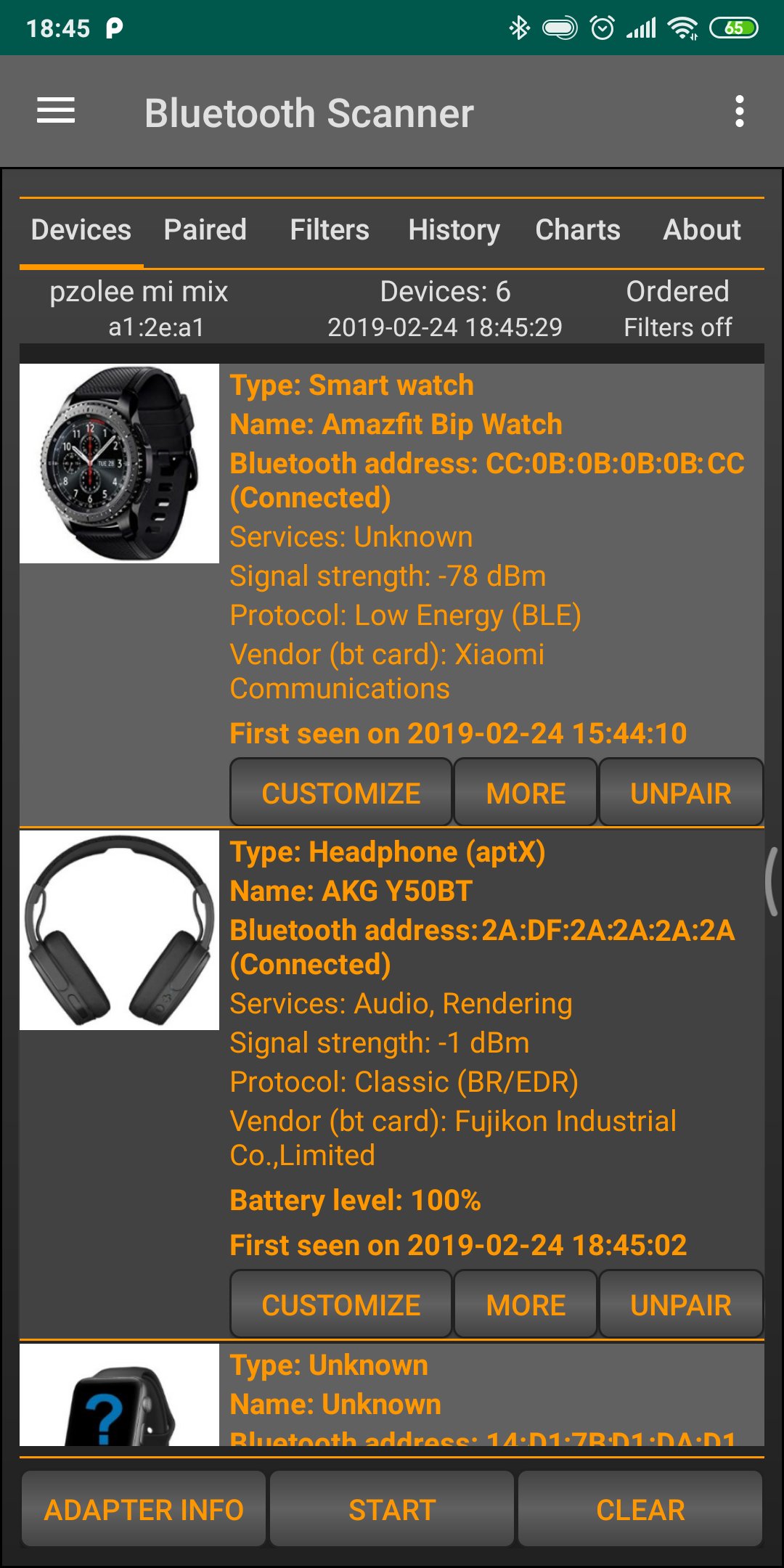
- Scan and list all nearby Bluetooth devices.
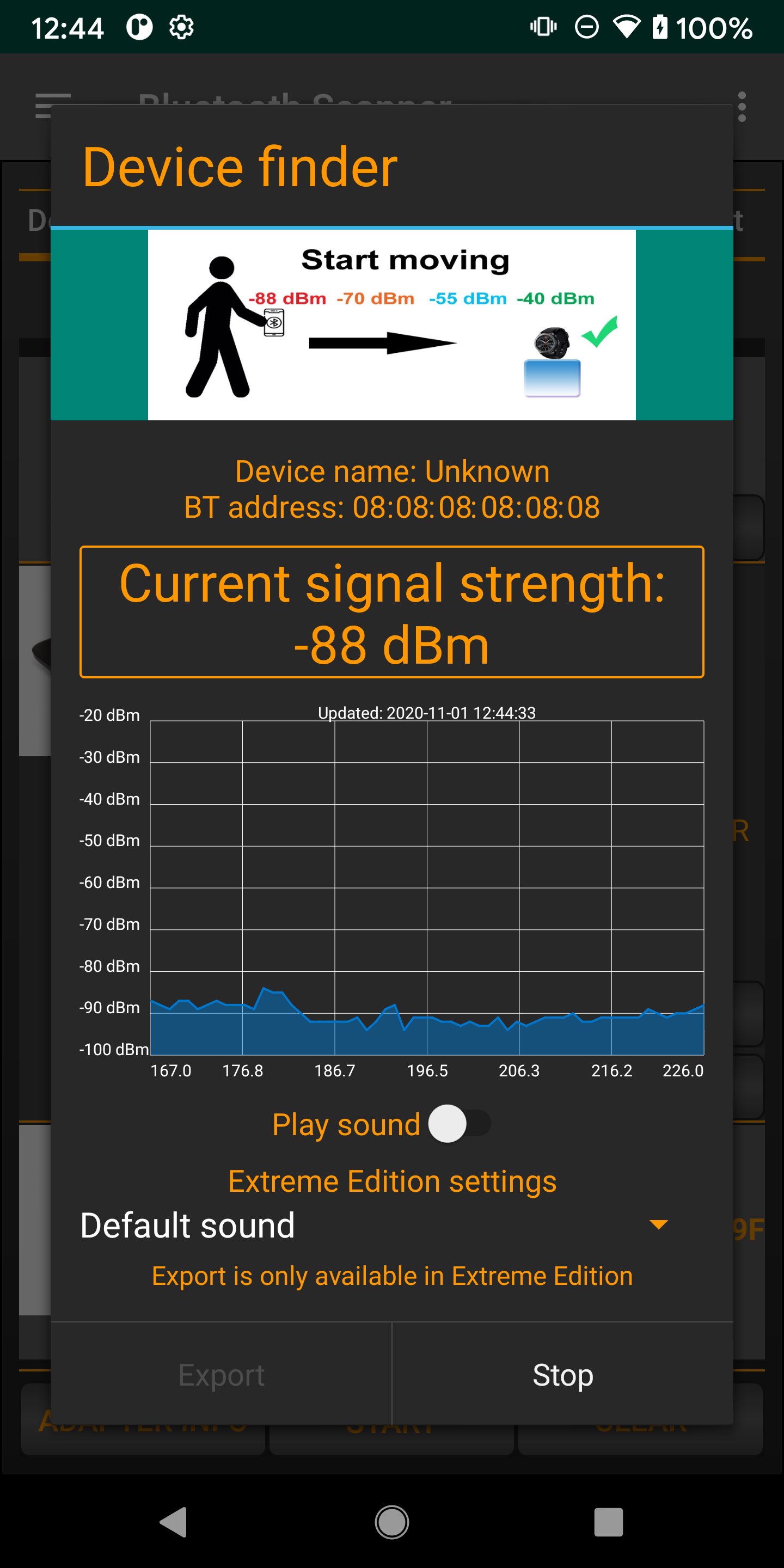
- Real-time signal strength tracking for easy locating.
- Fast and secure device pairing.
- Save favorite devices for quick access.
- Multi-language support for a global experience.
- Find all bluetooth devices, including connected, paired and unknown devices.
- Keep track of your devices
- Bluetooth 4.0, 5.0, 5.1, 5.2, 5.3 scanner
- Connect to bt devices
- Find Low energy and classic devices, including smart watch or band, TV, computer and others.
- Pair and unpair bt device
- Show battery level of connected bluetooth devices (only from Android 9)
- Show signal strength, codec information (aptX, LDAC, SBC and others)
- Replay any scan in history, see any bt devices in the past
- Customize device (rename, change device type)
- Useful filters based on device type, device name, time
- Order by RSSI, address, name, vendor and others
- Highlight new devices around you
- Generate charts from data (device group distribution and others)
- Export database for further processing
- Find My Device function
- switch between active bluetooth devices
- restart scan automatically
معاينة
العلامات
أدواتمعلومة
مطور
Zoltán Pallagi
احدث اصدار
1.8.4
آخر تحديث
2026-04-24
فئة
أدوات
متاح على
Google Play
أظهر المزيد
كيف تلعب Bluetooth Finder and Scanner مع GameLoop على جهاز الكمبيوتر
1. قم بتنزيل GameLoop من الموقع الرسمي ، ثم قم بتشغيل ملف exe لتثبيت GameLoop.
2. افتح GameLoop وابحث عن "Bluetooth Finder and Scanner" ، وابحث عن Bluetooth Finder and Scanner في نتائج البحث وانقر على "تثبيت".
3. استمتع بلعب Bluetooth Finder and Scanner على GameLoop.
Minimum requirements
OS
Windows 8.1 64-bit or Windows 10 64-bit
GPU
GTX 1050
CPU
i3-8300
Memory
8GB RAM
Storage
1GB available space
Recommended requirements
OS
Windows 8.1 64-bit or Windows 10 64-bit
GPU
GTX 1050
CPU
i3-9320
Memory
16GB RAM
Storage
1GB available space