
Always visible volume button PC
OK soft
قم بتنزيل Always visible volume button على جهاز الكمبيوتر باستخدام GameLoop Emulator
Always visible volume button على الكمبيوتر الشخصي
Always visible volume button ، القادم من المطور OK soft ، يعمل على نظام Android في الماضي.
الآن ، يمكنك لعب Always visible volume button على جهاز الكمبيوتر باستخدام GameLoop بسلاسة.
قم بتنزيله في مكتبة GameLoop أو في نتائج البحث. لا مزيد من الانتباه إلى البطارية أو المكالمات المحبطة في الوقت الخطأ بعد الآن.
ما عليك سوى الاستمتاع بجهاز Always visible volume button على الشاشة الكبيرة مجانًا!
Always visible volume button مقدمة
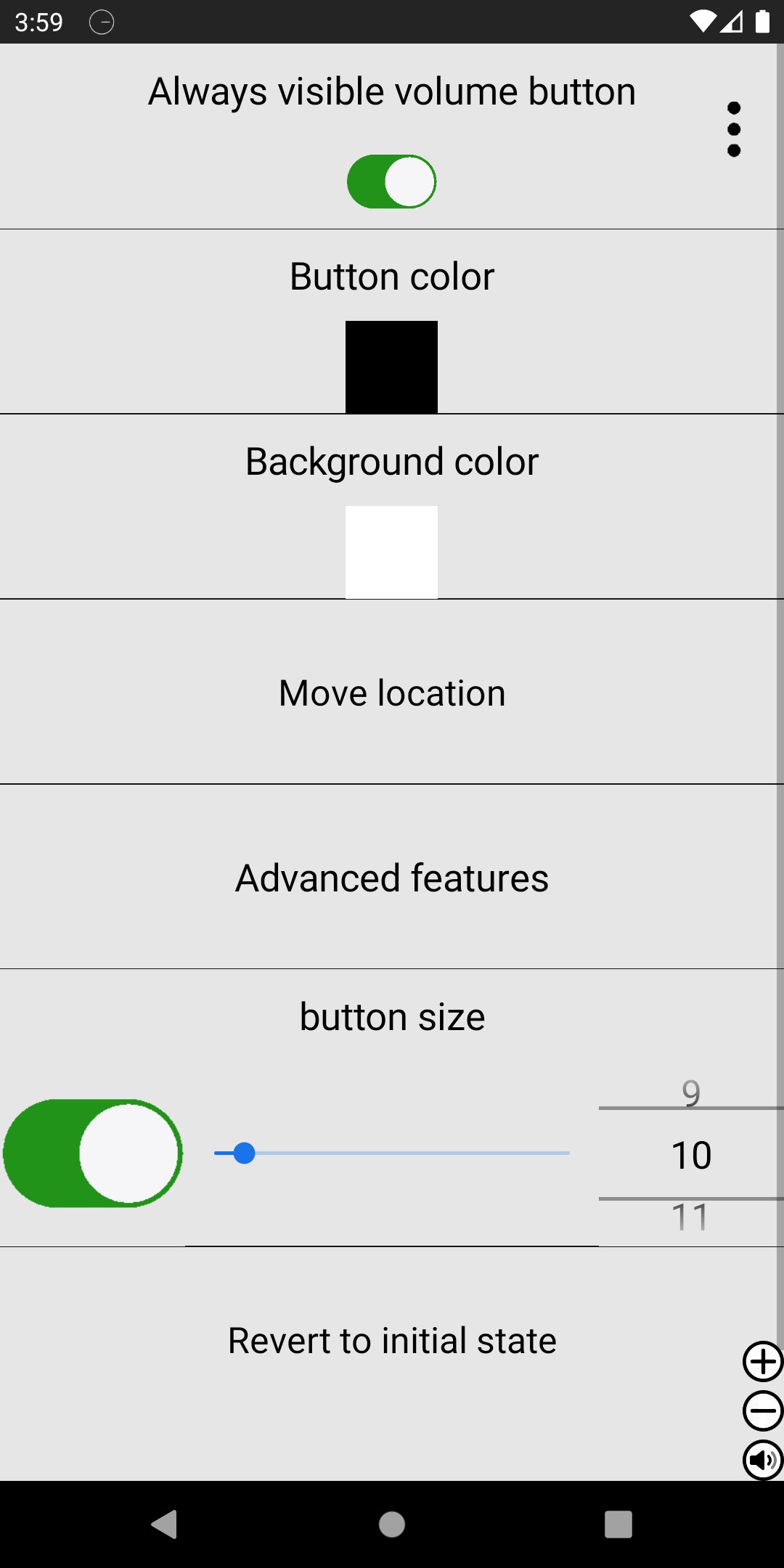
Take full control of your device’s volume with a customizable floating volume button that stays on screen while you use other apps.
This smart volume controller lets you adjust media, call, ringtone, and alarm volumes anytime — without opening system settings. Designed for convenience, speed, and flexibility.
🔊 Control All Volume Types
Media volume
Call volume
Ringtone volume
Alarm volume
Save preferred volume type per app
🎛 Smart Floating Volume Button
Always visible over other apps
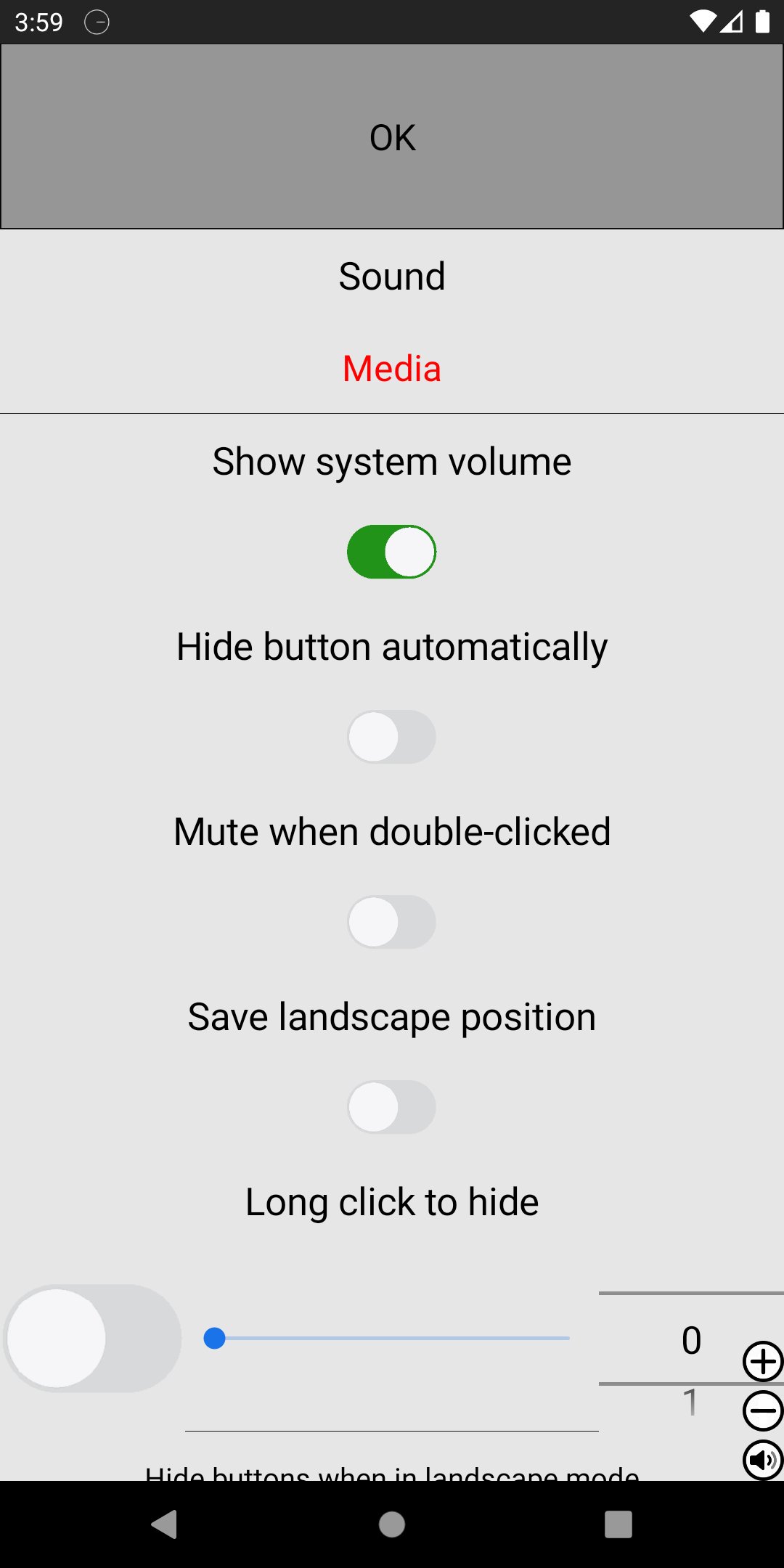
Show only when music is playing
Hide automatically when muted during playback
Lock volume within custom minimum and maximum range
Separate volume lock for speaker and earphones
🎚 Advanced Button Controls
Single tap action
Double tap to mute or enable Do Not Disturb
Dedicated + / – buttons
Scroll bar control
Show or hide each button independently
🎨 Full Customization
Change button color
Use custom button images
Adjust size and position freely
Customize layout visibility
⚙ Designed for Everyday Use
Quickly mute during meetings
Prevent accidental max volume
Keep volume within safe listening range
Instantly access controls while gaming, browsing, or watching videos
Simple, powerful, and fully customizable — this floating volume controller gives you faster access and smarter volume management.
Download now and take control of your sound.
معاينة
العلامات
أدواتمعلومة
مطور
OK soft
احدث اصدار
4.94
آخر تحديث
2026-06-02
فئة
أدوات
متاح على
Google Play
أظهر المزيد
كيف تلعب Always visible volume button مع GameLoop على جهاز الكمبيوتر
1. قم بتنزيل GameLoop من الموقع الرسمي ، ثم قم بتشغيل ملف exe لتثبيت GameLoop.
2. افتح GameLoop وابحث عن "Always visible volume button" ، وابحث عن Always visible volume button في نتائج البحث وانقر على "تثبيت".
3. استمتع بلعب Always visible volume button على GameLoop.
Minimum requirements
OS
Windows 8.1 64-bit or Windows 10 64-bit
GPU
GTX 1050
CPU
i3-8300
Memory
8GB RAM
Storage
1GB available space
Recommended requirements
OS
Windows 8.1 64-bit or Windows 10 64-bit
GPU
GTX 1050
CPU
i3-9320
Memory
16GB RAM
Storage
1GB available space