Aloud Reader - Text to Speech PC
Smart Digital Solution
قم بتنزيل Aloud Reader - Text to Speech على جهاز الكمبيوتر باستخدام GameLoop Emulator
Aloud Reader - Text to Speech على الكمبيوتر الشخصي
Aloud Reader - Text to Speech ، القادم من المطور Smart Digital Solution ، يعمل على نظام Android في الماضي.
الآن ، يمكنك لعب Aloud Reader - Text to Speech على جهاز الكمبيوتر باستخدام GameLoop بسلاسة.
قم بتنزيله في مكتبة GameLoop أو في نتائج البحث. لا مزيد من الانتباه إلى البطارية أو المكالمات المحبطة في الوقت الخطأ بعد الآن.
ما عليك سوى الاستمتاع بجهاز Aloud Reader - Text to Speech على الشاشة الكبيرة مجانًا!
Aloud Reader - Text to Speech مقدمة
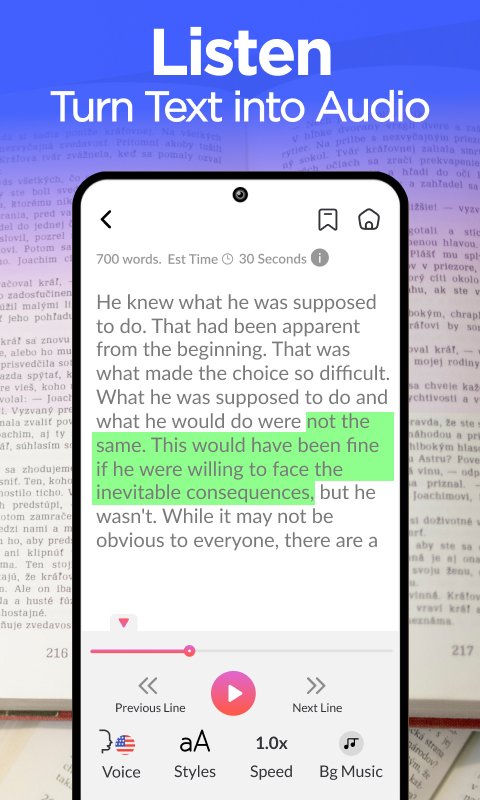
Read aloud text to speech an audio text reader app to listen PDF, DOC, TXT files. Text to speech can read text in multiple languages. Get text to speech reader to easily speak text using read aloud app. This text to speech aloud reader app provides you screen reader with audio text feature.
Text to voice converter helps you quickly listen any text. Choose the text file or document to import with audio text reader. Text to speech app allows you to import text in different languages, listen text using voice aloud reader. Turn your reading content in to audiobook and listen text with text to speech app. Accurately listen to the text and Scan PDF, book pages or directly import PDF, document and txt files.
Text to speech tts the best narrator in your pocket to listen text.
Choose from different languages and listen your text in desired language.
Simultaneously read and listen books, PDFs, documents, and txt files.
Adjust speaker speed along with background color and text colors.
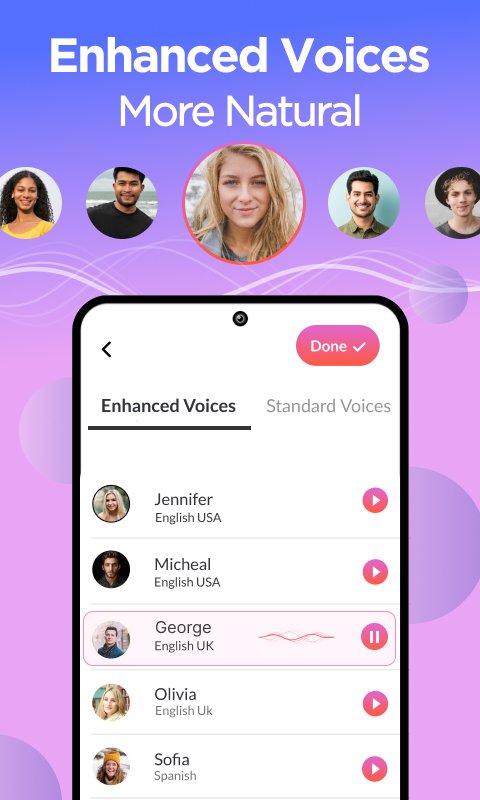
Convert text to audio and choose your favorite voice for listening.
Read aloud helps you generate voice or any text, create focus while reading and listening text at the same time. Text to voice generator app provides you ultimate voices and reading speed adjustments. Get text speaker app to listen text in multiple voices, input any text and enjoy read aloud. Voice text reader provides you accurate text to speech.
How to use text to speech tts
- Get read aloud text to speech
- Import any PDF, Doc or txt
- Scan any image to extract text
- Choose the language for listing text
- Adjust listening speed
- Finally, Enjoy text to speech
Key Features
- Smoothly listen text in text to speech
- Import text from PDFs, doc and text files
- Read aloud app supports different languages
- Multiples fonts, text colors with audio text reader
- Adjust text listening speed
معاينة
العلامات
أدواتمجلسمعلومة
مطور
Smart Digital Solution
احدث اصدار
4.7
آخر تحديث
2025-01-20
فئة
أدوات
متاح على
Google Play
أظهر المزيد
كيف تلعب Aloud Reader - Text to Speech مع GameLoop على جهاز الكمبيوتر
1. قم بتنزيل GameLoop من الموقع الرسمي ، ثم قم بتشغيل ملف exe لتثبيت GameLoop.
2. افتح GameLoop وابحث عن "Aloud Reader - Text to Speech" ، وابحث عن Aloud Reader - Text to Speech في نتائج البحث وانقر على "تثبيت".
3. استمتع بلعب Aloud Reader - Text to Speech على GameLoop.
Minimum requirements
OS
Windows 8.1 64-bit or Windows 10 64-bit
GPU
GTX 1050
CPU
i3-8300
Memory
8GB RAM
Storage
1GB available space
Recommended requirements
OS
Windows 8.1 64-bit or Windows 10 64-bit
GPU
GTX 1050
CPU
i3-9320
Memory
16GB RAM
Storage
1GB available space