
Thermotrack Mobile Edition PC
Proges Plus
قم بتنزيل Thermotrack Mobile Edition على جهاز الكمبيوتر باستخدام GameLoop Emulator
Thermotrack Mobile Edition على الكمبيوتر الشخصي
Thermotrack Mobile Edition ، القادم من المطور Proges Plus ، يعمل على نظام Android في الماضي.
الآن ، يمكنك لعب Thermotrack Mobile Edition على جهاز الكمبيوتر باستخدام GameLoop بسلاسة.
قم بتنزيله في مكتبة GameLoop أو في نتائج البحث. لا مزيد من الانتباه إلى البطارية أو المكالمات المحبطة في الوقت الخطأ بعد الآن.
ما عليك سوى الاستمتاع بجهاز Thermotrack Mobile Edition على الشاشة الكبيرة مجانًا!
Thermotrack Mobile Edition مقدمة
MAIN FUNCTIONS
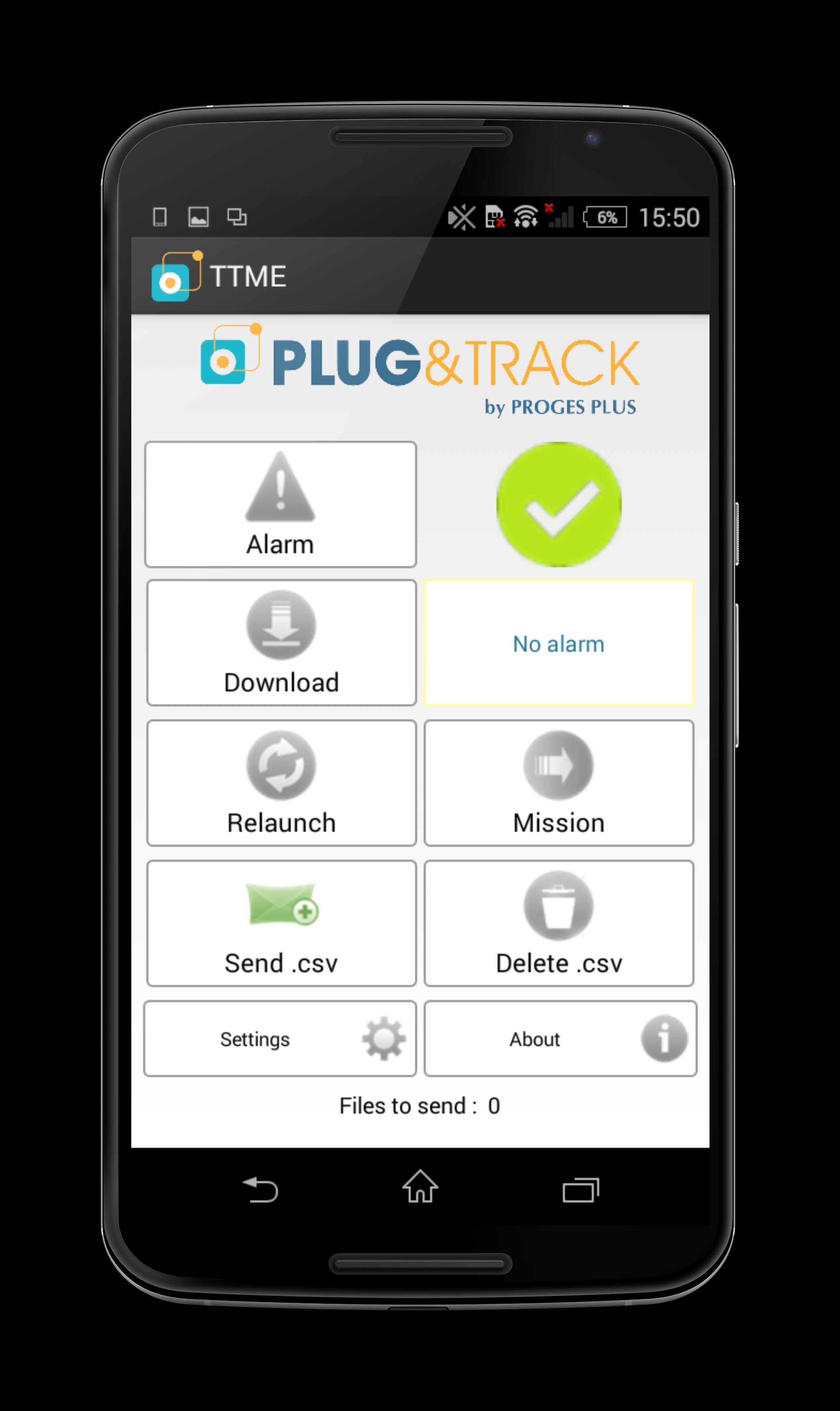
• Read Thermo and Hygro Buttons on your Android Smartphone or Tablet
• Send data
o In Thermotrack, PC, Online, Webserve
o In PDF per Email to the person you choose
o In CSV per Email
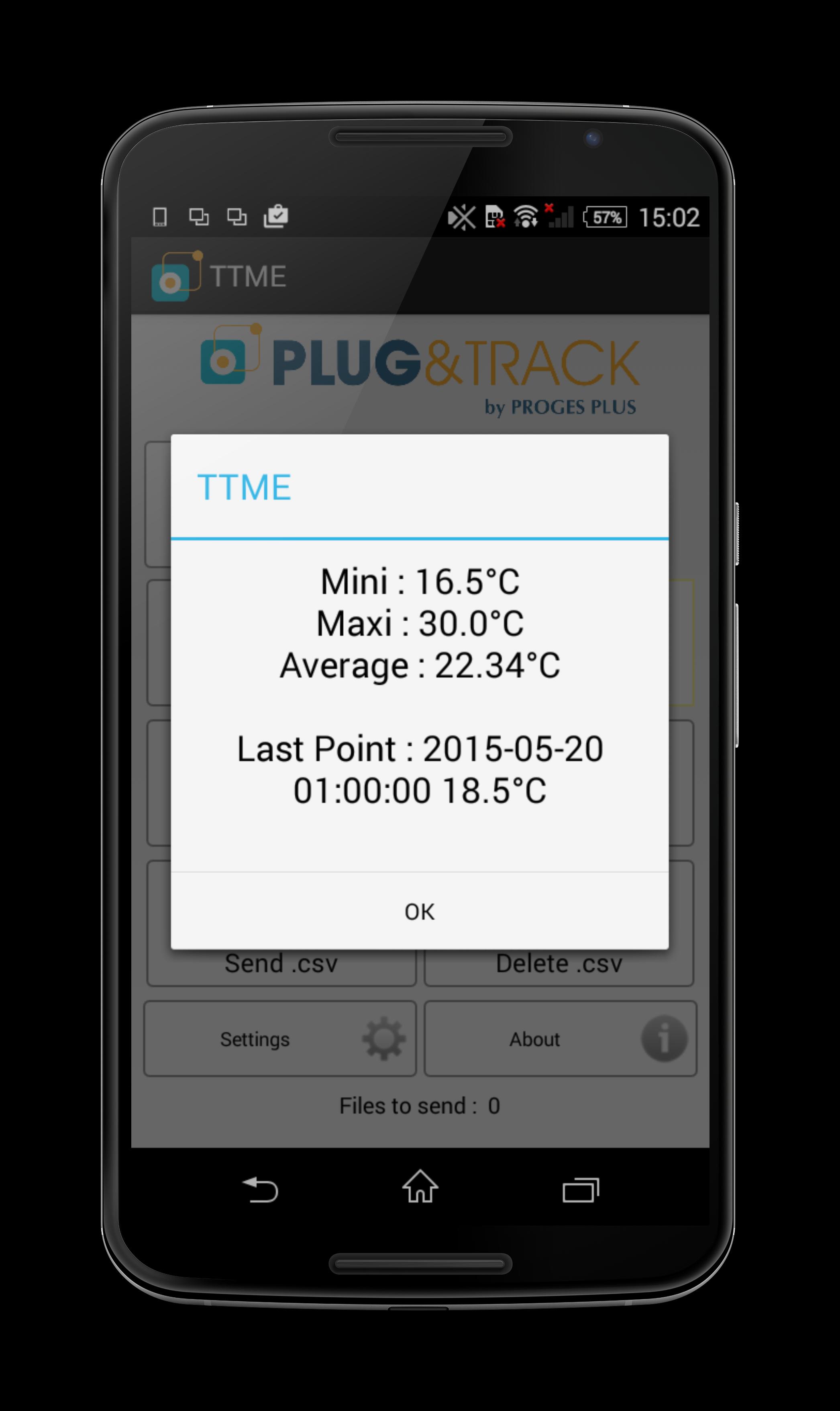
• Show highest, lowest, average records and last measurement
• Check the alarms with temporization
• Relaunch Mission
• Mission (Setting)
DESCRIPTION
Thermotrack Mobile Edition is a free app which enable you to use your Thermo and Hygro Buttons anywhere using your Android Smartphone or Tablet.
Thermotrack Mobile can:
• Control occurrence of Temperature alarms on site
• Download data on your smartphone
• Transfer it on your favorite application or send the graph per email in PDF to the person you choose
• Reset or relaunch the current mission of the Thermo or Hygro Button.
DOWNLOAD AND TRANSFER
When reading the Buttons, Thermotrack mobile shows the highest, lowest, average records and last measurement.
You can immediately send the graph in PDF by email to the person you choose. You can also send the data directly to your favorite Thermotrack applications.
If you don’t have Thermotrack, you can also send the data by email in a CSV file.
MISSION RELAUNCH
If you want to clear the Button memory and start a new mission, just press the icon «Relaunch»
Thanks to the new function “Mission” you can also reset your loggers completely and start a new mission.
ALARM CONTROL
Plug the reader on a Thermo Button or Hygro Button and touch the icon «alarm». The icon turns:
• Green if no alarms
• Orange if temperatures threshold have been reached but within an acceptable duration (Temporization)
• Red if both thresholds and temporization have been reached
معاينة
العلامات
اعمالمعلومة
مطور
Proges Plus
احدث اصدار
20230130
آخر تحديث
2023-01-30
فئة
اعمال
متاح على
Google Play
أظهر المزيد
كيف تلعب Thermotrack Mobile Edition مع GameLoop على جهاز الكمبيوتر
1. قم بتنزيل GameLoop من الموقع الرسمي ، ثم قم بتشغيل ملف exe لتثبيت GameLoop.
2. افتح GameLoop وابحث عن "Thermotrack Mobile Edition" ، وابحث عن Thermotrack Mobile Edition في نتائج البحث وانقر على "تثبيت".
3. استمتع بلعب Thermotrack Mobile Edition على GameLoop.
Minimum requirements
OS
Windows 8.1 64-bit or Windows 10 64-bit
GPU
GTX 1050
CPU
i3-8300
Memory
8GB RAM
Storage
1GB available space
Recommended requirements
OS
Windows 8.1 64-bit or Windows 10 64-bit
GPU
GTX 1050
CPU
i3-9320
Memory
16GB RAM
Storage
1GB available space