
Zoom Workplace PC
zoom.us
قم بتنزيل Zoom Workplace على جهاز الكمبيوتر باستخدام GameLoop Emulator
Zoom Workplace على الكمبيوتر الشخصي
Zoom Workplace ، القادم من المطور zoom.us ، يعمل على نظام Android في الماضي.
الآن ، يمكنك لعب Zoom Workplace على جهاز الكمبيوتر باستخدام GameLoop بسلاسة.
قم بتنزيله في مكتبة GameLoop أو في نتائج البحث. لا مزيد من الانتباه إلى البطارية أو المكالمات المحبطة في الوقت الخطأ بعد الآن.
ما عليك سوى الاستمتاع بجهاز Zoom Workplace على الشاشة الكبيرة مجانًا!
Zoom Workplace مقدمة
Zoom Workplace is your AI-first collaboration platform for meetings, chat, phone calls, docs, calendar, mail, whiteboard, and more. Whether you're working remotely, in the office, or on the go, Zoom Workplace helps your team stay connected and get work done — all from a single app.
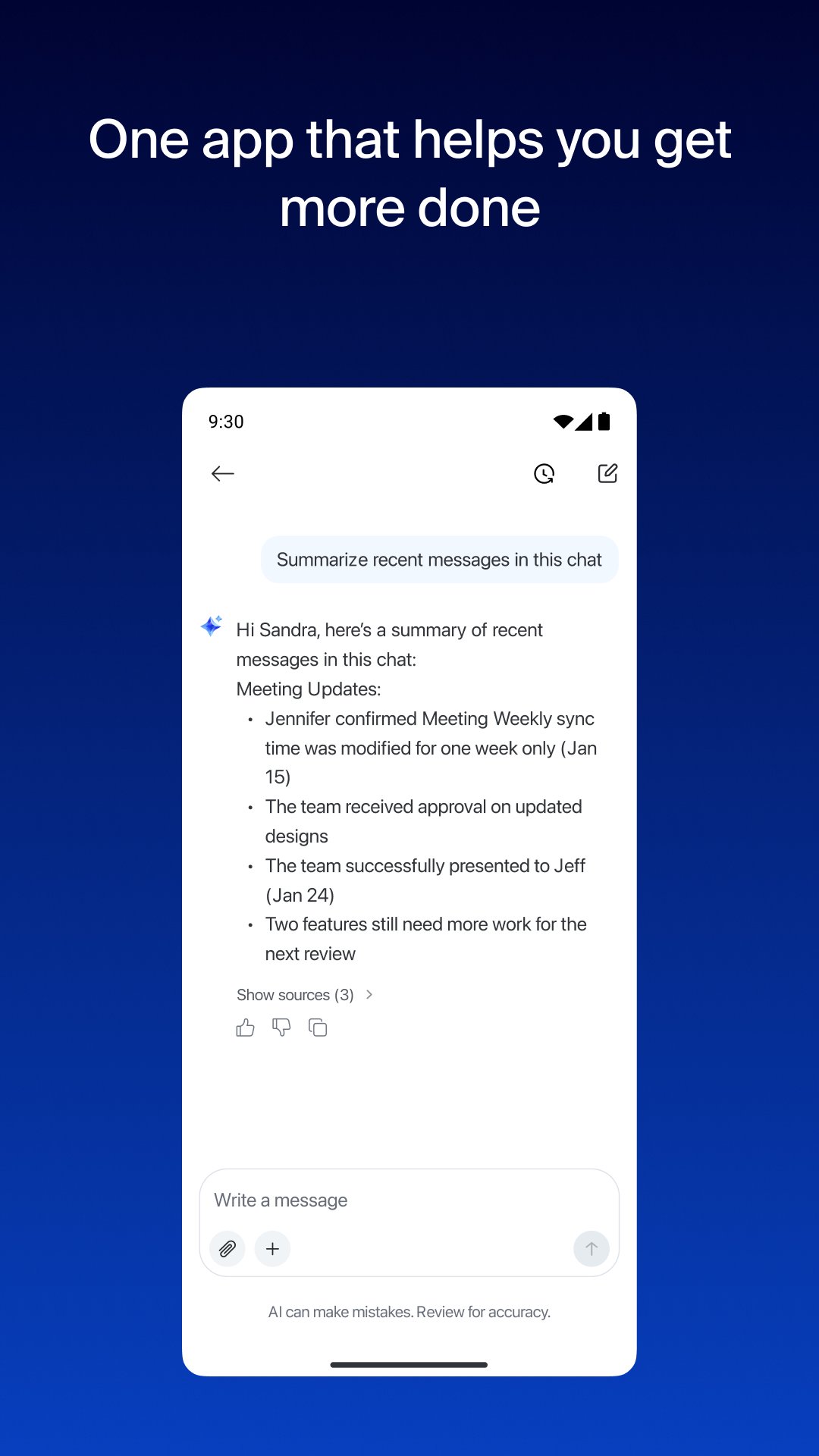
With core AI features built in, you get help prepping for meetings, taking meeting notes with My notes, catching up on messages you missed, and drafting content faster.
GET MORE DONE ON THE GO WITH ZOOM AI*
Built-in AI notetaker for AI-generated meeting summaries
Draft messages and content with AI that knows your work context
Catch up on unread Chat messages in seconds
ONE APP FOR VIDEO CONFERENCING, CHAT, AND CALLS
Schedule or join a video meeting with one tap
Send messages to colleagues and external contacts in Team Chat
Place and receive phone calls or send SMS text messages with Zoom Phone*
BOOST YOUR PRODUCTIVITY
Create and share Zoom Docs to keep your team aligned
Get automatic meeting summaries
Brainstorm and collaborate on Zoom Whiteboard
SWITCH BETWEEN DEVICES WITHOUT MISSING A BEAT
Move a live video call or phone call between devices with one tap
Start a Zoom Rooms meeting and share your screen*
Multitask on your Android phone with Picture in Picture or tablet with Split Screen
WORK SAFELY ON THE GO
"Hey Google" Voice Access commands for hands-free control
Keep your data protected with enterprise-grade security and SSO*
Zoom Workplace combines the collaboration tools teams rely on — video conferencing, team messaging, cloud phone, document editing, virtual whiteboard, calendar, and email — into one simple app. It's designed to help you spend less time switching between tools and more time focused on what matters.
*A paid Zoom Workplace subscription or other license may be required to use certain product features. Upgrade your free account today to start gaining these benefits. Zoom AI may not be available for all regions and industry verticals. Some features not currently available across all regions or plans and are subject to change.
UPGRADE YOUR FREE ACCOUNT TO ZOOM WORKPLACE PRO AND GET AI INCLUDED
Host unlimited meetings up to 30 hours each
Record meetings to the cloud (up to 10GB)
Assign meeting co-hosts and schedulers
Your Zoom Workplace Pro subscription will automatically renew unless you cancel at least 24 hours before the end of the free trial or the plan billing period. After you start your subscription, you can manage it from the Google Play app. The amount charged to the payment method in your Google Play account will vary by the plan you select and your country. The plan price will be displayed before you start your free trial or confirm your purchase.
We'd love to hear from you! Join the Zoom community: https://community.zoom.com/
Follow us on social media @zoom
Terms of Service: https://www.zoom.com/en/trust/terms/
Privacy Statement: https://www.zoom.com/en/trust/privacy/privacy-statement/
Have a question? Contact us at https://support.zoom.com/hc
معاينة

العلامات
اعمالمعلومة
مطور
zoom.us
احدث اصدار
7.2.5.45052
آخر تحديث
2026-11-16
فئة
اعمال
أظهر المزيد
كيف تلعب Zoom Workplace مع GameLoop على جهاز الكمبيوتر
1. قم بتنزيل GameLoop من الموقع الرسمي ، ثم قم بتشغيل ملف exe لتثبيت GameLoop.
2. افتح GameLoop وابحث عن "Zoom Workplace" ، وابحث عن Zoom Workplace في نتائج البحث وانقر على "تثبيت".
3. استمتع بلعب Zoom Workplace على GameLoop.
Minimum requirements
OS
Windows 8.1 64-bit or Windows 10 64-bit
GPU
GTX 1050
CPU
i3-8300
Memory
8GB RAM
Storage
1GB available space
Recommended requirements
OS
Windows 8.1 64-bit or Windows 10 64-bit
GPU
GTX 1050
CPU
i3-9320
Memory
16GB RAM
Storage
1GB available space