Cubic Remote PC
Cubic Media, LLC
قم بتنزيل Cubic Remote على جهاز الكمبيوتر باستخدام GameLoop Emulator
Cubic Remote على الكمبيوتر الشخصي
Cubic Remote ، القادم من المطور Cubic Media, LLC ، يعمل على نظام Android في الماضي.
الآن ، يمكنك لعب Cubic Remote على جهاز الكمبيوتر باستخدام GameLoop بسلاسة.
قم بتنزيله في مكتبة GameLoop أو في نتائج البحث. لا مزيد من الانتباه إلى البطارية أو المكالمات المحبطة في الوقت الخطأ بعد الآن.
ما عليك سوى الاستمتاع بجهاز Cubic Remote على الشاشة الكبيرة مجانًا!
Cubic Remote مقدمة
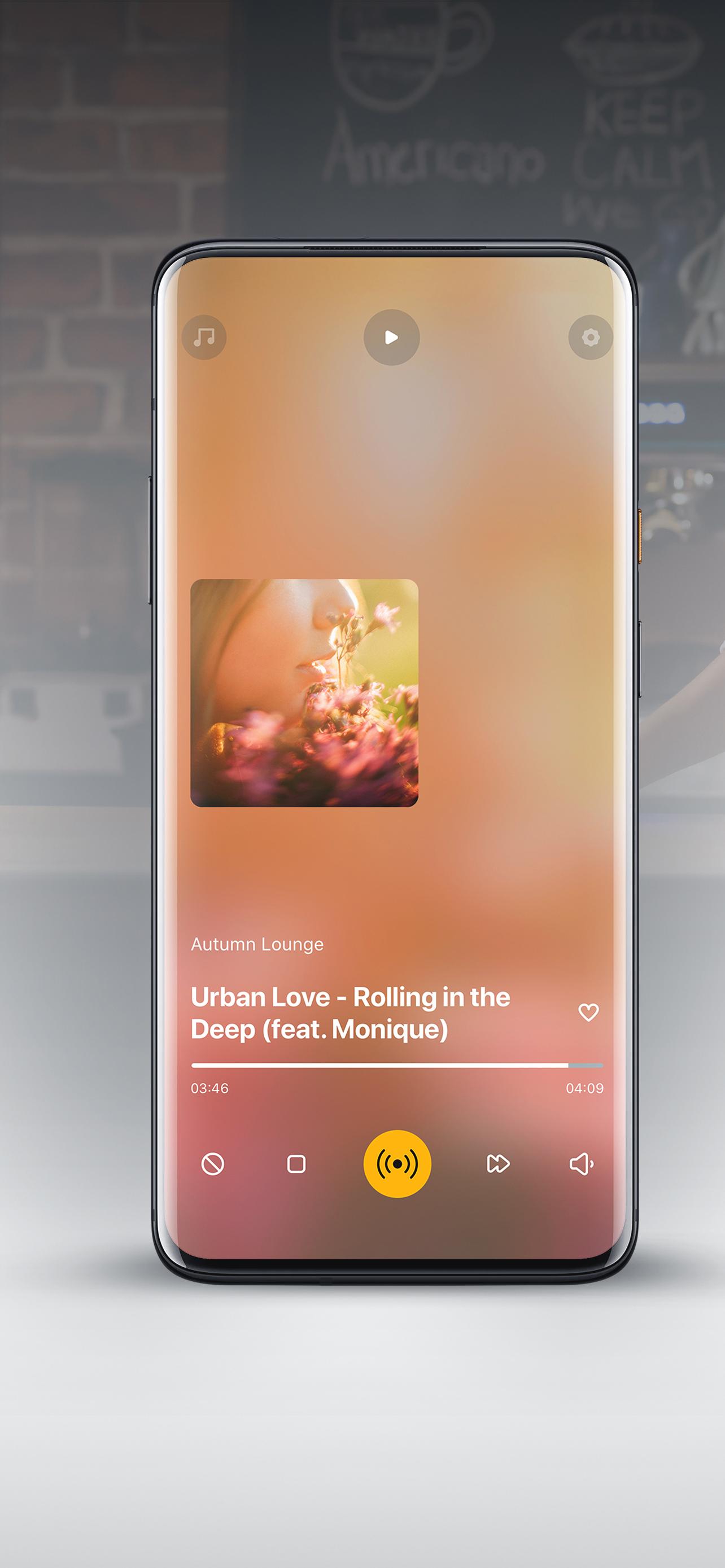
Cubic Remote is a remote control application for the Cubic Music player. With the Cubic Remote, you can connect to the player and control music from your iPhone or iPad.
The Cubic Remote comes in handy when the music needs to be changed right away. Imagine that a lot of people suddenly came to you and the music needs to be made brighter and faster. Now you can do it from your phone.
To use the app, simply connect your smartphone and Cubic Music player to the same network. After that, you will be able to manage your music broadcast.
SWITCH TRACKS
Any track can be switched. Just click on the appropriate button in the application - the player will smoothly turn on the next song. This is convenient when you want to have full control over the music broadcast - for example, include only fast or only slow tracks.
CHANGE THE VOLUME OF TRACKS AND AUDIO VIDEOS
Customize the music broadcast for yourself - in Cubic Remote you can adjust the volume, as well as change the fade speed between tracks and audio clips. Thus, you can quickly adjust the music broadcast if a lot of people suddenly came and the music was not heard.
TURN ON HOLIDAY JINGLES
Through the app, you can quickly turn on small audio clips, such as the "Happy Birthday" jingle or celebration music - this can come in handy during celebrations. You can also include audio clips.
LIKE AND HIDE TRACKS
In Cubic Remote, likes and dislikes work as a form of feedback. With their help, music editors will know which tracks need more and which ones need to be removed from the air. Together we will make the broadcast better.
معاينة

العلامات
اعمالمعلومة
مطور
Cubic Media, LLC
احدث اصدار
3.3.0
آخر تحديث
2024-09-16
فئة
اعمال
متاح على
Google Play
أظهر المزيد
كيف تلعب Cubic Remote مع GameLoop على جهاز الكمبيوتر
1. قم بتنزيل GameLoop من الموقع الرسمي ، ثم قم بتشغيل ملف exe لتثبيت GameLoop.
2. افتح GameLoop وابحث عن "Cubic Remote" ، وابحث عن Cubic Remote في نتائج البحث وانقر على "تثبيت".
3. استمتع بلعب Cubic Remote على GameLoop.
Minimum requirements
OS
Windows 8.1 64-bit or Windows 10 64-bit
GPU
GTX 1050
CPU
i3-8300
Memory
8GB RAM
Storage
1GB available space
Recommended requirements
OS
Windows 8.1 64-bit or Windows 10 64-bit
GPU
GTX 1050
CPU
i3-9320
Memory
16GB RAM
Storage
1GB available space