
Game Turbo: Exp. Booster & HUD para PC
TOLAN
Descarga Game Turbo: Exp. Booster & HUD en PC con GameLoop Emulator
Game Turbo: Exp. Booster & HUD en PC
Game Turbo: Exp. Booster & HUD, proveniente del desarrollador TOLAN, se ejecuta en el sistema Android en el pasado.
Ahora, puedes jugar Game Turbo: Exp. Booster & HUD en PC con GameLoop sin problemas.
Descárgalo en la biblioteca de GameLoop o en los resultados de búsqueda. No más mirar la batería o llamadas frustrantes en el momento equivocado nunca más.
Simplemente disfrute de Game Turbo: Exp. Booster & HUD PC en la pantalla grande de forma gratuita!
Game Turbo: Exp. Booster & HUD Introducción
Organize your game library, monitor real-time device vitals, and minimize distractions with Game Booster Power: Launch&HUD
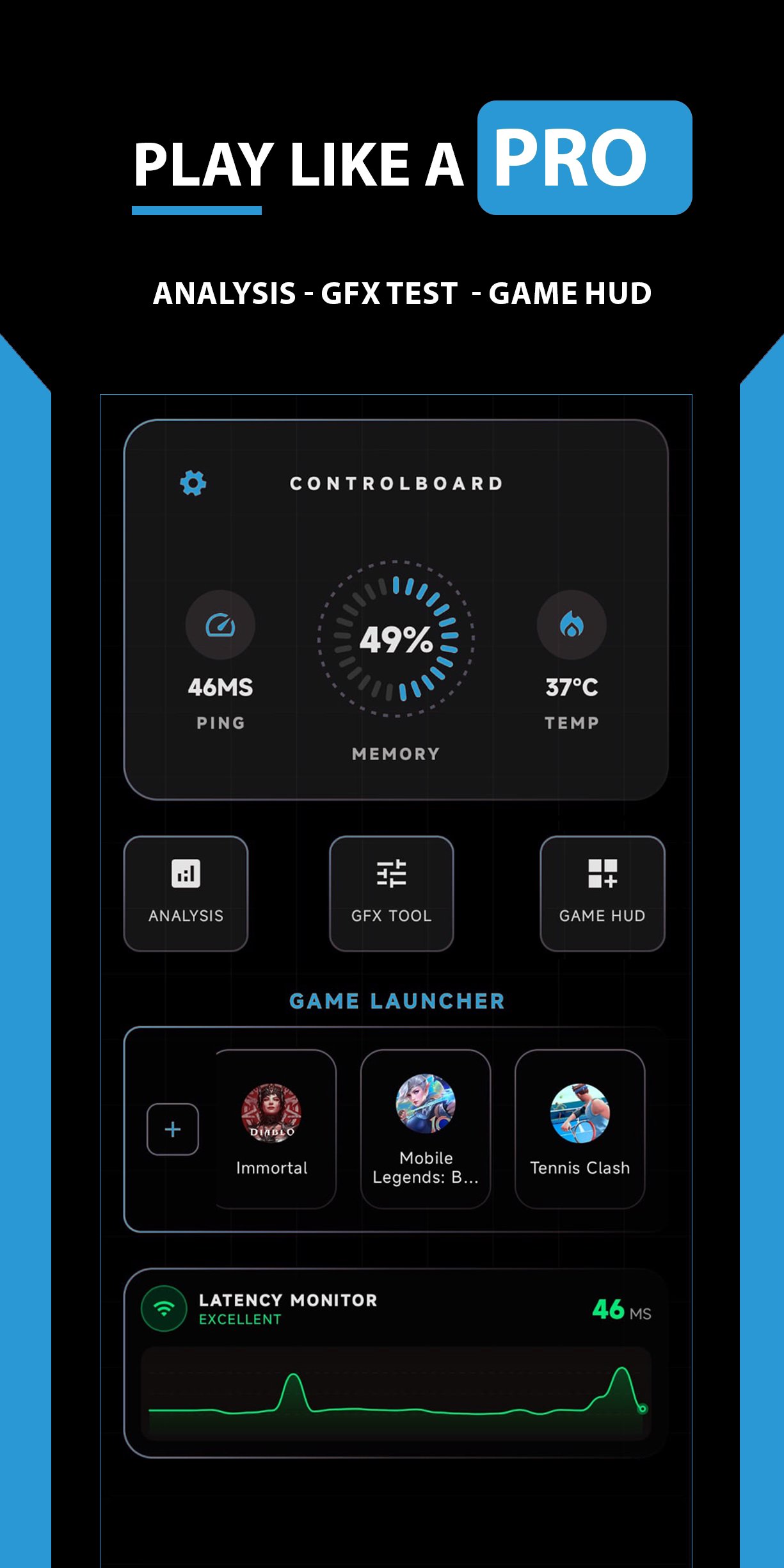
LaunchUp: Game GFX & PING HUD is designed as a centralized gaming utility hub. It brings your installed games together in one launcher and provides essential monitoring tools like an in-game HUD, network latency tracking, and a notification silencer for an uninterrupted gaming session.
🎮 Centralized Game Launcher
• Keep all your installed games organized in one clean dashboard.
• Quickly find and launch your favorite games directly without browsing through the app drawer.
📊 Real-Time Device & Hardware Monitor
• Ping / Network Latency: Track your current network latency to evaluate connection stability.
• Memory & Storage Stats: View available vs. total system memory usage.
• Battery & Temperature: Keep track of battery percentage, charging state, and battery temperature to prevent unexpected shutdowns.
• GFX & Display Benchmark: View device display resolution, refresh rate, and graphics capability benchmarks.
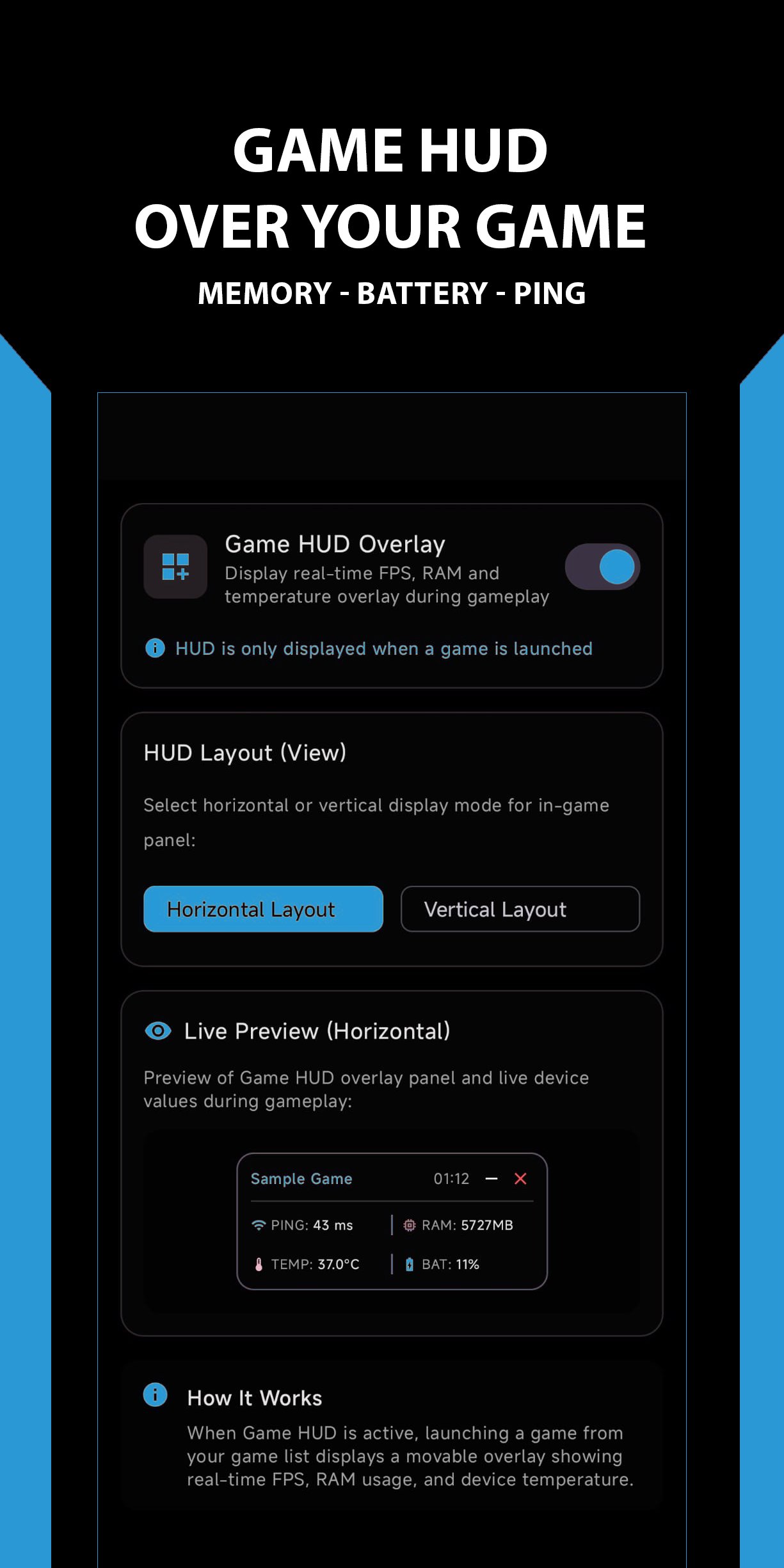
🛡️ In-Game Performance HUD Overlay
• Keep an eye on vital statistics while actively playing.
• Floating HUD overlay displays your ping, memory metrics, and battery temperature directly on your screen.
🔕 Gamer Mode (Do Not Disturb)
• Focus on your gameplay without interruptions.
• Automatically silences notifications and calls using system Do Not Disturb (DND) settings when Gamer Mode is enabled.
💡 Real Utility, No False Promises
Tired of generic "game booster" apps that make unrealistic promises about magic RAM cleaners or instant FPS acceleration? LaunchUp: Game GFX & PING HUD takes a realistic, transparent approach. We provide genuine utility tools—like background bandwidth restriction, latency tracking, and notification suppression—giving you full control over your device's actual performance without deceptive claims.
🔒 Permissions & Privacy Transparency
We value your privacy and only request permissions required for core utility features:
• Notification Policy Access (DND): Required to silence incoming notifications and alerts during Gamer Mode.
• Special Use Foreground Service: Used solely to monitor active network ping and keep the in-game HUD overlay responsive while playing.
• Internet: Used for measuring network latency (ping checks) and serving in-app features.
⚠️ Disclaimer
LaunchUp: Game GFX & PING HUD is a utility and monitoring suite. This app does not overclock, alter, or physically boost device hardware (CPU, GPU, or RAM). Device performance depends entirely on the specifications and capabilities provided by your device manufacturer.
Avance
Etiquetas
Libraries-&HerramientasInformación
Desarrollador
TOLAN
La última versión
302
Última actualización
2026-11-20
Categoría
Libraries-demo
Disponible en
Google Play
Mostrar más
Cómo jugar Game Turbo: Exp. Booster & HUD con GameLoop en PC
1. Descargue GameLoop desde el sitio web oficial, luego ejecute el archivo exe para instalar GameLoop.
2. Abra GameLoop y busque "Game Turbo: Exp. Booster & HUD", busque Game Turbo: Exp. Booster & HUD en los resultados de búsqueda y haga clic en "Instalar".
3. Disfruta jugando Game Turbo: Exp. Booster & HUD en GameLoop.
Minimum requirements
OS
Windows 8.1 64-bit or Windows 10 64-bit
GPU
GTX 1050
CPU
i3-8300
Memory
8GB RAM
Storage
1GB available space
Recommended requirements
OS
Windows 8.1 64-bit or Windows 10 64-bit
GPU
GTX 1050
CPU
i3-9320
Memory
16GB RAM
Storage
1GB available space