
Email & Phone Extractor para PC
Mobilia Apps
Descarga Email & Phone Extractor en PC con GameLoop Emulator
Email & Phone Extractor en PC
Email & Phone Extractor, proveniente del desarrollador Mobilia Apps, se ejecuta en el sistema Android en el pasado.
Ahora, puedes jugar Email & Phone Extractor en PC con GameLoop sin problemas.
Descárgalo en la biblioteca de GameLoop o en los resultados de búsqueda. No más mirar la batería o llamadas frustrantes en el momento equivocado nunca más.
Simplemente disfrute de Email & Phone Extractor PC en la pantalla grande de forma gratuita!
Email & Phone Extractor Introducción
Webpage Email Extractor scans any website and pulls out every email address and phone number it finds — in seconds. Just paste a URL, tap Extract, and get a clean list of contacts ready to copy, share, or export.
Whether you're doing lead generation, building outreach lists, or researching companies, this app saves hours of manual work. It uses server-side extraction to find contacts that basic scraping misses, including emails hidden in JavaScript-heavy pages.
KEY FEATURES:
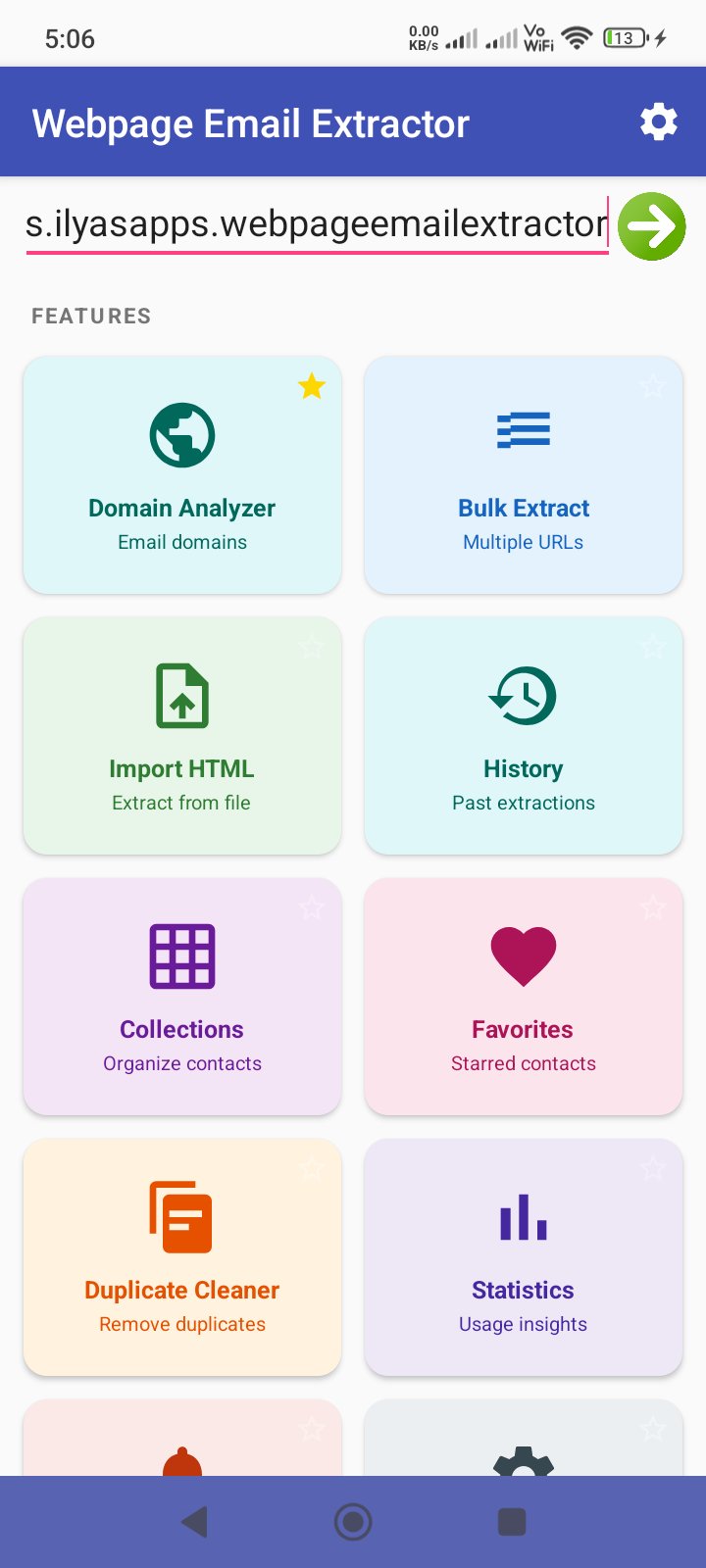
• Single URL Extraction — Enter any URL to extract all emails and phone numbers. Server-side processing handles JavaScript-heavy sites that on-device scraping would miss.
• Bulk Extract — Process multiple URLs at once. Paste a list of URLs and extract contacts from all of them in parallel — perfect for batch lead generation.
• Import HTML — Paste raw HTML source code, email lists, or any text content to extract contacts. Also supports loading HTML files directly from your device.
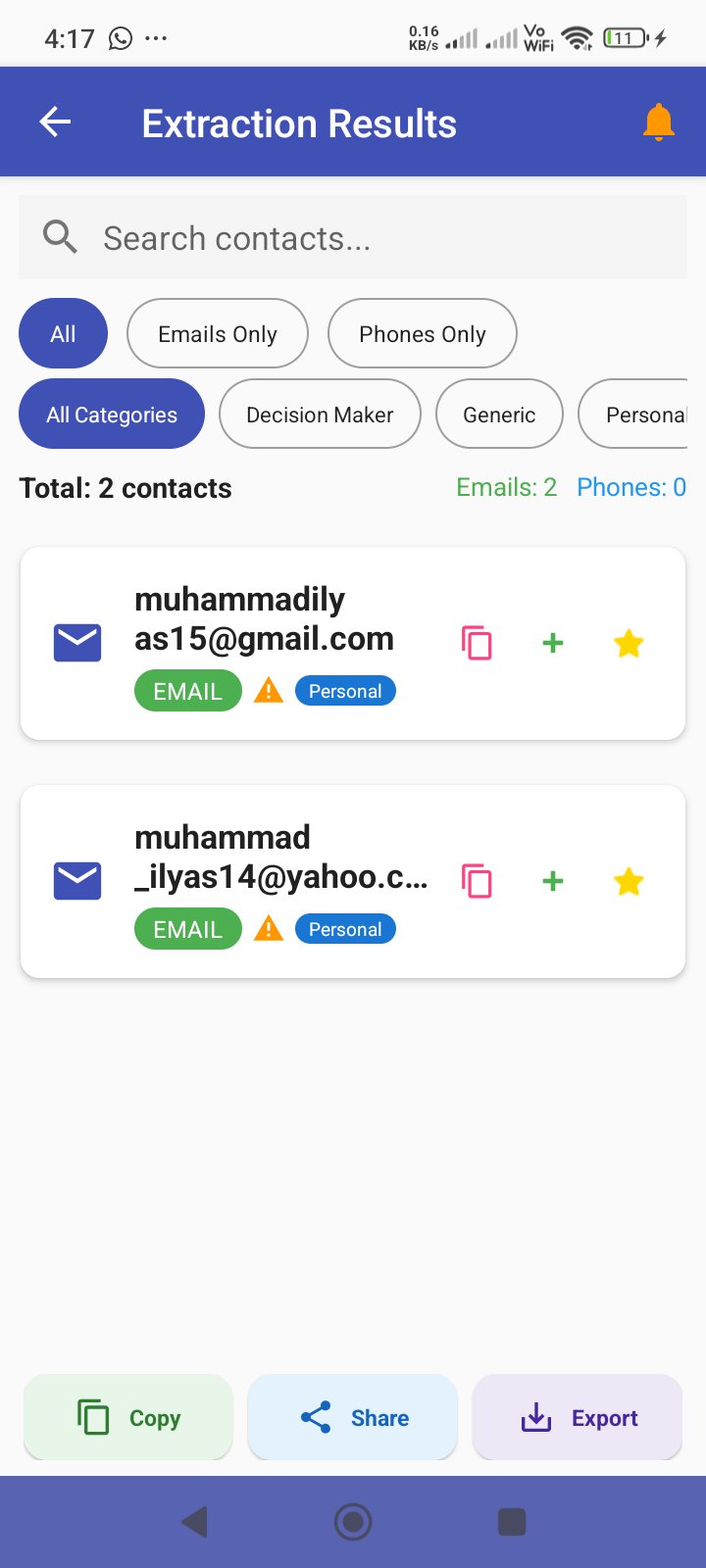
• Email Verification — Every extracted email is automatically verified and labeled as Valid, Risky, or Invalid so you know which contacts are worth reaching out to.
• Smart Categorization — Emails are sorted into categories: Decision Maker (firstname.lastname patterns), Corporate, Personal (Gmail, Yahoo, etc.), Generic (info@, support@), and Suspicious — helping you prioritize outreach.
• URL Monitoring — Set up daily, weekly, or monthly checks on any URL. Get notified when new contacts appear on a page you're watching.
• Collections — Organize your extracted contacts into named collections. Group contacts by project, client, or campaign for easy access later.
• Favorites — Star your most important contacts for quick access across all extractions.
• Domain Analyzer — See all your extracted emails grouped by domain. Instantly spot which companies have the most contacts in your database.
• Duplicate Cleaner — Find and merge duplicate contacts automatically to keep your contact database clean and accurate.
• Export Anywhere — Export your contacts to CSV, TXT, or vCard format. The share dialog lets you send files via email, save to Drive, or use any sharing app.
• Extraction History — Every extraction is saved with full details. Tap any history item to view the complete results with all contacts, filters, and export options.
• Statistics & Achievements — Track your extraction stats: total contacts found, unique URLs scanned, daily streaks, and achievements unlocked.
• Dark Mode — Full dark mode support that follows your system theme or can be set manually.
• Browser Integration — Share a URL from your browser directly to the app for instant extraction.
WHY CHOOSE EMAIL & PHONE EXTRACTOR?
• Server-side extraction finds contacts that on-device scraping misses
• Automatic email verification saves time on dead addresses
• Smart categorization helps you prioritize decision-makers
• Bulk processing handles dozens of URLs at once
• URL monitoring keeps your contact lists fresh
• Clean, organized results with search, filter, copy, share, and export
PERFECT FOR:
• Sales professionals building prospect lists
• Recruiters sourcing candidate contact info
• Marketers gathering outreach leads
• Researchers collecting contact data from websites
• Small business owners finding vendor and partner contacts
• Freelancers looking for potential client emails
Extract smarter, not harder. Download and start building your contact lists today.
Avance
Etiquetas
HerramientasInformación
Desarrollador
Mobilia Apps
La última versión
1.0
Última actualización
2026-03-26
Categoría
Herramientas
Disponible en
Google Play
Mostrar más
Cómo jugar Email & Phone Extractor con GameLoop en PC
1. Descargue GameLoop desde el sitio web oficial, luego ejecute el archivo exe para instalar GameLoop.
2. Abra GameLoop y busque "Email & Phone Extractor", busque Email & Phone Extractor en los resultados de búsqueda y haga clic en "Instalar".
3. Disfruta jugando Email & Phone Extractor en GameLoop.
Minimum requirements
OS
Windows 8.1 64-bit or Windows 10 64-bit
GPU
GTX 1050
CPU
i3-8300
Memory
8GB RAM
Storage
1GB available space
Recommended requirements
OS
Windows 8.1 64-bit or Windows 10 64-bit
GPU
GTX 1050
CPU
i3-9320
Memory
16GB RAM
Storage
1GB available space