
url link qrcode para PC
jh55
Descarga url link qrcode en PC con GameLoop Emulator
url link qrcode en PC
url link qrcode, proveniente del desarrollador jh55, se ejecuta en el sistema Android en el pasado.
Ahora, puedes jugar url link qrcode en PC con GameLoop sin problemas.
Descárgalo en la biblioteca de GameLoop o en los resultados de búsqueda. No más mirar la batería o llamadas frustrantes en el momento equivocado nunca más.
Simplemente disfrute de url link qrcode PC en la pantalla grande de forma gratuita!
url link qrcode Introducción
Introduction of qr code app (scanner and reader function, generator function, etc.)
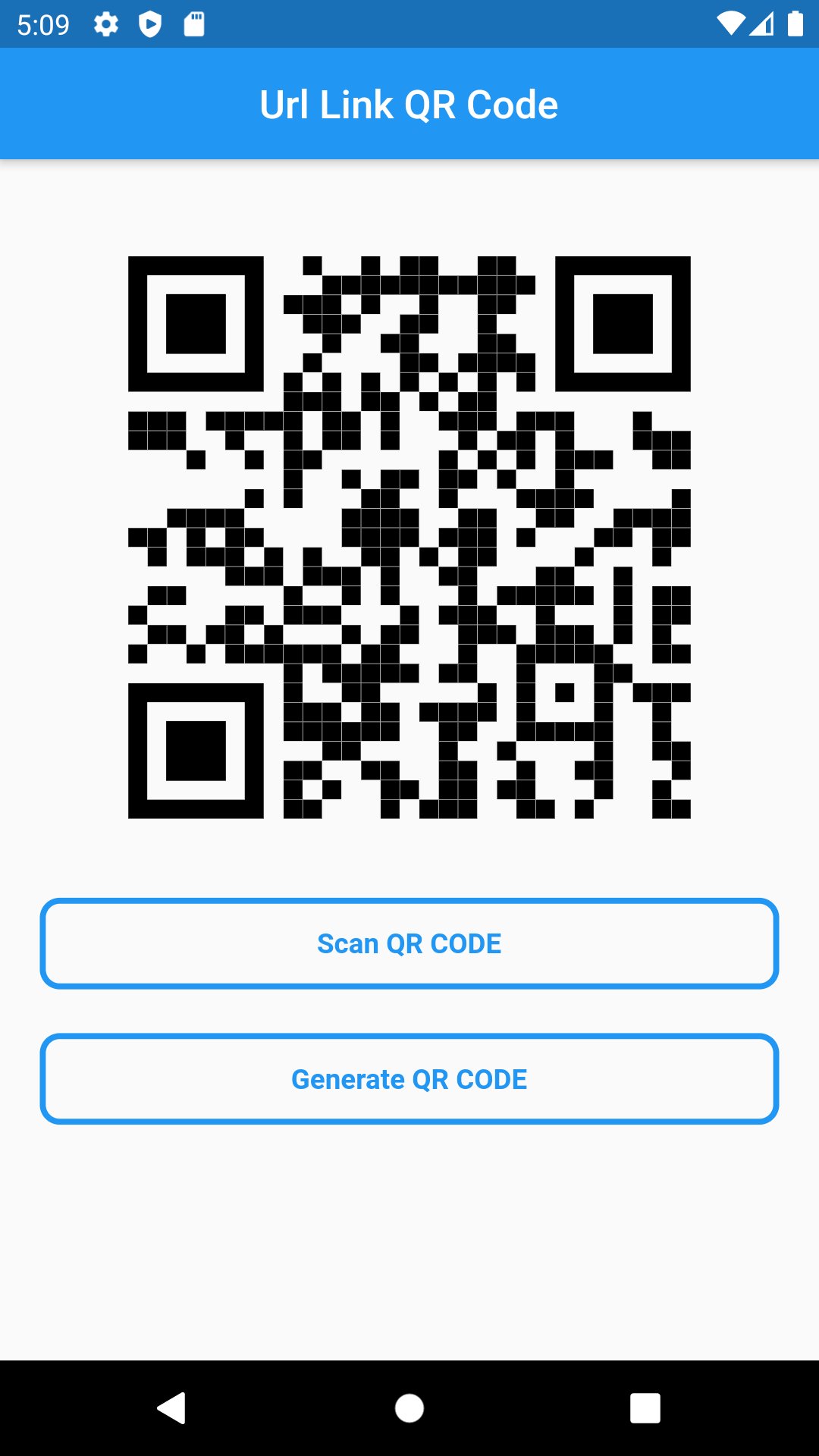
url link qrcode is a scanner and generator that reads url(link).
Main function
1. qr code generator (generator)
2. qr code scanner (read QR code)
3. image qr code generator
4. url (link) qr code generator
5. text qrcode generator
6. color qrcode generator
Now, let's introduce detailed qr code app features.
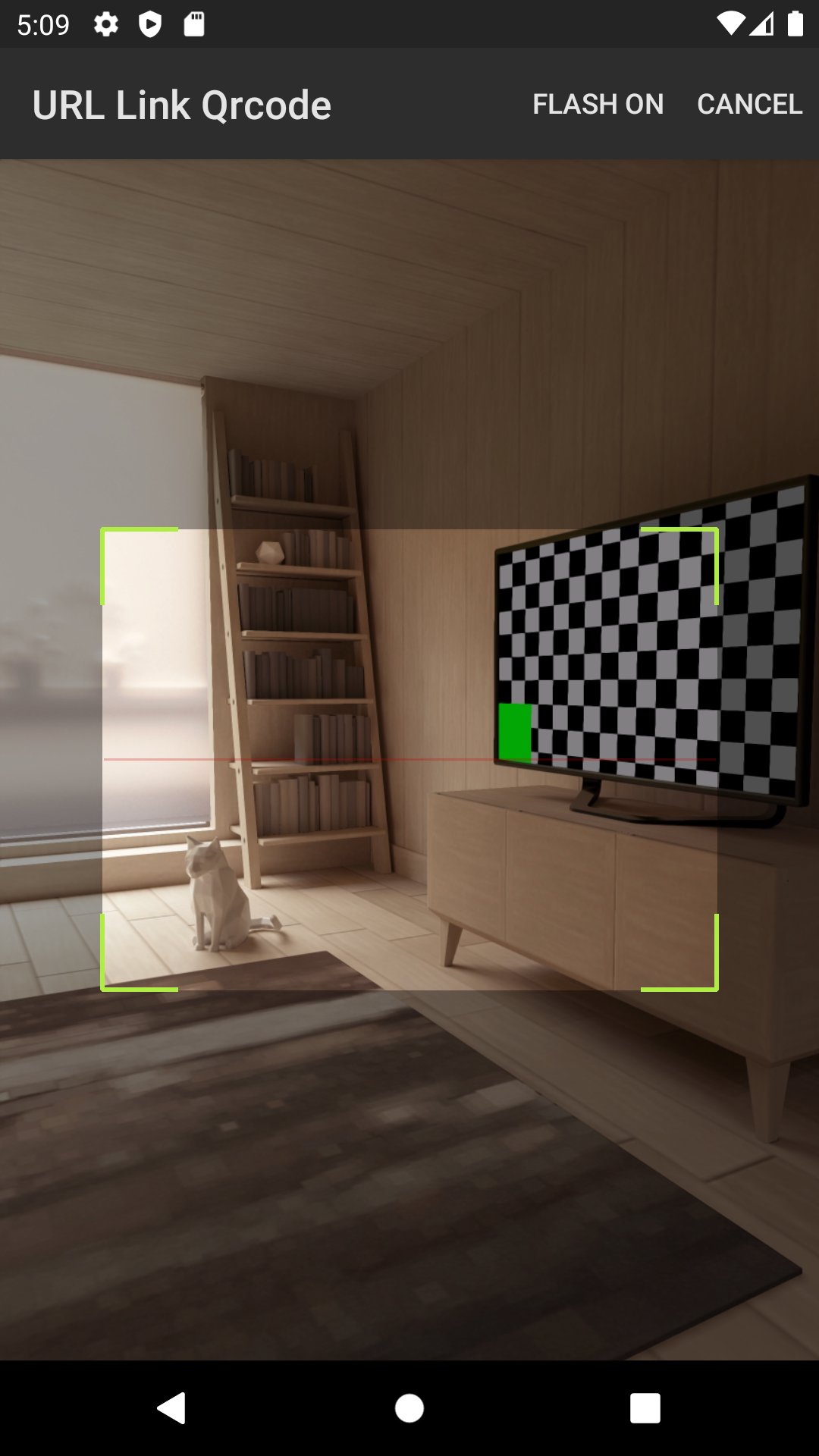
Qr code reader function (scanner and reader function)
It scans the qrcode and interprets what information it contains.
And the flash function makes it easy to scan the qrcode even in dark places.
free qr code generator function(qrcode create and maker function)
If you enter a url, link, text or text, it will generate a QR code with the content.
If you use the app, you can generate a qr code very simply.
Qr code error doesn't work.
Qr code errors do not occur often because the recognition rate of the qr code scanner is good.
Save the qrcode as an image in the gallery.
Save the generated qrcode as an image file in the gallery.
It has a function to share the generated QR code.
I generated a qrcode after entering the url or link.
If you want to share the generated qrcode with someone at this time, just click the share button and the qrcode will be shared with the person you want.
Anyone can easily use the qr code because it is easy to use
Anyone can use it easily because you can generate and scan a qr code with just a few buttons.
How to scan qr code
After running the app, press the button called qr code scan to activate a camera that can scan.
If you hold the qr code you want to read on the camera, it will automatically recognize the qr code.
And it shows what information it contains.
Advantages of this app
QR code reader and barcode scanner all in one! This app provides QR code reader, QR code scan, and barcode scanner features. With functions like QR code generation, QR code creation, and QR code reader, you can easily create, read, and manage QR codes and barcodes.
Use the QR code scan feature to quickly extract various data. Additionally, with the QR code creation feature, you can make your own QR codes, and generate QR codes easily with the free QR code generator to share them.
This app supports QR code reader and barcode scanner, allowing you to quickly check product information by scanning QR codes. With the QR code reader and barcode scanner functions, you can read various types of codes and barcodes, and through features like Qrcode scanner, Qrcode reader, Qrcode scan, you can scan quickly and accurately.
Key features:
Fast and accurate code scanning with QR code reader and barcode scanner
Create your own QR codes using QR code creation and easily check with the QR code reader
QR code reader/barcode scanner app supporting various types of QR codes and barcodes
Free QR code creation for generating and sharing QR codes
Quickly extract information such as links by scanning QR codes
Scan and generate various types of codes and barcodes with Qrcode scanner, Qrcode generator, Qrcode reader
With the QR code and barcode scanner app, you can now easily read and generate QR codes and barcodes without complicated processes. Moreover, this app provides various QR code scanner and barcode scanner features, making it useful for shopping, information checks, marketing, and many other purposes.
Avance
Etiquetas
HerramientasInformación
Desarrollador
jh55
La última versión
12.0.0
Última actualización
2025-11-07
Categoría
Herramientas
Disponible en
Google Play
Mostrar más
Cómo jugar url link qrcode con GameLoop en PC
1. Descargue GameLoop desde el sitio web oficial, luego ejecute el archivo exe para instalar GameLoop.
2. Abra GameLoop y busque "url link qrcode", busque url link qrcode en los resultados de búsqueda y haga clic en "Instalar".
3. Disfruta jugando url link qrcode en GameLoop.
Minimum requirements
OS
Windows 8.1 64-bit or Windows 10 64-bit
GPU
GTX 1050
CPU
i3-8300
Memory
8GB RAM
Storage
1GB available space
Recommended requirements
OS
Windows 8.1 64-bit or Windows 10 64-bit
GPU
GTX 1050
CPU
i3-9320
Memory
16GB RAM
Storage
1GB available space