Fraction Calculator Plus para PC
Digitalchemy, LLC
Descarga Fraction Calculator Plus en PC con GameLoop Emulator
Fraction Calculator Plus en PC
Fraction Calculator Plus, proveniente del desarrollador Digitalchemy, LLC, se ejecuta en el sistema Android en el pasado.
Ahora, puedes jugar Fraction Calculator Plus en PC con GameLoop sin problemas.
Descárgalo en la biblioteca de GameLoop o en los resultados de búsqueda. No más mirar la batería o llamadas frustrantes en el momento equivocado nunca más.
Simplemente disfrute de Fraction Calculator Plus PC en la pantalla grande de forma gratuita!
Fraction Calculator Plus Introducción
Fraction Calculator Plus with step-by-step operations is the easiest way to solve everyday fraction tasks — school assignments, recipe adjustments, and even complex woodworking or construction calculations.
Add, subtract, multiply, divide, simplify, and convert fractions quickly and clearly. Whether you're looking for a fraction calculator with steps, a mixed number calculator, or a fast fraction to decimal converter, fraction calculator app helps you get accurate results in seconds.
Need a calculator for fractional inches, or tape measure calculator?
Fraction Calculator Plus is the best solution for:
✔ Helping kids understand fractions and complete math homework.
✔ Checking answers and learning how calculations work step by step.
✔ Adjusting recipe ingredients and serving sizes while cooking or baking.
✔ Working with measurements for woodworking, carpentry, DIY, and construction projects.
✔ Converting fractions to decimals or decimals to fractions quickly and accurately.
✔ Solving mixed number calculations and everyday measurement problems.
Designed to be simple, fast, and easy to use:
✔ Large, easy-to-read display that looks great on phones and tablets.
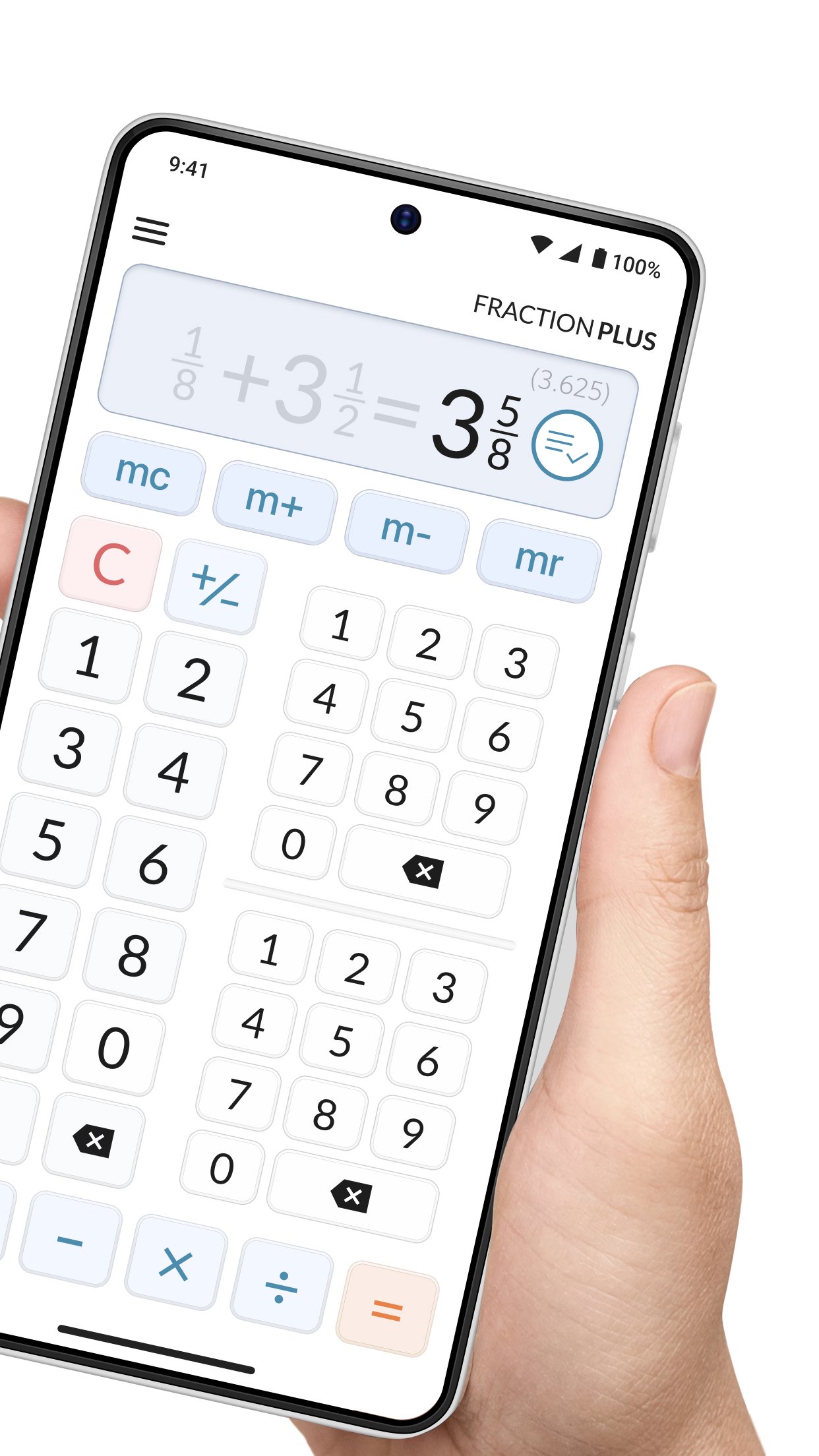
✔ The innovative triple keypad makes entering fractions and mixed numbers fast and intuitive.
✔ Enter mixed numbers like 3 3/4 in just a few taps.
✔ Every result is automatically reduced to its simplest form.
✔ Decimal equivalents are displayed automatically, making this a convenient fraction to decimal converter.
✔ Built-in tools also make it easy to convert decimals back into fractions.
✔ Step-by-step explanations help students, parents, and teachers understand every calculation.
✔ Memory functions (M+, M-, MR, MC) make multi-step calculations easier.
✔ Supports proper fractions, improper fractions, mixed numbers, and whole numbers.
Looking for an all-in-one fraction calculator?
Whether you're checking homework, scaling a recipe, estimating materials, or calculating measurements in the workshop, Fraction Calculator Plus gives you reliable answers when you need them.
Students use it as a fraction calculator for homework and learning.
Parents use it to help explain math.
Home cooks use it to adjust recipes and serving sizes.
Carpenters, woodworkers, contractors, and DIY builders use it as a woodworking fraction calculator for fractional inches, measurements, and planning cuts more accurately.
Need to estimate materials or plan a renovation?
Fraction calculator app works as a practical construction calculator for contractors, remodelers, and DIY builders who regularly work with measurements. Quickly calculate inches, convert measurements, and verify dimensions before cutting materials or starting installation.
PRO Features for Woodworkers & Contractors
The PRO version includes advanced tools designed specifically for carpenters, cabinet makers, contractors, and serious DIY enthusiasts:
✔ Round results to 1/2, 1/4, 1/8, 1/16, 1/32, or 1/64 inch.
✔ Choose whether to round up, round down, or round to the nearest value.
✔ Automatically display decimal equivalents.
✔ Calculate fractional inches faster and with greater confidence.
✔ Reduce material waste and measurement errors on the job.
Whether you're in the classroom, kitchen, workshop, or construction site, Fraction Calculator Plus helps make fraction math simple.
Avance
Etiquetas
HerramientasInformación
Desarrollador
Digitalchemy, LLC
La última versión
6.1.11
Última actualización
2026-10-31
Categoría
Herramientas
Disponible en
Google Play
Mostrar más
Cómo jugar Fraction Calculator Plus con GameLoop en PC
1. Descargue GameLoop desde el sitio web oficial, luego ejecute el archivo exe para instalar GameLoop.
2. Abra GameLoop y busque "Fraction Calculator Plus", busque Fraction Calculator Plus en los resultados de búsqueda y haga clic en "Instalar".
3. Disfruta jugando Fraction Calculator Plus en GameLoop.
Minimum requirements
OS
Windows 8.1 64-bit or Windows 10 64-bit
GPU
GTX 1050
CPU
i3-8300
Memory
8GB RAM
Storage
1GB available space
Recommended requirements
OS
Windows 8.1 64-bit or Windows 10 64-bit
GPU
GTX 1050
CPU
i3-9320
Memory
16GB RAM
Storage
1GB available space