Time calculator para PC
Yutaka Kenjo
Descarga Time calculator en PC con GameLoop Emulator
Time calculator en PC
Time calculator, proveniente del desarrollador Yutaka Kenjo, se ejecuta en el sistema Android en el pasado.
Ahora, puedes jugar Time calculator en PC con GameLoop sin problemas.
Descárgalo en la biblioteca de GameLoop o en los resultados de búsqueda. No más mirar la batería o llamadas frustrantes en el momento equivocado nunca más.
Simplemente disfrute de Time calculator PC en la pantalla grande de forma gratuita!
Time calculator Introducción
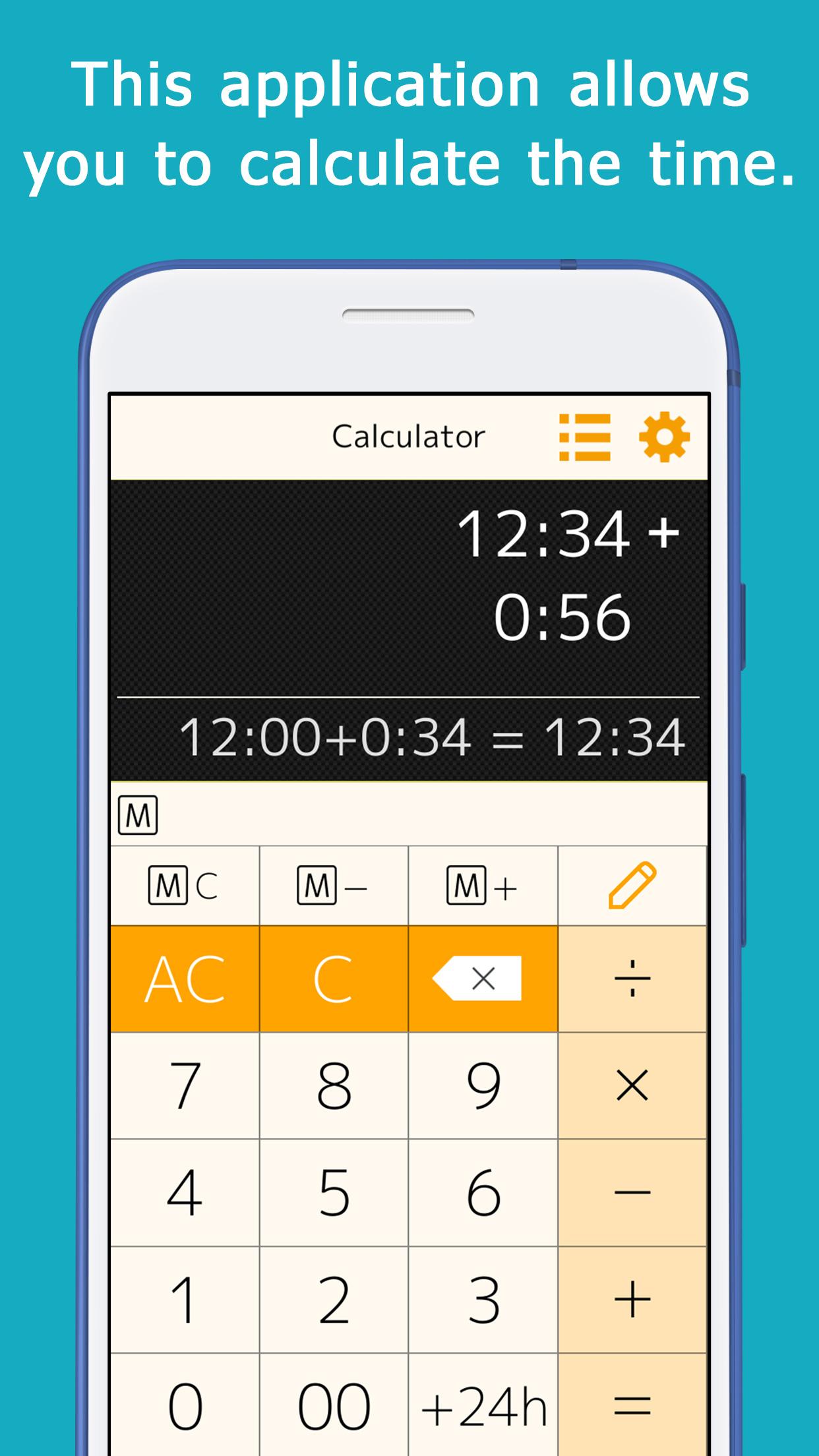
This application allows you to calculate time (hours and minutes).
You can calculate things like 1:30+0:50.
When you enter a number, ":" is automatically inserted to separate the hour and minute, so you can calculate quickly.
This is useful for calculating total work hours, time spent on daily errands, and travel time.
You can add, subtract, multiply, and divide.
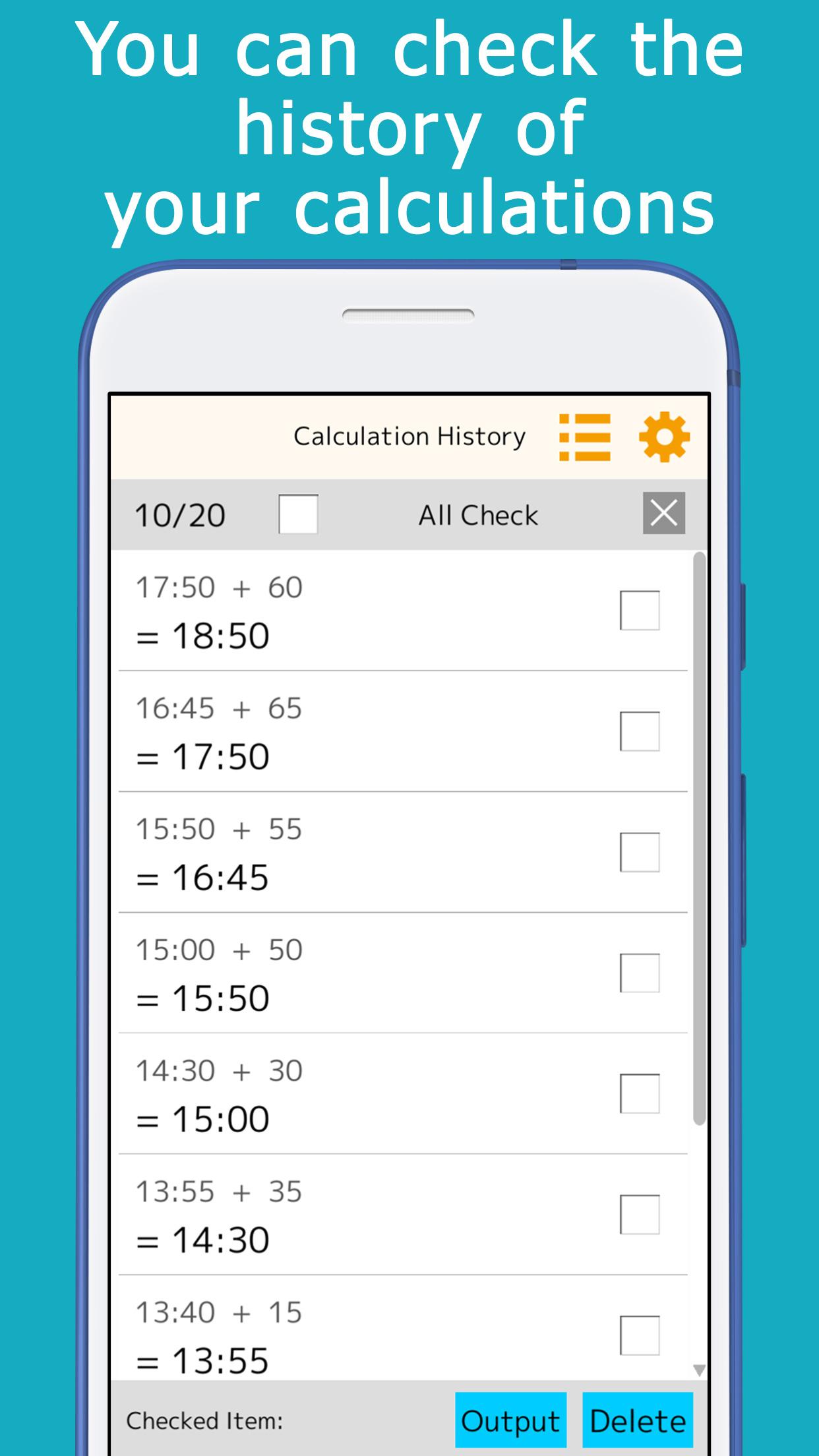
The calculation history is automatically saved, so you can check it later.
A memory key is provided, allowing you to save and add subtotals.
Minutes that are often used for calculations (15 minutes, 30 minutes, etc.) can be registered and used for one-touch addition.
It is equipped with a button to add or subtract 24 hours.
This is useful for calculating the time across midnight.
It comes in a variety of colors such as orange, green, cyan, pink, and black, and you can choose the one you like best.
[ List of functions ]
You can check the calculation history, and touch the answer displayed in the history to reuse it for calculations.
You can use the memory keys to save, add, and subtract subtotals.
By setting the preset keys, you can use the most frequently used time (minutes) for calculation with a single touch.
The color of the application can be selected.
Avance
Etiquetas
HerramientasInformación
Desarrollador
Yutaka Kenjo
La última versión
1.21
Última actualización
2025-09-04
Categoría
Herramientas
Disponible en
Google Play
Mostrar más
Cómo jugar Time calculator con GameLoop en PC
1. Descargue GameLoop desde el sitio web oficial, luego ejecute el archivo exe para instalar GameLoop.
2. Abra GameLoop y busque "Time calculator", busque Time calculator en los resultados de búsqueda y haga clic en "Instalar".
3. Disfruta jugando Time calculator en GameLoop.
Minimum requirements
OS
Windows 8.1 64-bit or Windows 10 64-bit
GPU
GTX 1050
CPU
i3-8300
Memory
8GB RAM
Storage
1GB available space
Recommended requirements
OS
Windows 8.1 64-bit or Windows 10 64-bit
GPU
GTX 1050
CPU
i3-9320
Memory
16GB RAM
Storage
1GB available space