
Floating Video Popup player: M para PC
Full moon
Descarga Floating Video Popup player: M en PC con GameLoop Emulator
Floating Video Popup player: M en PC
Floating Video Popup player: M, proveniente del desarrollador Full moon, se ejecuta en el sistema Android en el pasado.
Ahora, puedes jugar Floating Video Popup player: M en PC con GameLoop sin problemas.
Descárgalo en la biblioteca de GameLoop o en los resultados de búsqueda. No más mirar la batería o llamadas frustrantes en el momento equivocado nunca más.
Simplemente disfrute de Floating Video Popup player: M PC en la pantalla grande de forma gratuita!
Floating Video Popup player: M Introducción
Looking for a Multitasking Popup media player?
Popup Video Player with built in Floating Player helps in Multi Tasking and hence it is the best Background Video Player.
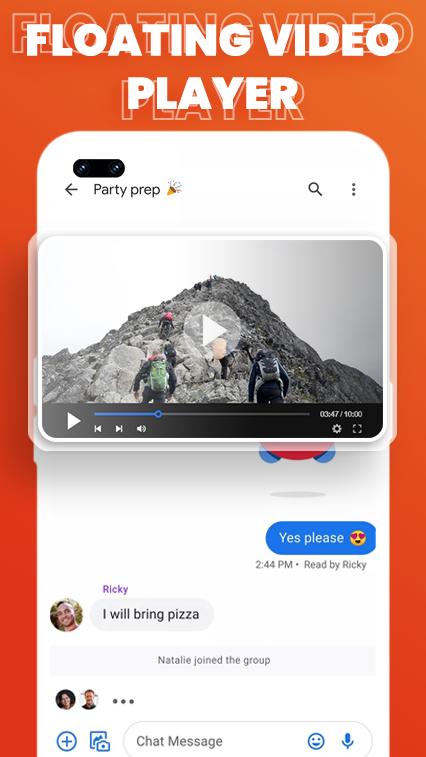
Floating Video Player shows videos on top of other applications by creating a Movable Video that floats over other windows.
Watch Video while chatting or while using other apps. Your Video will pop up so you can Enjoy Video while doing any other activity.
Floating popup Window App has specialty in Multi-Tasking Video.
Video Popup Player has following Unique Functionalities:
Floating Video Player: Audio and Video Pop up player can show over top of other apps.
Fullscreen Video Popup Player: Floating Video Player App with Multi Window also Supports Landscape Mode for the user to see video in full size.
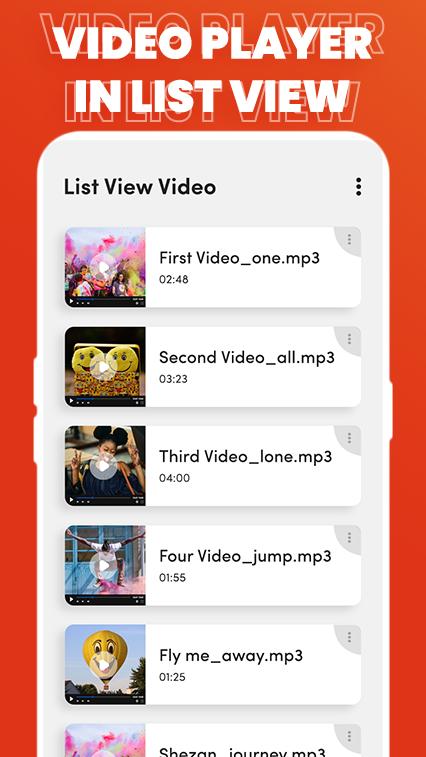
Video Popup Player with Grid View and List View: Multi Tasking Player App aligns video in Grid and List view.
Pop up Gallery Videos: Floating Video App can play all your gallery videos in floating Screen.
Popup Video Player with Volume Controls: Popup Player allows user to control sound of video.
Popup player to Normal Video Player: With just one Click, Convert Popup Video to Original Size Video.
Lock Video Play: To avoid unnecessary touches, You can lock or unlock the screen when the video is playing.
Floating Over Other Apps: Popup Video Player helps to view videos while using other apps.
Control Video Brightness: With Video popup Player you can control brightness of your video while watching it.
Free Picture in Picture app: Popup Video Player is free of cost for respected users.
Download popup Video Player with Floating Video Feature and Share your precious reviews to make this Video Player more appealing for our respected Users.
Avance
Etiquetas
HerramientasInformación
Desarrollador
Full moon
La última versión
1.3
Última actualización
2022-06-15
Categoría
Herramientas
Disponible en
Google Play
Mostrar más
Cómo jugar Floating Video Popup player: M con GameLoop en PC
1. Descargue GameLoop desde el sitio web oficial, luego ejecute el archivo exe para instalar GameLoop.
2. Abra GameLoop y busque "Floating Video Popup player: M", busque Floating Video Popup player: M en los resultados de búsqueda y haga clic en "Instalar".
3. Disfruta jugando Floating Video Popup player: M en GameLoop.
Minimum requirements
OS
Windows 8.1 64-bit or Windows 10 64-bit
GPU
GTX 1050
CPU
i3-8300
Memory
8GB RAM
Storage
1GB available space
Recommended requirements
OS
Windows 8.1 64-bit or Windows 10 64-bit
GPU
GTX 1050
CPU
i3-9320
Memory
16GB RAM
Storage
1GB available space