All Audio Converter - MP3,MP4 para PC
Highdea Apps Studio
Descarga All Audio Converter - MP3,MP4 en PC con GameLoop Emulator
All Audio Converter - MP3,MP4 en PC
All Audio Converter - MP3,MP4, proveniente del desarrollador Highdea Apps Studio, se ejecuta en el sistema Android en el pasado.
Ahora, puedes jugar All Audio Converter - MP3,MP4 en PC con GameLoop sin problemas.
Descárgalo en la biblioteca de GameLoop o en los resultados de búsqueda. No más mirar la batería o llamadas frustrantes en el momento equivocado nunca más.
Simplemente disfrute de All Audio Converter - MP3,MP4 PC en la pantalla grande de forma gratuita!
All Audio Converter - MP3,MP4 Introducción
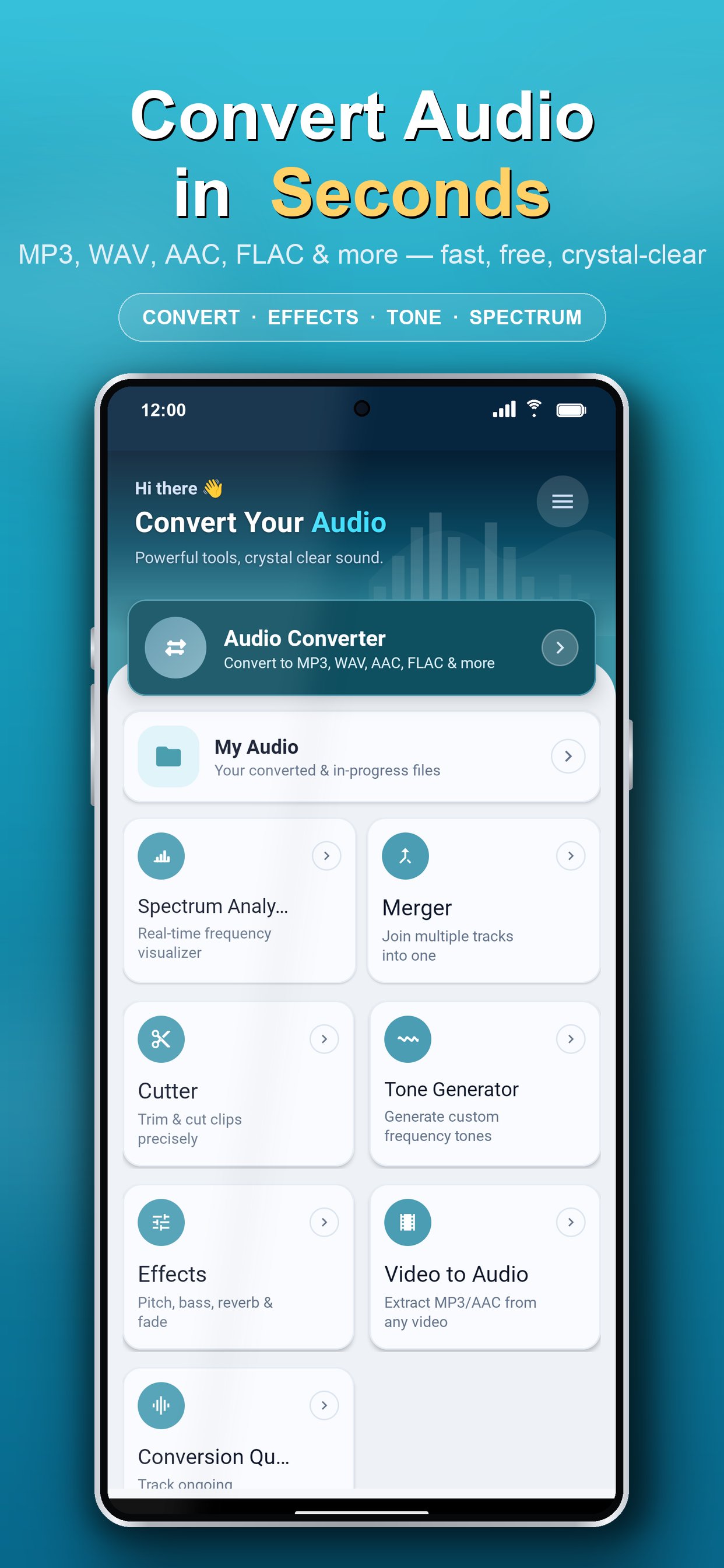
Audio Converter & Editor is the all-in-one audio toolkit for Android — convert, compress, cut, merge, enhance, analyze, and play almost any audio format. Extract audio from video, split songs into separate stems, fix problem files with an AI audio doctor, generate tones, and set custom ringtones — all in one fast, free, and easy-to-use app.
Need to turn a song into a ringtone, change M4A to MP3, shrink a large file, or pull the audio out of a video? Do it all in one app, with a clean interface anyone can use.
★ SUPPORTED FORMATS ★
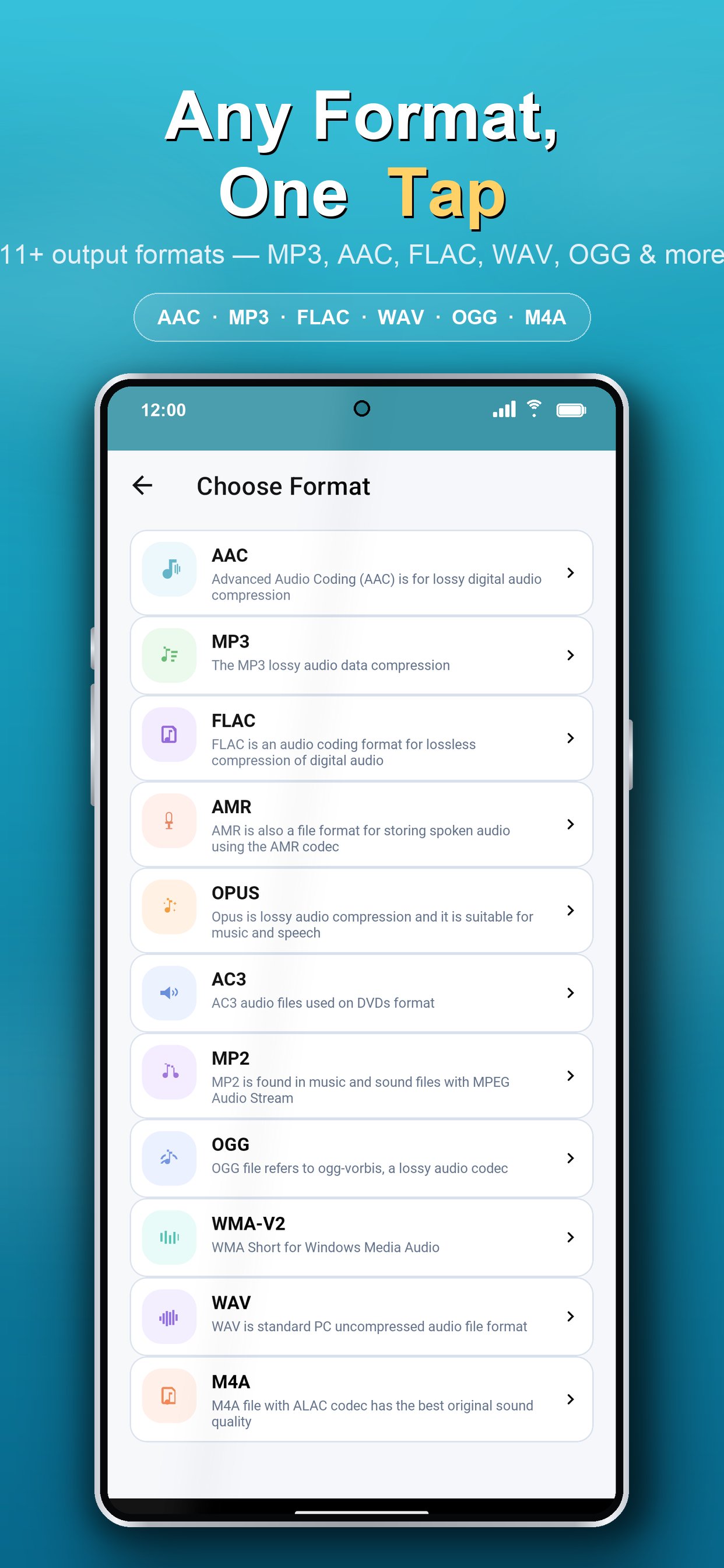
MP3, AAC, M4A, OGG, WAV, WMA, AC3, FLAC, OPUS, AMR, MP2 and many more — convert between virtually any audio format with high quality and minimal loss.
★ KEY FEATURES ★
▸ Audio Converter
Convert audio to MP3, AAC, M4A, WAV, FLAC, OGG and other formats in seconds. Perfect for making files compatible with any device or player.
▸ Audio Compressor
Reduce file size to save storage and share faster — control bitrate to balance quality and size exactly how you want.
▸ Audio Cutter & Trimmer
Cut, trim, and crop audio with precision. Keep only the part you need and create the perfect ringtone or clip.
▸ Audio Merger / Joiner
Combine multiple songs or clips into one seamless file. Merge unlimited tracks in any format.
▸ Video to Audio (Video to MP3)
Extract audio from video and save it as MP3 or any format — ideal for music, podcasts, lectures, and voice notes.
▸ Audio Effects
Enhance your sound with real-time audio effects and preview changes before you save.
▸ AI Stem Splitter
Separate any song into individual stems — vocals, drums, bass, and other instruments — using on-device AI. Runs fully offline, no upload required. Great for remixes, karaoke tracks, practice, and sampling.
▸ AI Audio Doctor
Automatically diagnose audio problems — corrupted files, wrong sample rates, playback errors — and fix them in one tap. Recover, remux, resample, or re-encode damaged audio with no technical know-how.
▸ Tone & Frequency Generator
Generate pure tones, test frequencies, sweeps, sirens, and waveforms (sine, square, triangle, sawtooth) — great for sound tests, tuning, and experiments.
▸ Audio Spectrum Analyzer
Visualize the frequency spectrum of your audio in real time for accurate editing and analysis.
▸ Built-in Audio Player
Play almost any audio file directly in the app, with wide codec and format support.
▸ Ringtone, Alarm & Notification Maker
Set any converted or trimmed file as your ringtone, alarm, or notification tone in one tap.
▸ Advanced Customization
Fine-tune bitrate, sample rate (frequency), channels, volume, speed, and metadata tags while converting for the best possible result.
▸ Batch Processing & Conversion Queue
Convert, cut, and merge multiple files at once and track everything in a simple queue — saving you time and effort.
▸ Detailed Audio Info
View full file details including format, bitrate, sample rate, channels, and duration.
★ WHY CHOOSE AUDIO CONVERTER & EDITOR? ★
• AI-powered audio tools: stem splitter, audio doctor & smart optimizer
• Clean, modern, beginner-friendly interface
• High-speed conversion with quality preservation
• No complicated settings — yet powerful when you need control
• Light & dark theme support
★ PERFECT FOR ★
• Making custom ringtones from your favorite songs
• Converting M4A, WAV, or FLAC to MP3 (and back)
• Extracting MP3 audio from videos
• Compressing audio to share on WhatsApp, email, or social apps
• Trimming podcasts, lectures, voice recordings, and music
• Merging tracks into mixes, mashups, or audiobooks
Whether you're a music lover, content creator, podcaster, student, or just want to manage audio on your phone, Audio Converter & Editor gives you everything in one lightweight app.
Download Audio Converter & Editor now and take full control of your audio — convert, edit, and personalize your sound the easy way!
We'd love your feedback. If you enjoy the app, please rate us ⭐⭐⭐⭐⭐ and share your suggestions to help us improve.
Avance
Etiquetas
Music-&Información
Desarrollador
Highdea Apps Studio
La última versión
2.0.4
Última actualización
2026-07-21
Categoría
Music-audio
Disponible en
Google Play
Mostrar más
Cómo jugar All Audio Converter - MP3,MP4 con GameLoop en PC
1. Descargue GameLoop desde el sitio web oficial, luego ejecute el archivo exe para instalar GameLoop.
2. Abra GameLoop y busque "All Audio Converter - MP3,MP4", busque All Audio Converter - MP3,MP4 en los resultados de búsqueda y haga clic en "Instalar".
3. Disfruta jugando All Audio Converter - MP3,MP4 en GameLoop.
Minimum requirements
OS
Windows 8.1 64-bit or Windows 10 64-bit
GPU
GTX 1050
CPU
i3-8300
Memory
8GB RAM
Storage
1GB available space
Recommended requirements
OS
Windows 8.1 64-bit or Windows 10 64-bit
GPU
GTX 1050
CPU
i3-9320
Memory
16GB RAM
Storage
1GB available space