
WordBit Hàn Quốc para PC
WordBit
Descarga WordBit Hàn Quốc en PC con GameLoop Emulator
WordBit Hàn Quốc en PC
WordBit Hàn Quốc, proveniente del desarrollador WordBit, se ejecuta en el sistema Android en el pasado.
Ahora, puedes jugar WordBit Hàn Quốc en PC con GameLoop sin problemas.
Descárgalo en la biblioteca de GameLoop o en los resultados de búsqueda. No más mirar la batería o llamadas frustrantes en el momento equivocado nunca más.
Simplemente disfrute de WordBit Hàn Quốc PC en la pantalla grande de forma gratuita!
WordBit Hàn Quốc Introducción
🦅WordBit English👉👉 http://bit.ly/wordbitenvn
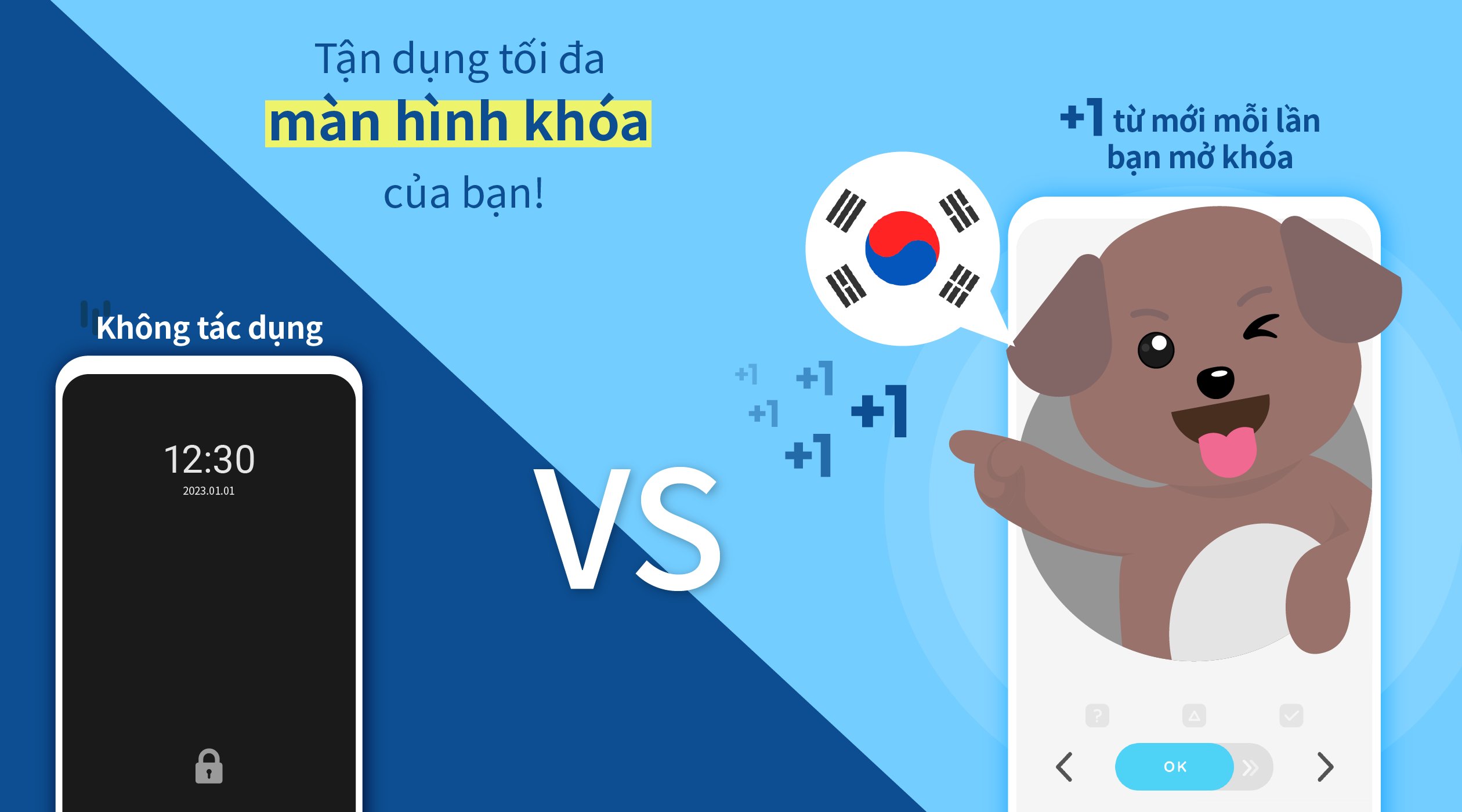
■ Do you often use your mobile phone? On average, we open our phones 100 times a day and lock them 50 times. With busy work and short time, do you think we can learn 3000 new words in a month? WordBit app with the function of displaying new words when you unlock the screen will help you learn Korean with just a simple daily habit. And of course, all functions of the app are Free!!!
■ The basic thing about learning a foreign language is remembering vocabulary. Looking at words regularly will make it easier to remember words. Looking at words regularly will help you remember longer, even for those who know a lot of vocabulary.
-------------------------------------------
■■ [Features of WordBit ] ■■
[Study Alarm]
You can receive many study alarms such as word matching, daily reports and review flashcards at the time you want
●1. Diverse functions and divided by each level.
- For each type of conversation (relationship, travel, beginner...)
- The app will provide you with 25,000 new vocabulary completely free
●2. Help you learn Korean more interestingly with learning programs such as flash cards and slide quiz.
●3. The word pronunciation function will help you listen and learn words correctly
●4. The app has functions such as: self-study, automatic pronunciation playback, sharing sentences, new words with images for friends, choosing colors for each topic as you like.
●5. Functions that can be adjusted automatically such as
- 1. Review
- 2. Hide known words
- 3. Automatically save wrong answers (the Quiz program will automatically save wrong answers)
----------------------------------------
■■ [vocabulary / Conversation] ■■
● Vocabulary (Introduction) - Pictures
Alphabet (Hangeul) [40]
Numbers-Time [107]
Flora and Flora [101]
Food [148]
Relationships [61]
Others [1,165]
● Vocabulary (Each Level)
Elementary [2,039]
Intermediate [3,703]
Advanced [7,191]
More [5,754]
● Vocabulary (By Topic)
Onomatopoeia [257]
Unit [152]
Auxiliary [114]
● Conversation - No Quiz Function Support
Kpop Conversation [500]
Youth Slang [250]
Basic Conversation [1,149]
Daily Conversation [503]
Travel Conversation [589]
------------------------------------------
※ Tips for Using the App Effectively
- 1. The app's pronunciation function is the default program, but you should install the TTS program to have get better pronunciation quality and can adjust the speed of pronunciation. The program does not need an internet connection.
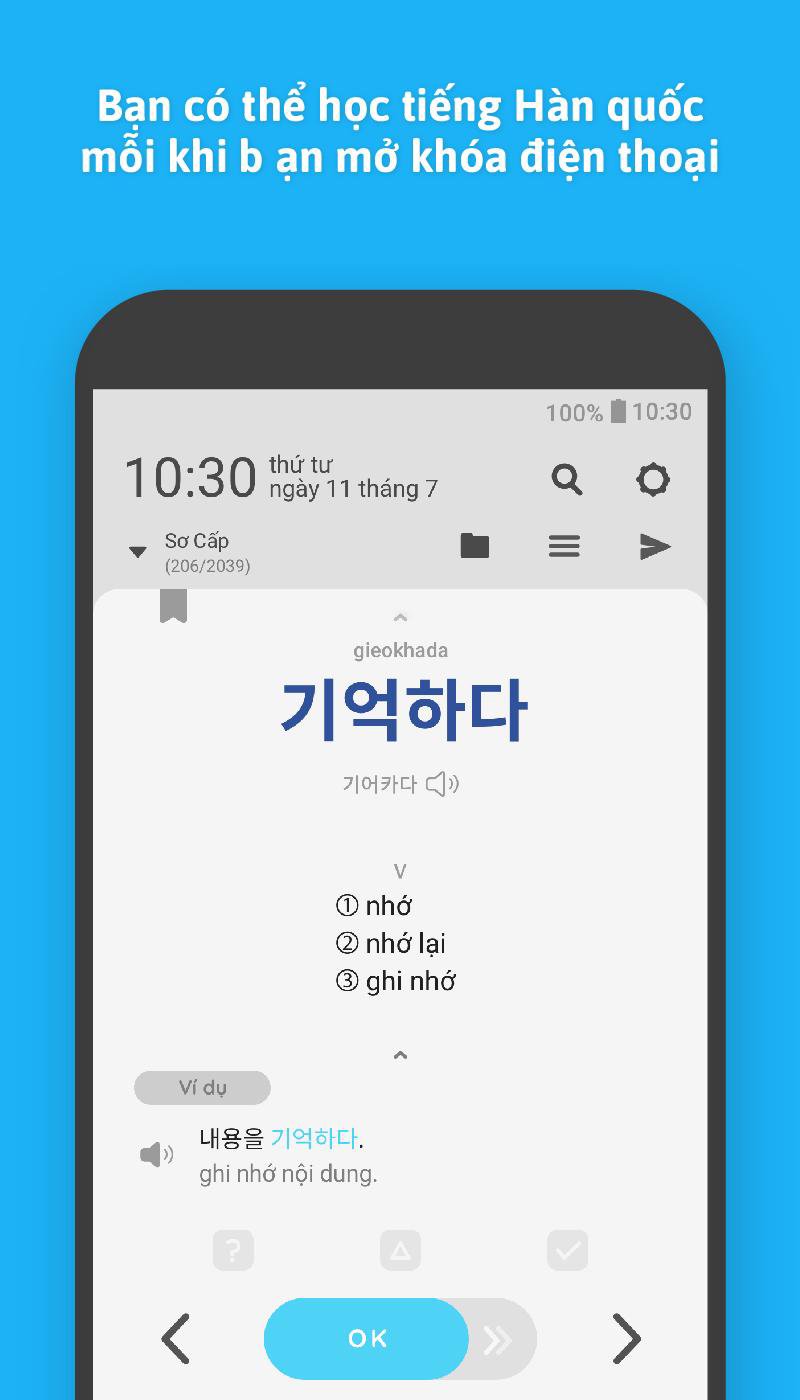
- 2. How to use the lock screen. After installing the app, the program that displays new words on the lock screen will be automatically installed. Every time you turn on the phone after you look at the word and press the OK button, the phone will be automatically unlocked
🌞[Function Introduction]
(1) After you download and start the app, the learning mode will be automatically activated. This app is designed to automatically learn English. So every time you turn on the phone, the app will be activated on the lock screen and help you learn English.
(2) If you want to temporarily disable the automatic learning function, you can go to the app's settings and adjust it yourself.
(3) With some phone operating systems (Huawei, Xiaomi, Oppo, etc.) the app may be automatically disabled. In this case, you can solve the problem by accessing your phone's settings and adjusting its settings (e.g. battery saving, power management). If you have any questions about how to use the app, please contact us. 👉👉👉 contact@wordbit.net
* Learn Korean (한국어 / Korean)
Learn Korean through daily habits!
Learn Korean from the lock screen!
Avance
Etiquetas
EducaciónInformación
Desarrollador
WordBit
La última versión
1.7.2.9
Última actualización
2026-02-27
Categoría
Educación
Disponible en
Google Play
Mostrar más
Cómo jugar WordBit Hàn Quốc con GameLoop en PC
1. Descargue GameLoop desde el sitio web oficial, luego ejecute el archivo exe para instalar GameLoop.
2. Abra GameLoop y busque "WordBit Hàn Quốc", busque WordBit Hàn Quốc en los resultados de búsqueda y haga clic en "Instalar".
3. Disfruta jugando WordBit Hàn Quốc en GameLoop.
Minimum requirements
OS
Windows 8.1 64-bit or Windows 10 64-bit
GPU
GTX 1050
CPU
i3-8300
Memory
8GB RAM
Storage
1GB available space
Recommended requirements
OS
Windows 8.1 64-bit or Windows 10 64-bit
GPU
GTX 1050
CPU
i3-9320
Memory
16GB RAM
Storage
1GB available space