
WeCut - Video Editor PC
Dalionsvii
WeCut - Video Editor'i GameLoop Emulator ile PC'ye indirin
PC'de WeCut - Video Editor
Dalionsvii geliştiricisinden gelen WeCut - Video Editor, geçmişte Android systerm üzerinde çalışıyor.
Artık WeCut - Video Editor'i PC'de GameLoop ile sorunsuz bir şekilde oynayabilirsiniz.
GameLoop kitaplığından veya arama sonuçlarından indirin. Artık yanlış zamanda pile bakmak veya sinir bozucu aramalar yapmak yok.
WeCut - Video Editor bilgisayarın keyfini büyük ekranda ücretsiz olarak çıkarın!
WeCut - Video Editor Tanıtım
WeCut Video Editor is one of the best video editor platforms for social media, you can edit your videos in minutes with unlimited times.
WeCut, Theycut and Youcut ! it's Simple, Gocut your videos and enjoy your journey with us.
The App has many powerful tools and features which let users have a great time using this application. Having a great user interface, the app is very easy to use.
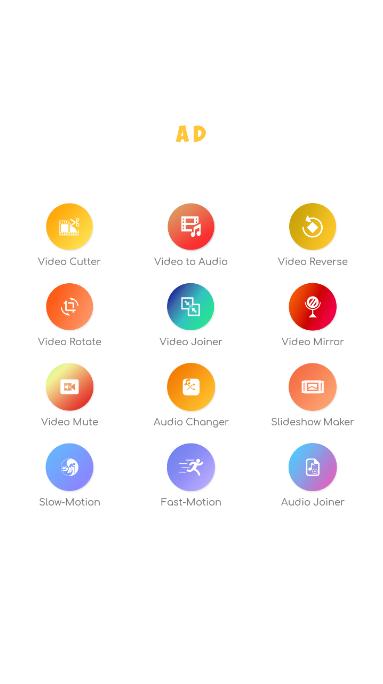
Features:
• Video Cutter
• Video To Audio
• Video Reverse
• Video Relate
• Video Joiner
• Video Mirror
• Video Mute
• Video Changer
• Slideshow Maker
• Slow Motion
• Fast Motion
• Audio Joiner
Don't forget to rate us and share the app with your friends, Feel Free to reach us at : Dalionsvii@gmail.com
Ön izleme

Etiketler
Video-PlayersBilgi
geliştirici
Dalionsvii
En Son Sürüm
3.0
Son güncelleme
2021-12-24
Kategori
Video-players-editors
üzerinde mevcut
Google Play
Daha fazla göster
PC'de GameLoop ile WeCut - Video Editor nasıl oynanır
1. Resmi web sitesinden GameLoop'u indirin, ardından GameLoop'u kurmak için exe dosyasını çalıştırın.
2. GameLoop'u açın ve “WeCut - Video Editor”i arayın, arama sonuçlarında WeCut - Video Editor'i bulun ve “Yükle”ye tıklayın.
3. GameLoop'ta WeCut - Video Editor oynamanın keyfini çıkarın.
Minimum requirements
OS
Windows 8.1 64-bit or Windows 10 64-bit
GPU
GTX 1050
CPU
i3-8300
Memory
8GB RAM
Storage
1GB available space
Recommended requirements
OS
Windows 8.1 64-bit or Windows 10 64-bit
GPU
GTX 1050
CPU
i3-9320
Memory
16GB RAM
Storage
1GB available space