
Maps Recorder PC
Ivan qSchulz
Maps Recorder'i GameLoop Emulator ile PC'ye indirin
PC'de Maps Recorder
Ivan qSchulz geliştiricisinden gelen Maps Recorder, geçmişte Android systerm üzerinde çalışıyor.
Artık Maps Recorder'i PC'de GameLoop ile sorunsuz bir şekilde oynayabilirsiniz.
GameLoop kitaplığından veya arama sonuçlarından indirin. Artık yanlış zamanda pile bakmak veya sinir bozucu aramalar yapmak yok.
Maps Recorder bilgisayarın keyfini büyük ekranda ücretsiz olarak çıkarın!
Maps Recorder Tanıtım
With this app, you will not get lost in a strange city.
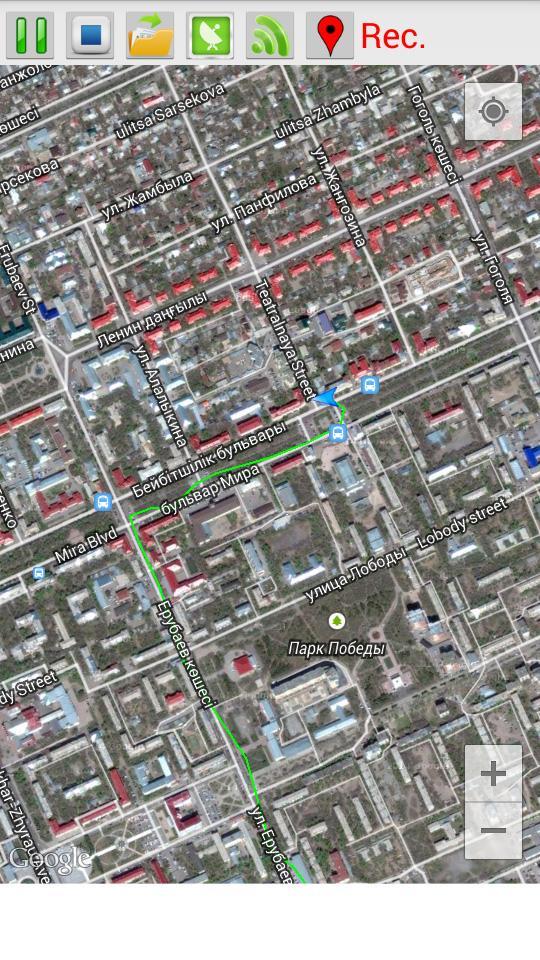
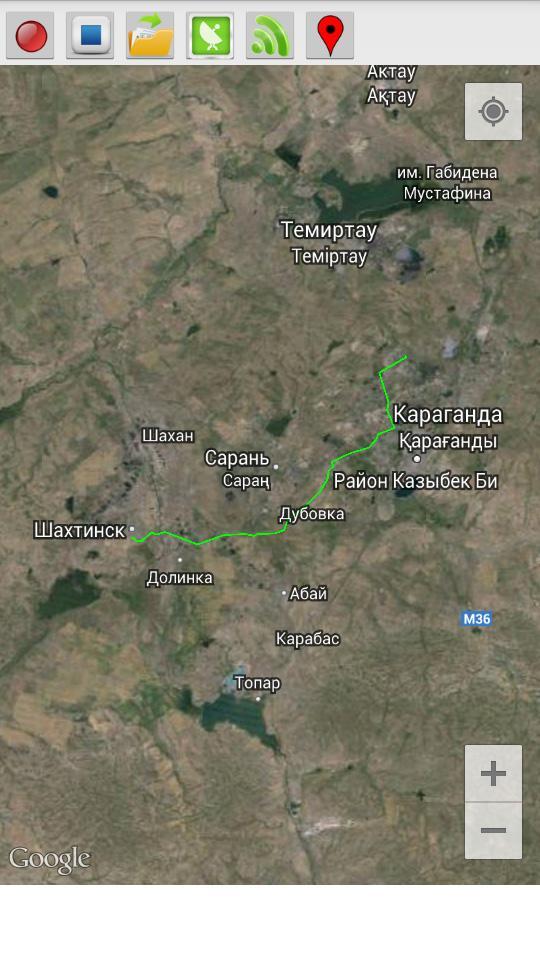
This program records your route traffic and imposes it on the satellite map.
- The route is recorded even when the internet is disabled.
- The route continues to be recorded when the phone is locked.
- To start recording, press the Rec (1) and enter the name of the route.
- To stop the recording, press Stop (2).
- In order to open a previously saved routes, click Open (3) and select the desired route from the list.
- Button GPS (4) opens a menu to enable / disable the GPS on your phone. If you do not have a GPS receiver, you can use the definition of the location of the mobile networks and access points Wi-Fi (the accuracy is lower).
- Button Wi-Fi (5) turns on / off Wi-Fi.
- Button Marker (6) sets the marker on the map.
Ön izleme
Bilgi
geliştirici
Ivan qSchulz
En Son Sürüm
1.0
Son güncelleme
2014-09-02
Kategori
Araçlar
üzerinde mevcut
Google Play
Daha fazla göster
PC'de GameLoop ile Maps Recorder nasıl oynanır
1. Resmi web sitesinden GameLoop'u indirin, ardından GameLoop'u kurmak için exe dosyasını çalıştırın.
2. GameLoop'u açın ve “Maps Recorder”i arayın, arama sonuçlarında Maps Recorder'i bulun ve “Yükle”ye tıklayın.
3. GameLoop'ta Maps Recorder oynamanın keyfini çıkarın.
Minimum requirements
OS
Windows 8.1 64-bit or Windows 10 64-bit
GPU
GTX 1050
CPU
i3-8300
Memory
8GB RAM
Storage
1GB available space
Recommended requirements
OS
Windows 8.1 64-bit or Windows 10 64-bit
GPU
GTX 1050
CPU
i3-9320
Memory
16GB RAM
Storage
1GB available space