Quick Measure PC
Stonekick
Quick Measure'i GameLoop Emulator ile PC'ye indirin
PC'de Quick Measure
Stonekick geliştiricisinden gelen Quick Measure, geçmişte Android systerm üzerinde çalışıyor.
Artık Quick Measure'i PC'de GameLoop ile sorunsuz bir şekilde oynayabilirsiniz.
GameLoop kitaplığından veya arama sonuçlarından indirin. Artık yanlış zamanda pile bakmak veya sinir bozucu aramalar yapmak yok.
Quick Measure bilgisayarın keyfini büyük ekranda ücretsiz olarak çıkarın!
Quick Measure Tanıtım
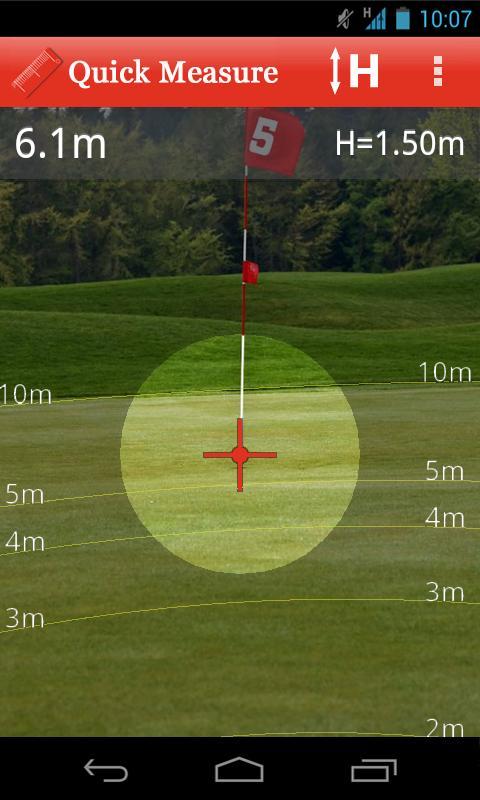
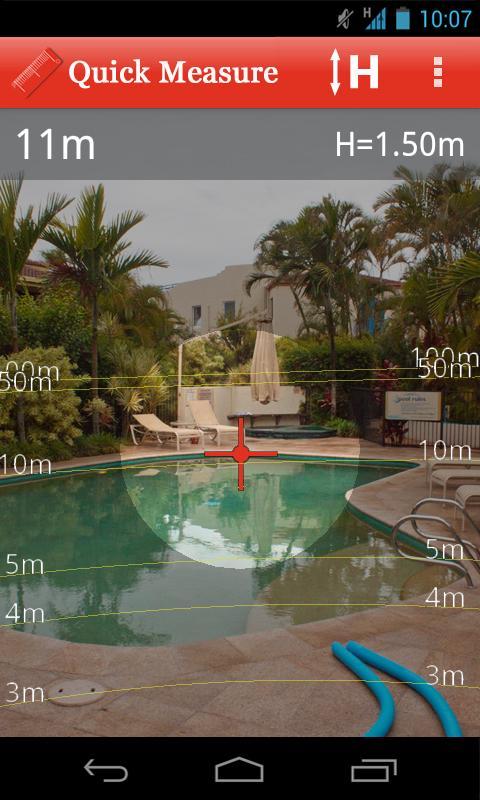
Quick Measure can be used to measure distances up to 100m. Use to check out the length of rooms in your home, design a new garden layout, or simply measure how far you can kick a ball!
It is simple to use: a target will be shown overlayed on your device’s camera. Aim this at the base of an object and the distance to it will be measured. The app also has an overlay with 1 to 5m, 10m, 50m, and 100m grid lines so that you can quickly see the approximate distance to surrounding objects. If you would rather see feet and inches than metres you can change this in the preferences menu.
The calculations within Quick Measure are based on trigonometry. To improve accuracy please see the “help” section with the app.
This app is supported by adverts, which is why it requires the “INTERNET” and “ACCESS NETWORK STATE” permissions.
Ön izleme
Bilgi
geliştirici
Stonekick
En Son Sürüm
1.0.3
Son güncelleme
2015-09-21
Kategori
Araçlar
üzerinde mevcut
Google Play
Daha fazla göster
PC'de GameLoop ile Quick Measure nasıl oynanır
1. Resmi web sitesinden GameLoop'u indirin, ardından GameLoop'u kurmak için exe dosyasını çalıştırın.
2. GameLoop'u açın ve “Quick Measure”i arayın, arama sonuçlarında Quick Measure'i bulun ve “Yükle”ye tıklayın.
3. GameLoop'ta Quick Measure oynamanın keyfini çıkarın.
Minimum requirements
OS
Windows 8.1 64-bit or Windows 10 64-bit
GPU
GTX 1050
CPU
i3-8300
Memory
8GB RAM
Storage
1GB available space
Recommended requirements
OS
Windows 8.1 64-bit or Windows 10 64-bit
GPU
GTX 1050
CPU
i3-9320
Memory
16GB RAM
Storage
1GB available space