PWS Manager PC
Sony Storage Media Solutions Corporation
PWS Manager'i GameLoop Emulator ile PC'ye indirin
PC'de PWS Manager
Sony Storage Media Solutions Corporation geliştiricisinden gelen PWS Manager, geçmişte Android systerm üzerinde çalışıyor.
Artık PWS Manager'i PC'de GameLoop ile sorunsuz bir şekilde oynayabilirsiniz.
GameLoop kitaplığından veya arama sonuçlarından indirin. Artık yanlış zamanda pile bakmak veya sinir bozucu aramalar yapmak yok.
PWS Manager bilgisayarın keyfini büyük ekranda ücretsiz olarak çıkarın!
PWS Manager Tanıtım
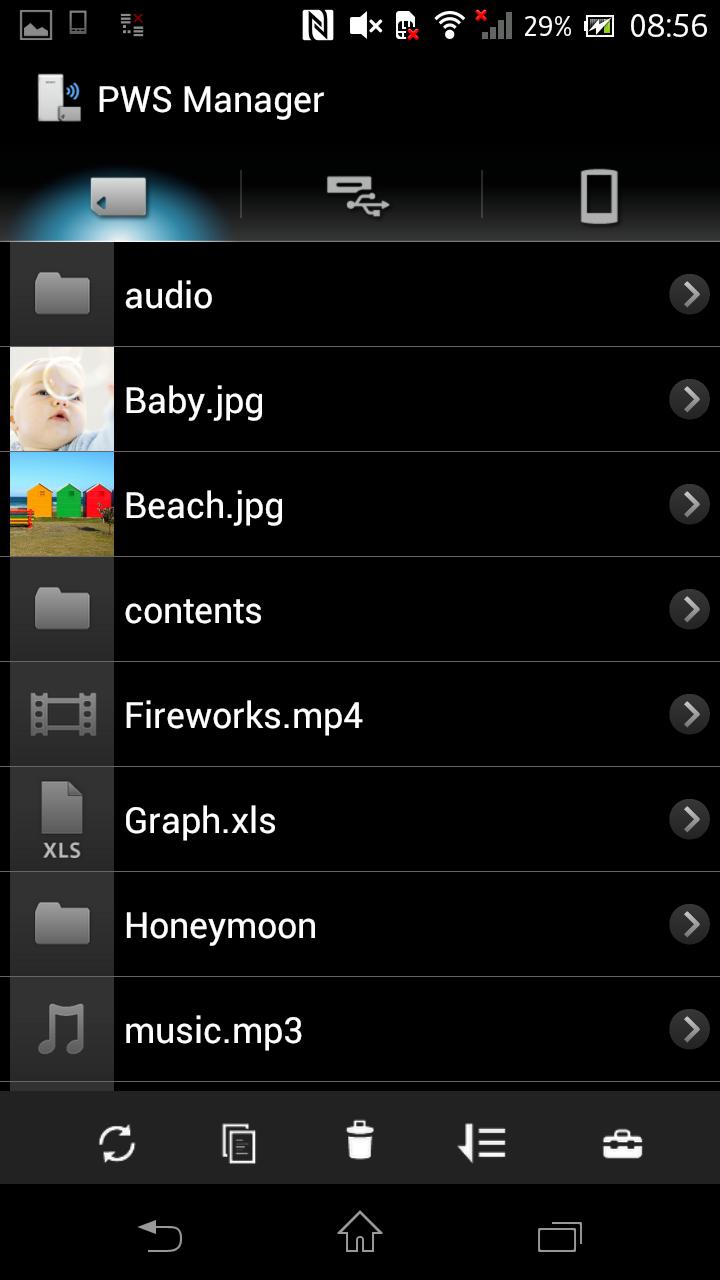
“PWS Manager” is a dedicated application for “Portable Wireless Server” from Sony.
Connect “Portable Wireless Server” to your Android device via Wi-Fi and you can
browse the content in “Portable Wireless Server” and operate (copy, delete and so on)
using this App.
Main features of PWS (Portable Wireless Server)
1. Playback/View content
- Playback/View the content stored on Memory card inserted into PWS.
- Playback/View the content stored on USB device connected t o PWS.
- Playback/View the content within Android device that you are operating.
2. Copy files
- Copy files between memory card inserted into PWS, USB device connected to PWS and Android device that you are operating.
3.Use as memory card R/W
- Connect PWS to PC via USB cable and you can use as external card R/W.
4.Use as Power charger
- Connect via USB cable and PWS can supply power to Smartphone or camera.
Promotion Video for “Portable Wireless Server”
http://www.youtube.com/watch?v=-C1HAQj0YpQ
Help Guide
http://rd1.sony.net/help/pws/c10/gb/
Supported OS
Android 2.3 - 6.0
On Android 6.0 devices, the PWS Manager cannot support with Portable Wireless Server "WG-C10" in some functions. Please refer to the web site below for details.
*The customer who uses WG-C10.
http://www.sony.net/note_pwsmgr
Ön izleme

Bilgi
geliştirici
Sony Storage Media Solutions Corporation
En Son Sürüm
1.7.1
Son güncelleme
2016-08-09
Kategori
Araçlar
üzerinde mevcut
Google Play
Daha fazla göster
PC'de GameLoop ile PWS Manager nasıl oynanır
1. Resmi web sitesinden GameLoop'u indirin, ardından GameLoop'u kurmak için exe dosyasını çalıştırın.
2. GameLoop'u açın ve “PWS Manager”i arayın, arama sonuçlarında PWS Manager'i bulun ve “Yükle”ye tıklayın.
3. GameLoop'ta PWS Manager oynamanın keyfini çıkarın.
Minimum requirements
OS
Windows 8.1 64-bit or Windows 10 64-bit
GPU
GTX 1050
CPU
i3-8300
Memory
8GB RAM
Storage
1GB available space
Recommended requirements
OS
Windows 8.1 64-bit or Windows 10 64-bit
GPU
GTX 1050
CPU
i3-9320
Memory
16GB RAM
Storage
1GB available space