Photo and Video Recovery PC
Y Creation
Photo and Video Recovery'i GameLoop Emulator ile PC'ye indirin
PC'de Photo and Video Recovery
Y Creation geliştiricisinden gelen Photo and Video Recovery, geçmişte Android systerm üzerinde çalışıyor.
Artık Photo and Video Recovery'i PC'de GameLoop ile sorunsuz bir şekilde oynayabilirsiniz.
GameLoop kitaplığından veya arama sonuçlarından indirin. Artık yanlış zamanda pile bakmak veya sinir bozucu aramalar yapmak yok.
Photo and Video Recovery bilgisayarın keyfini büyük ekranda ücretsiz olarak çıkarın!
Photo and Video Recovery Tanıtım
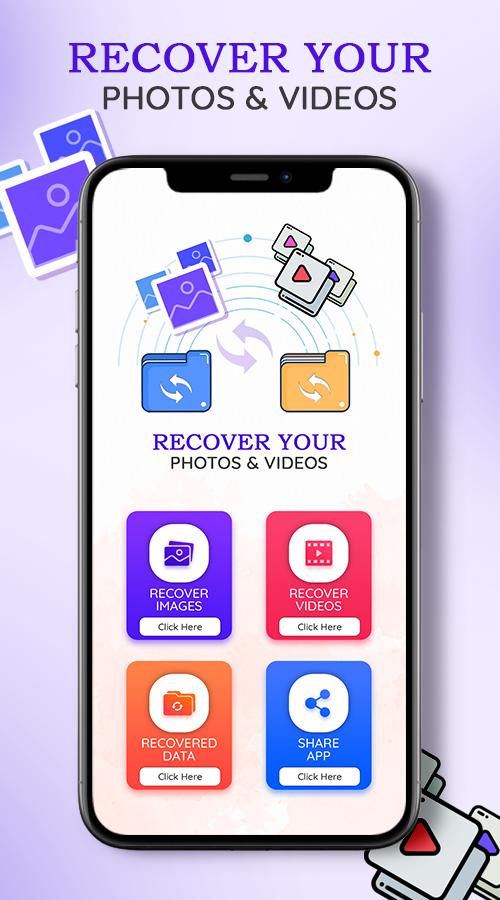
Video and photos recovery: Deleted data recovery is recovery app tool help you easily recover deleted videos from your mobile.
1. Scan deleted and lost pictures and video in android devices.
2. Select and restore erased image and movie.
We have all had such troubles in our minds before:
"Why do all photo recovery apps need to pay?"
"I accidentally deleted the photos?"
"My child deleted my important video by mistake?"
"How to recover photos and recover deleted videos?"
"Why did your favorite music disappear?"
"Which tool is best for data recovery?"
"What should I do if the file is damaged? Can it be repaired?"
Fortunately, now with Recycle Bin, the above problems can be easily solved!
This is a fast and very useful app for recover your data.
How to make Media file Recovery:
Restore Deleted Files & Media:
• Select deleted pictures, audios, docs or deleted videos from preview
• Tap on ‘Recover’ tab
• All selected media will be transferred to local folder
Clean up:
Data recovery tool allows users to remove unwanted deleted media permanently to create free disk space.
Just go to trash can, choose unwanted media and delete files permanently.
Disk digging app will immediately free extra space & pace up your smart device
Recover - Choose files and tap on Recover.
Thank you For Using Our Application.
Ön izleme

Etiketler
AraçlarBilgi
geliştirici
Y Creation
En Son Sürüm
1.0.10
Son güncelleme
2022-05-31
Kategori
Araçlar
üzerinde mevcut
Google Play
Daha fazla göster
PC'de GameLoop ile Photo and Video Recovery nasıl oynanır
1. Resmi web sitesinden GameLoop'u indirin, ardından GameLoop'u kurmak için exe dosyasını çalıştırın.
2. GameLoop'u açın ve “Photo and Video Recovery”i arayın, arama sonuçlarında Photo and Video Recovery'i bulun ve “Yükle”ye tıklayın.
3. GameLoop'ta Photo and Video Recovery oynamanın keyfini çıkarın.
Minimum requirements
OS
Windows 8.1 64-bit or Windows 10 64-bit
GPU
GTX 1050
CPU
i3-8300
Memory
8GB RAM
Storage
1GB available space
Recommended requirements
OS
Windows 8.1 64-bit or Windows 10 64-bit
GPU
GTX 1050
CPU
i3-9320
Memory
16GB RAM
Storage
1GB available space