
Smart Screen On/Off PC
DroidTub Studio
Smart Screen On/Off'i GameLoop Emulator ile PC'ye indirin
PC'de Smart Screen On/Off
DroidTub Studio geliştiricisinden gelen Smart Screen On/Off, geçmişte Android systerm üzerinde çalışıyor.
Artık Smart Screen On/Off'i PC'de GameLoop ile sorunsuz bir şekilde oynayabilirsiniz.
GameLoop kitaplığından veya arama sonuçlarından indirin. Artık yanlış zamanda pile bakmak veya sinir bozucu aramalar yapmak yok.
Smart Screen On/Off bilgisayarın keyfini büyük ekranda ücretsiz olarak çıkarın!
Smart Screen On/Off Tanıtım
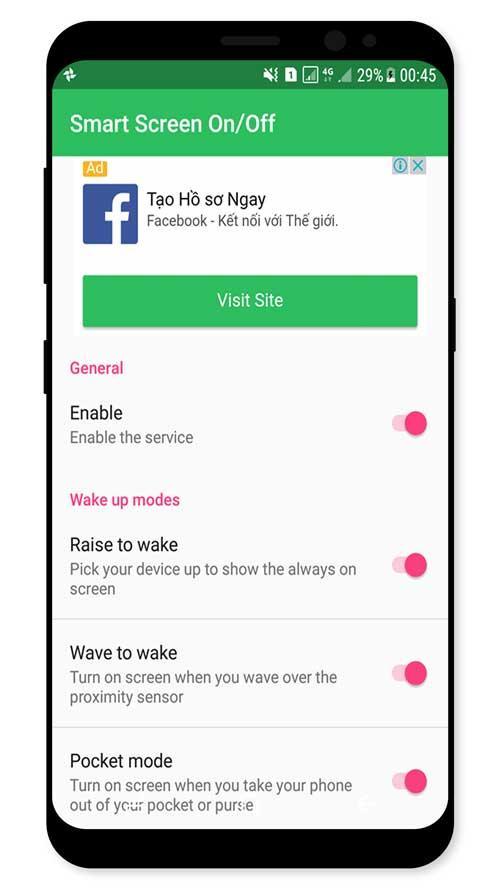
Smart Screen On Off application is simple utility to automatically On or Off screen using proximity sensor and double tap on Home Screen, instead of having to press the power button manually.
Sometimes difficult to press the power button, or you want to preserve the physical power button. Smart Screen On Off application can help you minimize the use of the power button anytime, anywhere.
Smart Screen On Off application is simple utility to automatically On or Off screen using proximity sensor and double tap on Home Screen, instead of having to press the power button manually. Smart Screen On Off have a power head floating in a convenient location is also provided to quickly turn off the screen.
Sometimes difficult to press the power button, or you want to preserve the physical power button. Smart Screen On Off application and the power head floating can help you minimize the use of the power button anytime, anywhere.
"This app uses the Device Administrator permission." It is necessary and used only for locking the device when you use feature turn off the screen. You need to enable Administration before it can be used that feature. To uninstall the app,
you have to disable it first.
Function have in Smart applications on/off screen auto:
- Double tap on Home Screen to turn off screen (COMING SOON)
- Auto screen off when put your phone into pocket.
- Auto screen on/off when wave up.
- Auto screen on/off when raise the phone up.
- The sensor will automatically detect, and auto power on / off screen to help you.
- You can disable the feature when the screen rotates horizontally.
- You can set separate delays when the screen on / off to avoid accidentally enabled.
- Support for using the same cover.
- Improve best performance. Only use a maximum of 5 MB RAM.
If you need any support, feel free to contact us.
Ön izleme
Bilgi
geliştirici
DroidTub Studio
En Son Sürüm
1.1
Son güncelleme
2017-09-18
Kategori
Araçlar
üzerinde mevcut
Google Play
Daha fazla göster
PC'de GameLoop ile Smart Screen On/Off nasıl oynanır
1. Resmi web sitesinden GameLoop'u indirin, ardından GameLoop'u kurmak için exe dosyasını çalıştırın.
2. GameLoop'u açın ve “Smart Screen On/Off”i arayın, arama sonuçlarında Smart Screen On/Off'i bulun ve “Yükle”ye tıklayın.
3. GameLoop'ta Smart Screen On/Off oynamanın keyfini çıkarın.
Minimum requirements
OS
Windows 8.1 64-bit or Windows 10 64-bit
GPU
GTX 1050
CPU
i3-8300
Memory
8GB RAM
Storage
1GB available space
Recommended requirements
OS
Windows 8.1 64-bit or Windows 10 64-bit
GPU
GTX 1050
CPU
i3-9320
Memory
16GB RAM
Storage
1GB available space