Miracast PC
BrainTechDeveloper
Miracast'i GameLoop Emulator ile PC'ye indirin
PC'de Miracast
BrainTechDeveloper geliştiricisinden gelen Miracast, geçmişte Android systerm üzerinde çalışıyor.
Artık Miracast'i PC'de GameLoop ile sorunsuz bir şekilde oynayabilirsiniz.
GameLoop kitaplığından veya arama sonuçlarından indirin. Artık yanlış zamanda pile bakmak veya sinir bozucu aramalar yapmak yok.
Miracast bilgisayarın keyfini büyük ekranda ücretsiz olarak çıkarın!
Miracast Tanıtım
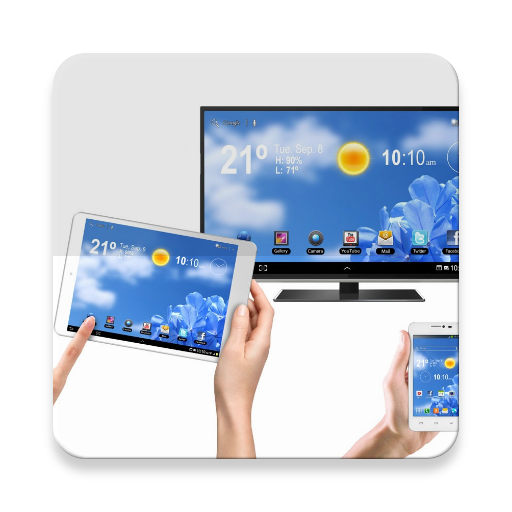
Miracast App will assist you to scan and mirror your android phone or tab's screen on smart TV/Display (mira cast enabled ) or Wireless dongles or adapters.
Miracast Able to play videos, music, photos, etc in my smartphone with any devices (smartphone, smartTV, laptop, tablet, etc) at anywhere.
Miracast does not need extra dongle or cable. Click the application “Start WIFI”, the Mobile hotspot will be operating automatically. and After hotspot will be operating, connect to AP from other devices.
Miracast can only play contents but send screen as is such as HDMI, MHL, Miracast and Chromecast. User can share with friends and also there is help instructions.
Please follow below steps to mirror your mobile screen to smart TV.
1) Your Smart TV should support Wireless Display or any sort of Display Dongles.
2) The TV must be connected to wifi network same as your phone.
3) The Phone version must be android 4.0 and above.
4) Download and run Miracast App.
Note:1. Paid version also available with additional devices support.
2. Always required Miracast hardware support phones then it will connect successfully. Please read carefully and use the Miracast application.
Ön izleme

Bilgi
geliştirici
BrainTechDeveloper
En Son Sürüm
1.3
Son güncelleme
2017-06-01
Kategori
Araçlar
üzerinde mevcut
Google Play
Daha fazla göster
PC'de GameLoop ile Miracast nasıl oynanır
1. Resmi web sitesinden GameLoop'u indirin, ardından GameLoop'u kurmak için exe dosyasını çalıştırın.
2. GameLoop'u açın ve “Miracast”i arayın, arama sonuçlarında Miracast'i bulun ve “Yükle”ye tıklayın.
3. GameLoop'ta Miracast oynamanın keyfini çıkarın.
Minimum requirements
OS
Windows 8.1 64-bit or Windows 10 64-bit
GPU
GTX 1050
CPU
i3-8300
Memory
8GB RAM
Storage
1GB available space
Recommended requirements
OS
Windows 8.1 64-bit or Windows 10 64-bit
GPU
GTX 1050
CPU
i3-9320
Memory
16GB RAM
Storage
1GB available space