
OKR BOT PC
Leest Inc.
OKR BOT'i GameLoop Emulator ile PC'ye indirin
PC'de OKR BOT
Leest Inc. geliştiricisinden gelen OKR BOT, geçmişte Android systerm üzerinde çalışıyor.
Artık OKR BOT'i PC'de GameLoop ile sorunsuz bir şekilde oynayabilirsiniz.
GameLoop kitaplığından veya arama sonuçlarından indirin. Artık yanlış zamanda pile bakmak veya sinir bozucu aramalar yapmak yok.
OKR BOT bilgisayarın keyfini büyük ekranda ücretsiz olarak çıkarın!
OKR BOT Tanıtım
OKR BOT helps you navigate uncertainty by articulating your goals, by calling you to action, and by driving focus to what’s most important. Use it to keep track of personal & professional goals, to build good habits, or as a focus timer for productivity.
Features:
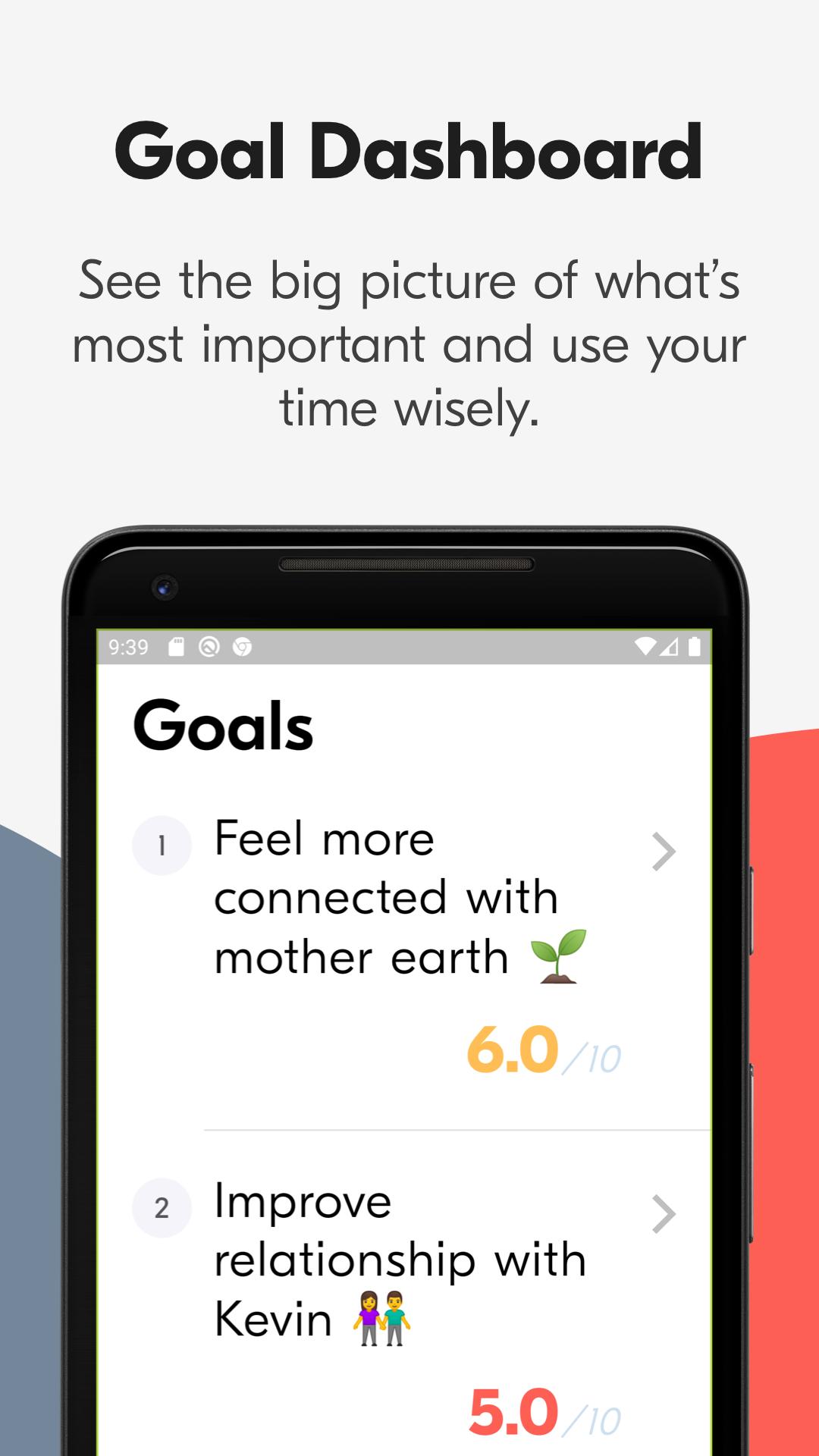
• Handy dashboard to see the big picture of life and where you stand at any point in time.
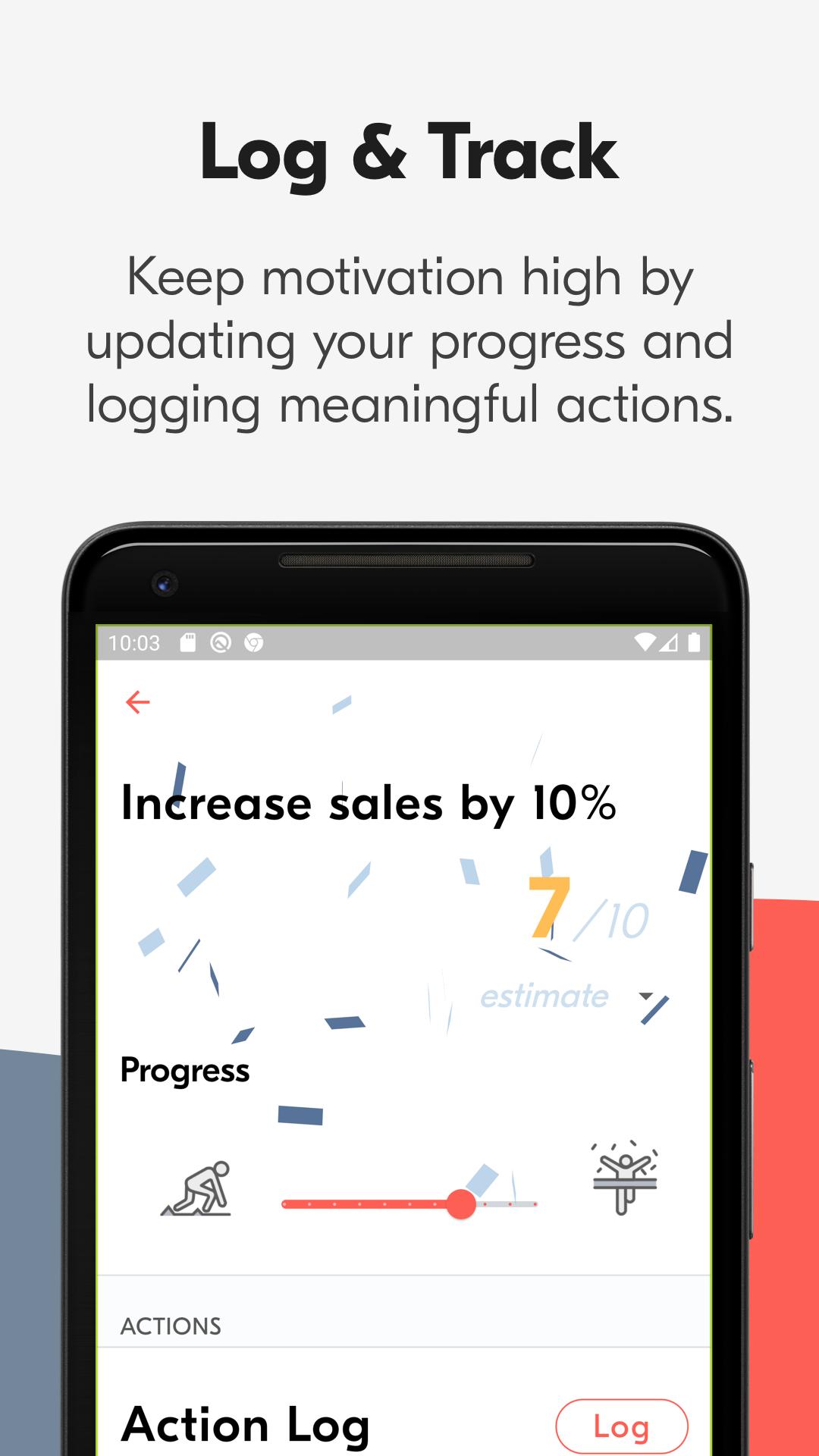
• Easily update your progress for any goal.
• An AI chatbot will guide you through framing and grading your goals every quarter.
• Log steps you take towards a larger goal.
• Set goals for a 12 week period, commit to them, and grade them after you're done. (4 time periods throughout each year: Jan-Mar, Apr-Jun, Jul-Sept, Oct-Dec).
• Very easy to use, even if you don't know what your goals are yet.
• Get smart notifications and reminders to stay on track (coming soon).
Get OKR BOT and make the most of your time.
Ön izleme
Etiketler
VerimlilikBilgi
geliştirici
Leest Inc.
En Son Sürüm
2.0.0
Son güncelleme
2021-03-22
Kategori
Verimlilik
üzerinde mevcut
Google Play
Daha fazla göster
PC'de GameLoop ile OKR BOT nasıl oynanır
1. Resmi web sitesinden GameLoop'u indirin, ardından GameLoop'u kurmak için exe dosyasını çalıştırın.
2. GameLoop'u açın ve “OKR BOT”i arayın, arama sonuçlarında OKR BOT'i bulun ve “Yükle”ye tıklayın.
3. GameLoop'ta OKR BOT oynamanın keyfini çıkarın.
Minimum requirements
OS
Windows 8.1 64-bit or Windows 10 64-bit
GPU
GTX 1050
CPU
i3-8300
Memory
8GB RAM
Storage
1GB available space
Recommended requirements
OS
Windows 8.1 64-bit or Windows 10 64-bit
GPU
GTX 1050
CPU
i3-9320
Memory
16GB RAM
Storage
1GB available space