
LanguageTool proofreader PC
Softcatalà
LanguageTool proofreader'i GameLoop Emulator ile PC'ye indirin
PC'de LanguageTool proofreader
Softcatalà geliştiricisinden gelen LanguageTool proofreader, geçmişte Android systerm üzerinde çalışıyor.
Artık LanguageTool proofreader'i PC'de GameLoop ile sorunsuz bir şekilde oynayabilirsiniz.
GameLoop kitaplığından veya arama sonuçlarından indirin. Artık yanlış zamanda pile bakmak veya sinir bozucu aramalar yapmak yok.
LanguageTool proofreader bilgisayarın keyfini büyük ekranda ücretsiz olarak çıkarın!
LanguageTool proofreader Tanıtım
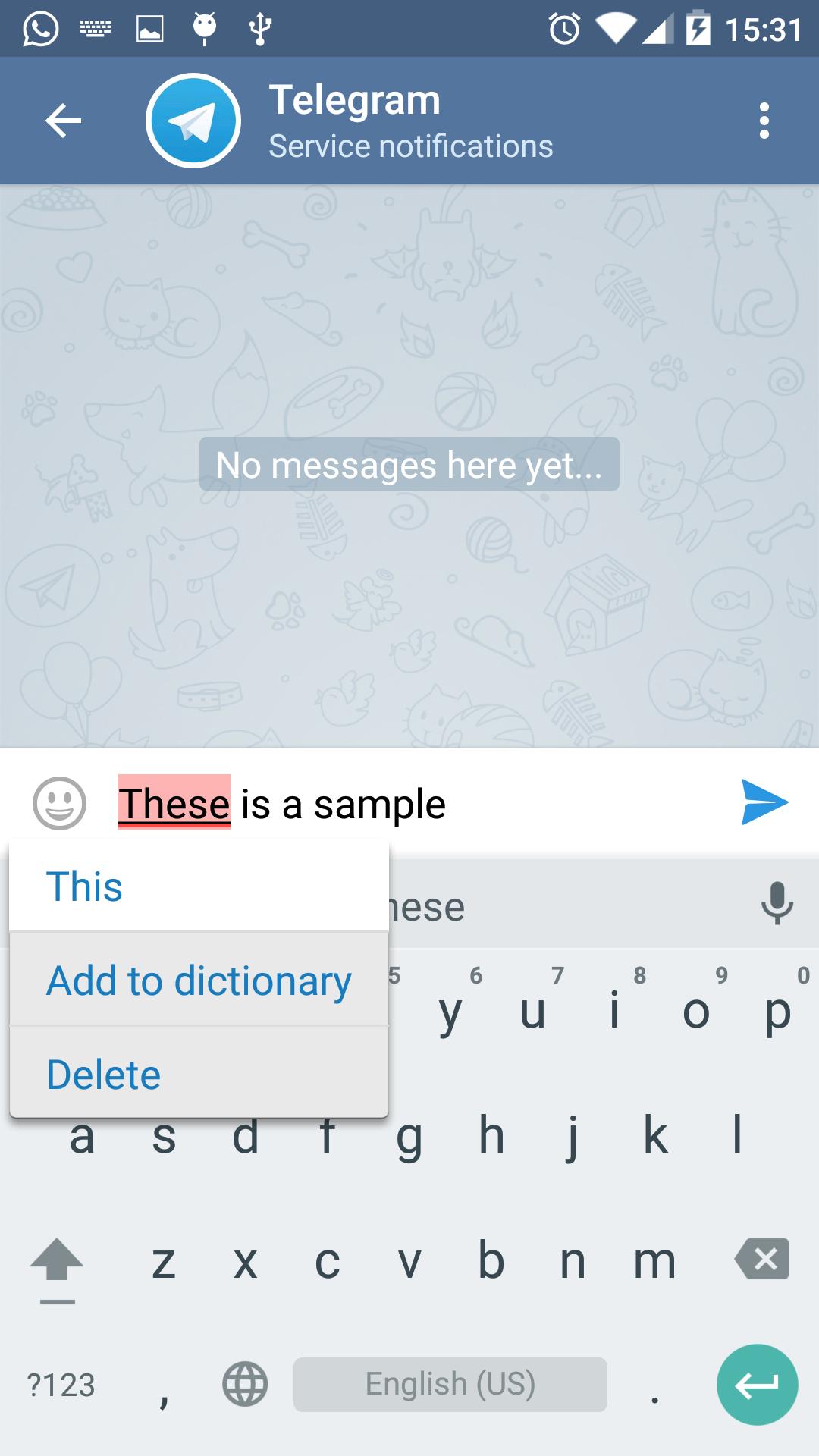
LanguageTool is an Open Source proofreading program that works as Android spell checking service. It is available for Breton, Catalan, Esperanto, French, German, Spanish, Polish, Ukrainian and Russian languages. Currently it is in beta version.
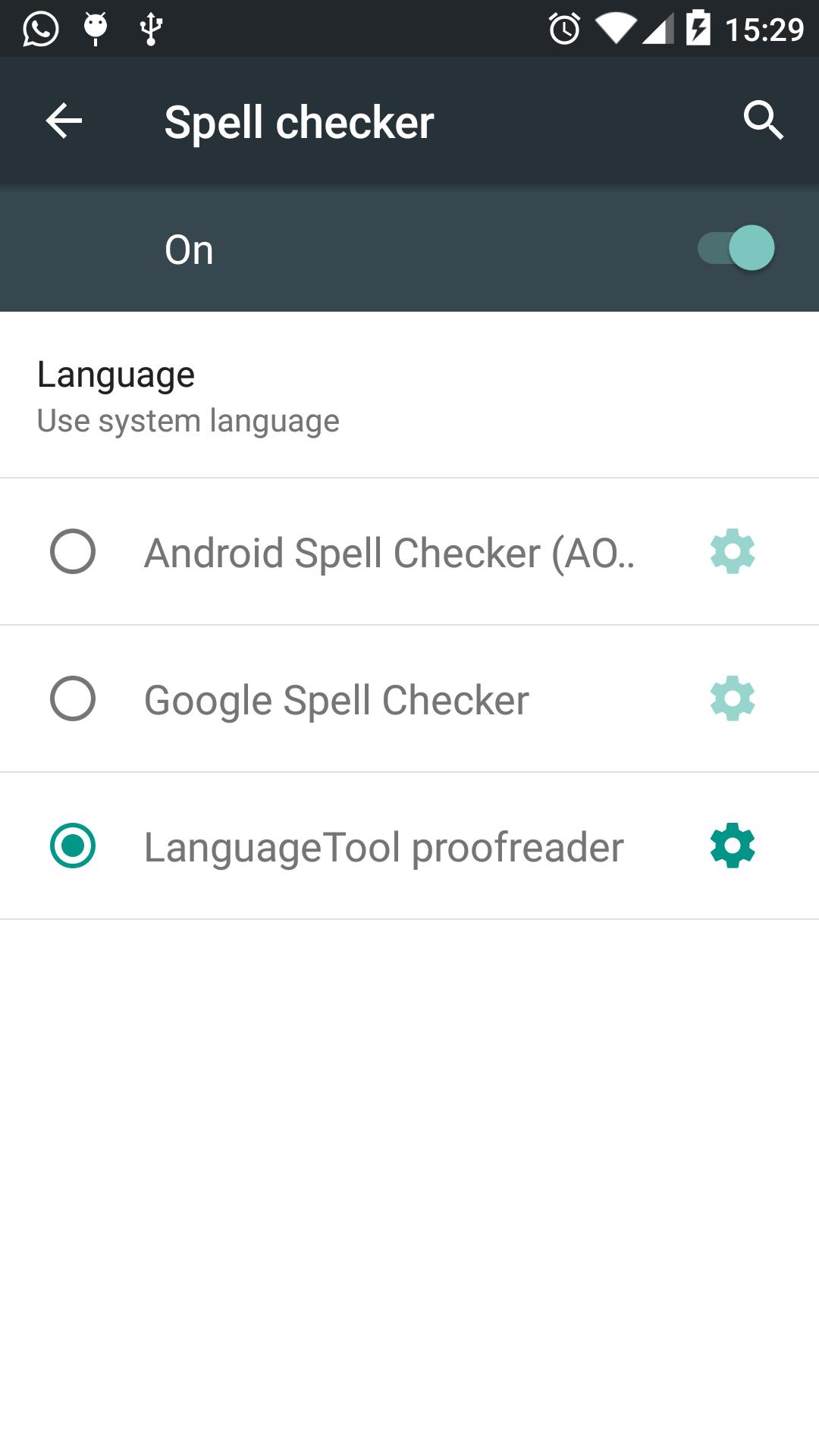
VERY IMPORTANT: Once it is installed, go to Settings -> Language Input -> Spell Checker and select the "LanguageTool proofreader"
Since this application is a service, it is automatically integrated with the system and allows the user to spell check from apps like Twitter, Facebook, WhatsUp or Telegram. The application sends what the introduces in regular text boxes (not including passwords) and sends the content over a secure connection to LanguageTool.org that does the spell checking. LanguageTool.org does not keep any text that proofreads.
It does NOT work on Samsung devices due to the removal of spell checking API by the manufacturer. It is also known that does not work in some devices (some versions of LG and others).
Ön izleme
Bilgi
geliştirici
Softcatalà
En Son Sürüm
1.0.10
Son güncelleme
2018-10-28
Kategori
Verimlilik
üzerinde mevcut
Google Play
Daha fazla göster
PC'de GameLoop ile LanguageTool proofreader nasıl oynanır
1. Resmi web sitesinden GameLoop'u indirin, ardından GameLoop'u kurmak için exe dosyasını çalıştırın.
2. GameLoop'u açın ve “LanguageTool proofreader”i arayın, arama sonuçlarında LanguageTool proofreader'i bulun ve “Yükle”ye tıklayın.
3. GameLoop'ta LanguageTool proofreader oynamanın keyfini çıkarın.
Minimum requirements
OS
Windows 8.1 64-bit or Windows 10 64-bit
GPU
GTX 1050
CPU
i3-8300
Memory
8GB RAM
Storage
1GB available space
Recommended requirements
OS
Windows 8.1 64-bit or Windows 10 64-bit
GPU
GTX 1050
CPU
i3-9320
Memory
16GB RAM
Storage
1GB available space