
Fast Urdu Voice Keyboard App PC
Keyboard Mania11
Fast Urdu Voice Keyboard App'i GameLoop Emulator ile PC'ye indirin
PC'de Fast Urdu Voice Keyboard App
Keyboard Mania11 geliştiricisinden gelen Fast Urdu Voice Keyboard App, geçmişte Android systerm üzerinde çalışıyor.
Artık Fast Urdu Voice Keyboard App'i PC'de GameLoop ile sorunsuz bir şekilde oynayabilirsiniz.
GameLoop kitaplığından veya arama sonuçlarından indirin. Artık yanlış zamanda pile bakmak veya sinir bozucu aramalar yapmak yok.
Fast Urdu Voice Keyboard App bilgisayarın keyfini büyük ekranda ücretsiz olarak çıkarın!
Fast Urdu Voice Keyboard App Tanıtım
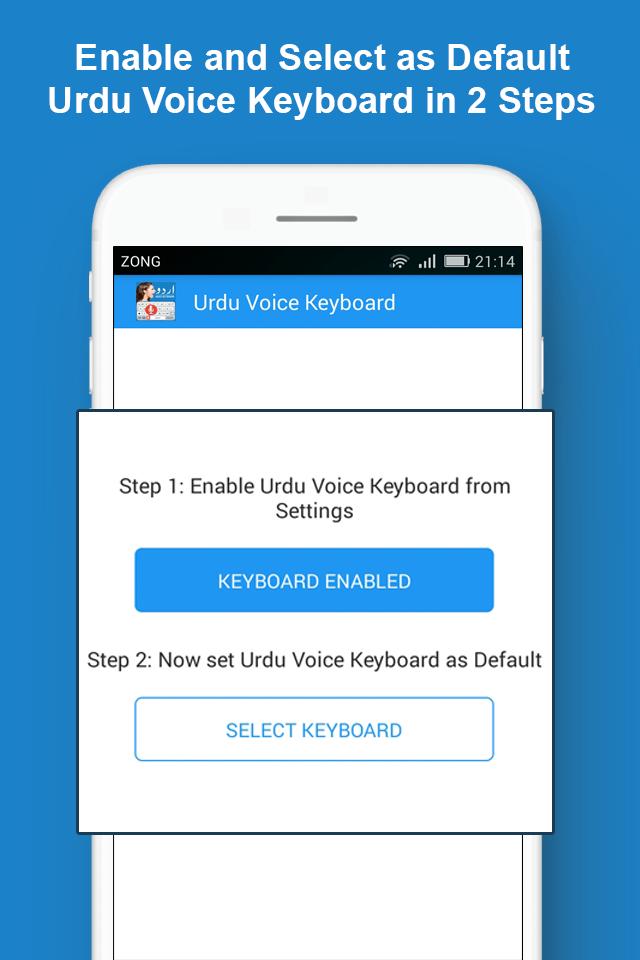
Urdu English Voice Keyboard: Fast & Easy Pak اردو keyboard with mic and urdu voice typing app is the fastest and easiest urdu typing keyboard. The keyboard, in addition to offering voice urdu typing is also a text to speech English to urdu converter keyboard for android. Urdu Fast Keyboard: Easy Voice Urdu English Typing comes with salient features that make it standout compared to rest of the urdu phonetic keyboards and easy urdu typing keyboard apps for android.
Fast Urdu Voice Keyboard: Easy Urdu English Typing:
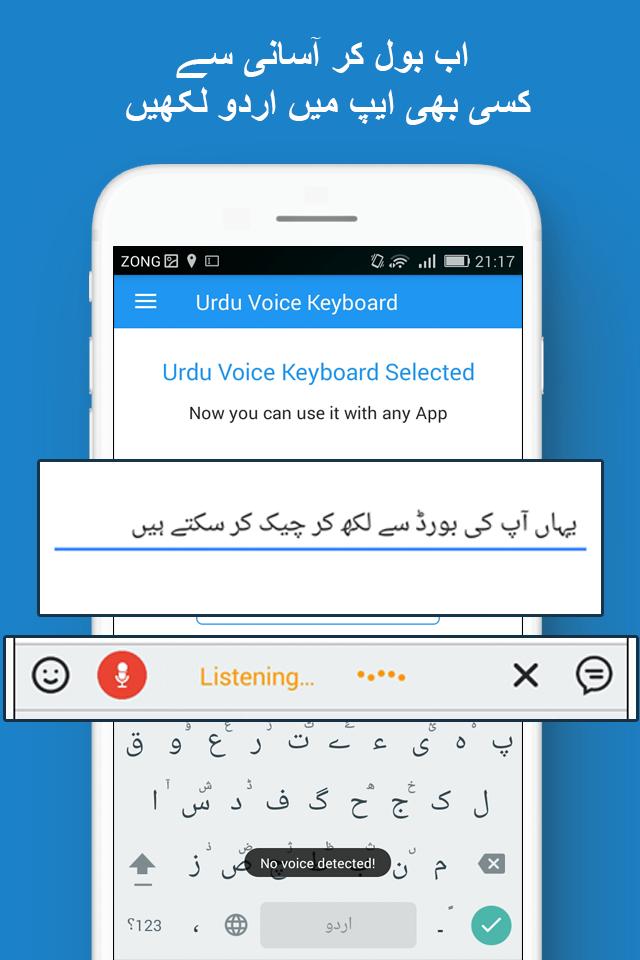
The primary feature of Voice keyboard app is the Pak urdu voice typing feature. With this feature, all a user of this voice urdu keyboard has to do is to speak in urdu language and the converts Urdu input into text. In this simple way you can give urdu voice input without using the language input typing keyboard.
Urdu to English Phonetic Voice Keyboard:
In addition to being an urdu voice keyboard that allows urdu input, another feature of Urdu Fast keyboard app is the urdu to English phonetic voice keyboard input. With this voice input feature, the user can give urdu input and the android system translates it into roman English phonetic output.
Therefore, if you don’t wish to have your text in Arabic urd, rather you wish for it to be in roman urdu then Easy Urdu English Typing is the app to have.
Speech to Text Input:
Another prominent feature of Fast & Easy Pak اردو Keyboard the urdu and English speech to text. The app by default allows you to enter urdu voice input and get its textual output. On the other hand, there is the English speech to text as well as all the languages of the world. Therefore, other than using Pak urdu voice keyboard, you can use the app for converting any speech to text and then share it as a text message across various sharing platforms.
Useful Pakistan Urdu Phrases:
Another great and useful option in Urdu Fast Keyboard is the availability of useful easy typing and fast typing urdu phrases. With these phrases such as phrases used on greetings, welcomes, goodbyes and other different Pakistani and Islamic social cultural phrases you don’t need to worry about typing those phrases, rather the app presents them to you in easy type and fast type format with a single tap.
Urdu Keyboard Themes:
Presently Easy Voice Urdu English Typing has two classic themes from which the user can choose the urdu keyboard layout that he/she likes. With the help of these voice urdu keyboard themes, you can turn the keyboard to your liking and make it custom to your phone themes and settings.
A Diverse Range of Easy Typing Setting:
Compared to the conventional fast urdu keyboards, the app offers a wide range of urdu keyboard settings for android. You can increase or decrease the size of the keyboard, turn auto correction, auto capitalization, suggestion features on or off depending upon your liking. Furthermore, you can also allow contact name suggestions and blocking of offensive words as well.
Download Fast Urdu Voice Keyboard: now and enjoy easy typing as well as fast typing in the most convenient manner.
Now if you don’t wish to type urdu, you can easily speak urdu and get it converted into urdu text phonetically.
Ön izleme
Etiketler
VerimlilikBilgi
geliştirici
Keyboard Mania11
En Son Sürüm
4.0
Son güncelleme
2025-06-04
Kategori
Verimlilik
üzerinde mevcut
Google Play
Daha fazla göster
PC'de GameLoop ile Fast Urdu Voice Keyboard App nasıl oynanır
1. Resmi web sitesinden GameLoop'u indirin, ardından GameLoop'u kurmak için exe dosyasını çalıştırın.
2. GameLoop'u açın ve “Fast Urdu Voice Keyboard App”i arayın, arama sonuçlarında Fast Urdu Voice Keyboard App'i bulun ve “Yükle”ye tıklayın.
3. GameLoop'ta Fast Urdu Voice Keyboard App oynamanın keyfini çıkarın.
Minimum requirements
OS
Windows 8.1 64-bit or Windows 10 64-bit
GPU
GTX 1050
CPU
i3-8300
Memory
8GB RAM
Storage
1GB available space
Recommended requirements
OS
Windows 8.1 64-bit or Windows 10 64-bit
GPU
GTX 1050
CPU
i3-9320
Memory
16GB RAM
Storage
1GB available space