
Analog Film Photo Filter PC
Pineapple infotech
Analog Film Photo Filter'i GameLoop Emulator ile PC'ye indirin
PC'de Analog Film Photo Filter
Pineapple infotech geliştiricisinden gelen Analog Film Photo Filter, geçmişte Android systerm üzerinde çalışıyor.
Artık Analog Film Photo Filter'i PC'de GameLoop ile sorunsuz bir şekilde oynayabilirsiniz.
GameLoop kitaplığından veya arama sonuçlarından indirin. Artık yanlış zamanda pile bakmak veya sinir bozucu aramalar yapmak yok.
Analog Film Photo Filter bilgisayarın keyfini büyük ekranda ücretsiz olarak çıkarın!
Analog Film Photo Filter Tanıtım
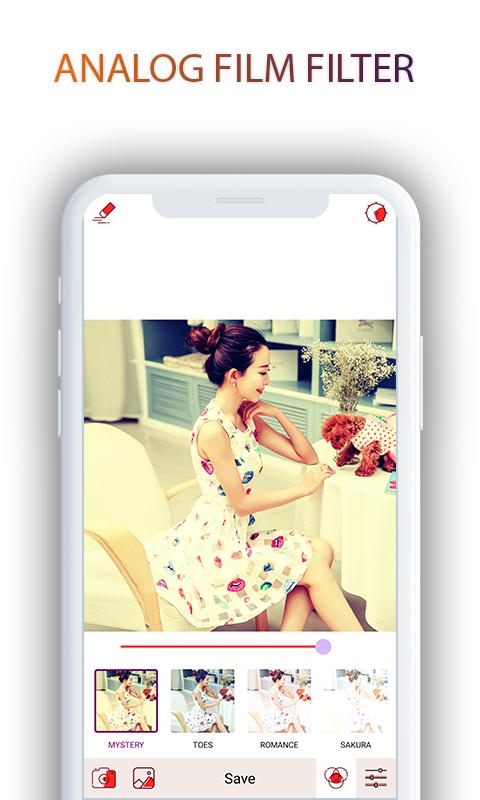
Best photo editor app with analog filter: Analog Film Photo Filters.
Take your photography to the next level with quality presets and editing tools using Analog Film Photo Filters.
Create retro photos with vintage touch. Tons of filters and effects using Analog Film Photo Filters
Analog Film Photo Filters is the easist photo editor and photo filter app to add analog film filters to your photos.
Features of Analog Film Photo Filters :
1 ) Advanced Editing Tools of Analog Film Photo Filters :
Applying photo filters is not enough. Personalize your photos with advanced photo editing tools like brightness, contrast, vignette, saturation and sharpness .
2) Paris simulation : Analog Film Paris
3) Tokyo simulation : Analog Film Tokyo
4) Salmon Simulations : Analog Film Salmon
5) The Analog Film Salmon Camera is also equipped with film scratches and dust for a more realistic film appearance.
6) Use filters to achieve specific themes in photos: simulate bright yellow filters in Paris, simulate sunset themes in Tokyo, simulate retro filters, simulate Salmon filters.
7) Photo Editor: Powerful editing tools: exposure, shadow, temperature, sharpening, rotation, brightness, light leakage, etc.
8) Quickly save high quality images, photos in HD, 4K photos using Analog Film Photo Filters .
Enjoy now and share your emotion for us.
Ön izleme

Bilgi
geliştirici
Pineapple infotech
En Son Sürüm
1.0
Son güncelleme
2019-09-20
Kategori
Fotoğrafçılık
üzerinde mevcut
Google Play
Daha fazla göster
PC'de GameLoop ile Analog Film Photo Filter nasıl oynanır
1. Resmi web sitesinden GameLoop'u indirin, ardından GameLoop'u kurmak için exe dosyasını çalıştırın.
2. GameLoop'u açın ve “Analog Film Photo Filter”i arayın, arama sonuçlarında Analog Film Photo Filter'i bulun ve “Yükle”ye tıklayın.
3. GameLoop'ta Analog Film Photo Filter oynamanın keyfini çıkarın.
Minimum requirements
OS
Windows 8.1 64-bit or Windows 10 64-bit
GPU
GTX 1050
CPU
i3-8300
Memory
8GB RAM
Storage
1GB available space
Recommended requirements
OS
Windows 8.1 64-bit or Windows 10 64-bit
GPU
GTX 1050
CPU
i3-9320
Memory
16GB RAM
Storage
1GB available space